AI Auto Reply
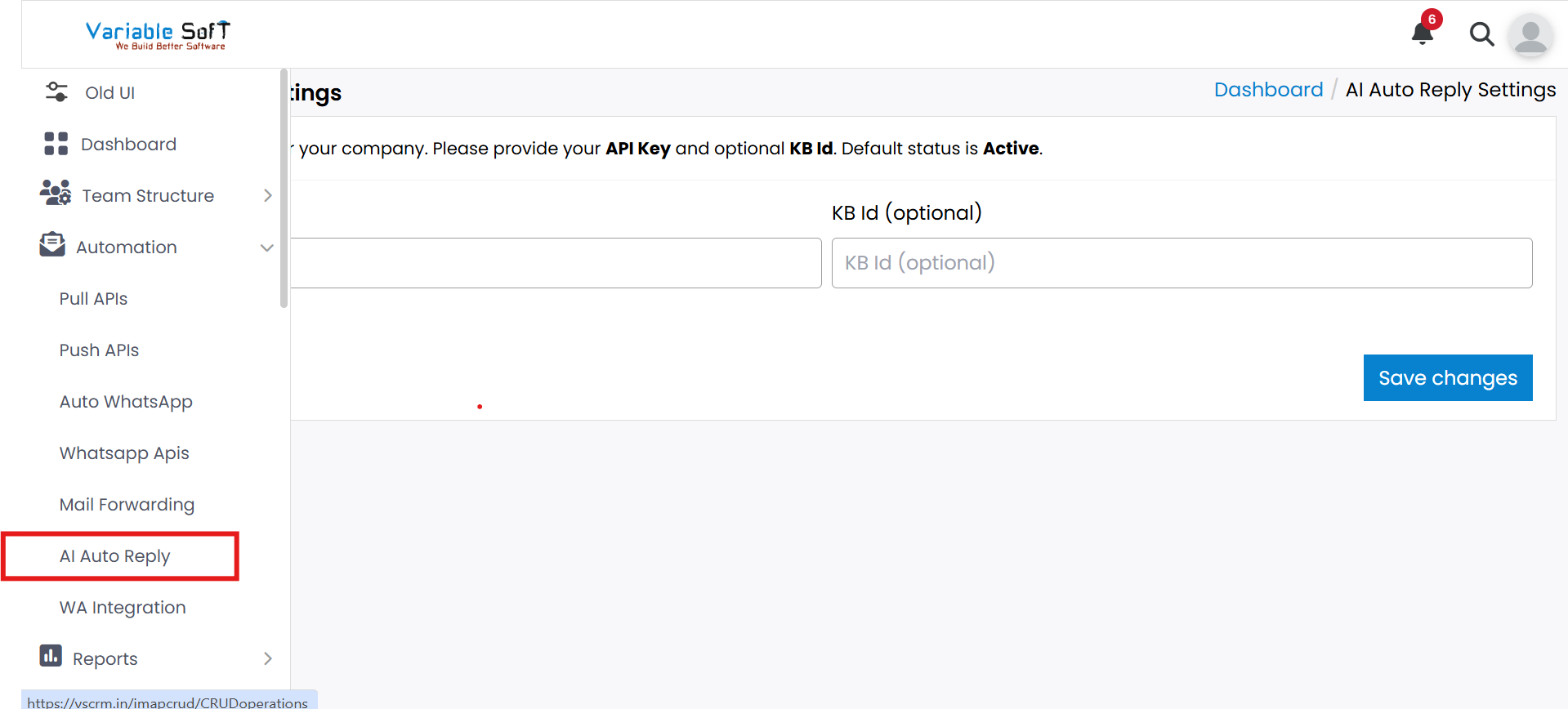
To access this feature, open your CRM Dashboard and click on Automation. From the dropdown menu, select AI Auto Reply to open the Ai Auto Reply page.
Setup Instructions
-
Step 1
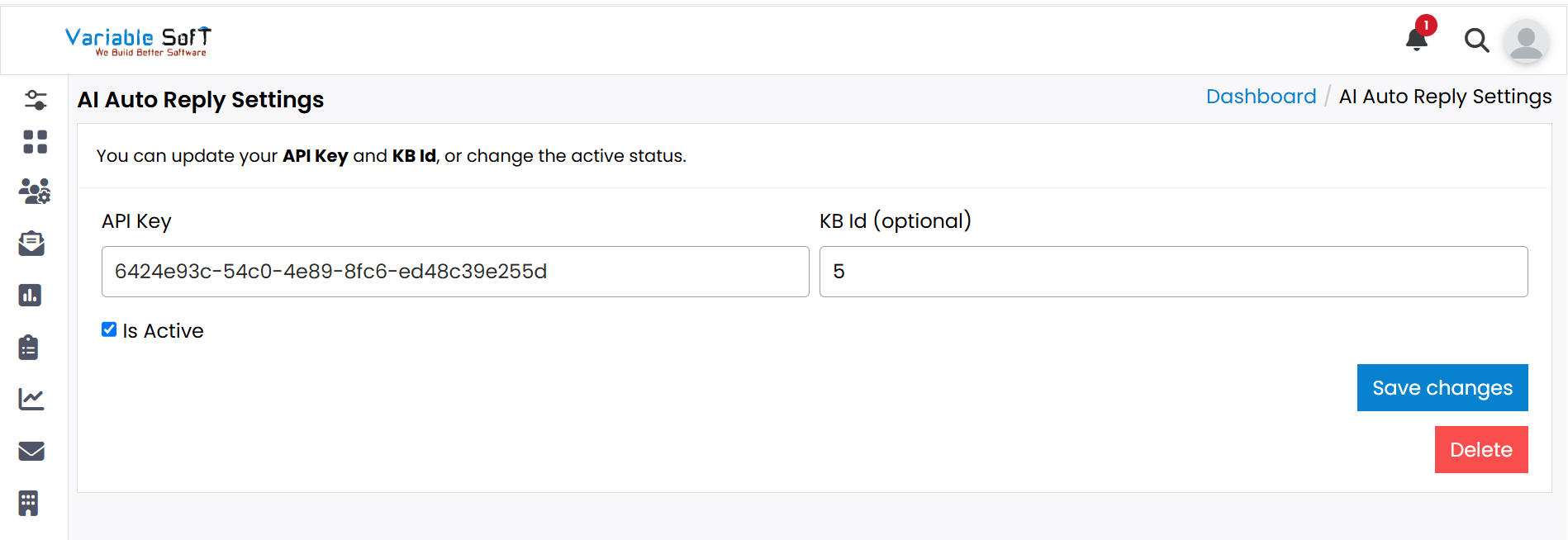
This feature is used to provide automated replies through AI.
-
Step 2
Enter the API Key and (optional) KB ID.
-
Step 3
Enable the Is Active checkbox to turn on auto reply.
-
Step 4
Click Save Changes to apply settings.
-
Step 5
Click the Delete button if you want to remove your settings.
-
Step 6
A confirmation alert will appear asking: Are you sure you want to delete these settings?
-
Step 7
Click Cancel to abort or Okay to confirm deletion.
Important Note
Always verify the API Key and KB ID before saving to avoid configuration errors.