User Target Report
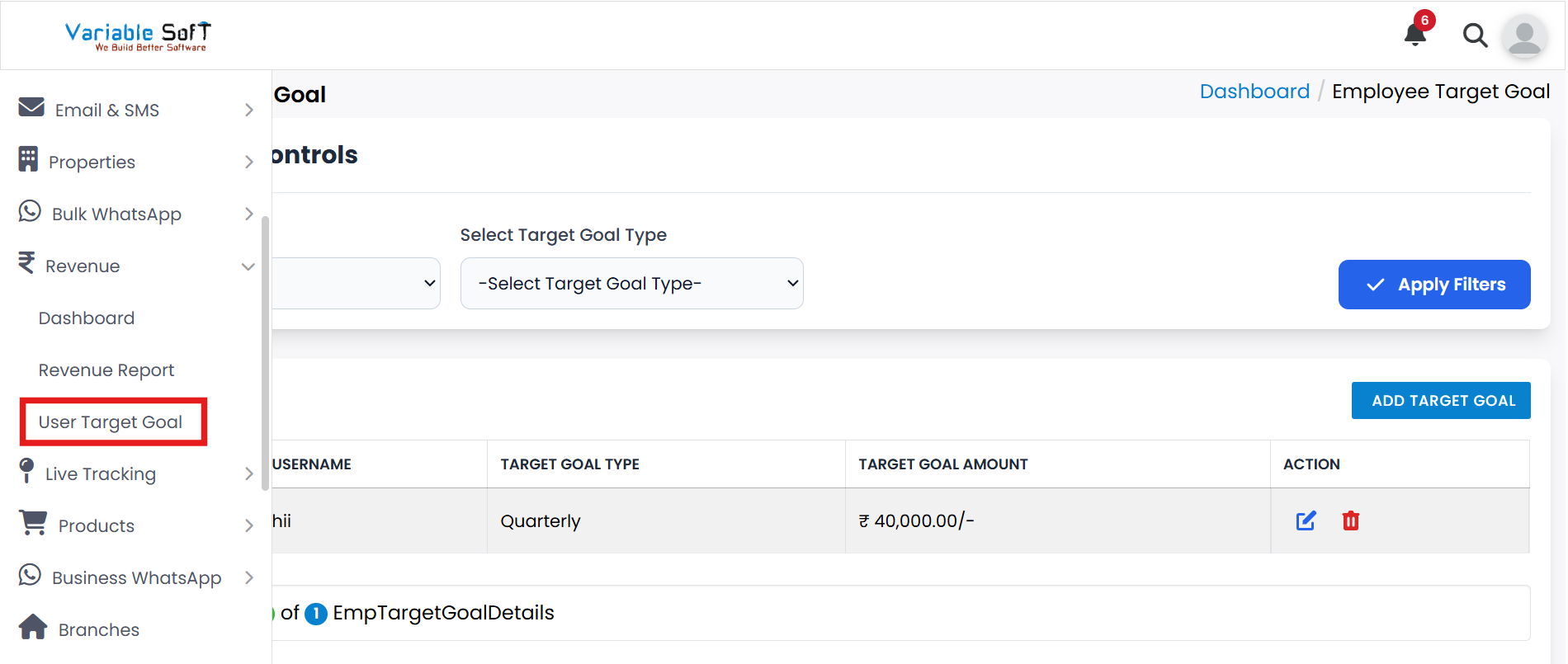
To access this feature, open your CRM Dashboard and click on Revenue. From the dropdown menu, select User Target Goal to open the Employee Target Goal page.
User Target Report Instructions
-
Step 1
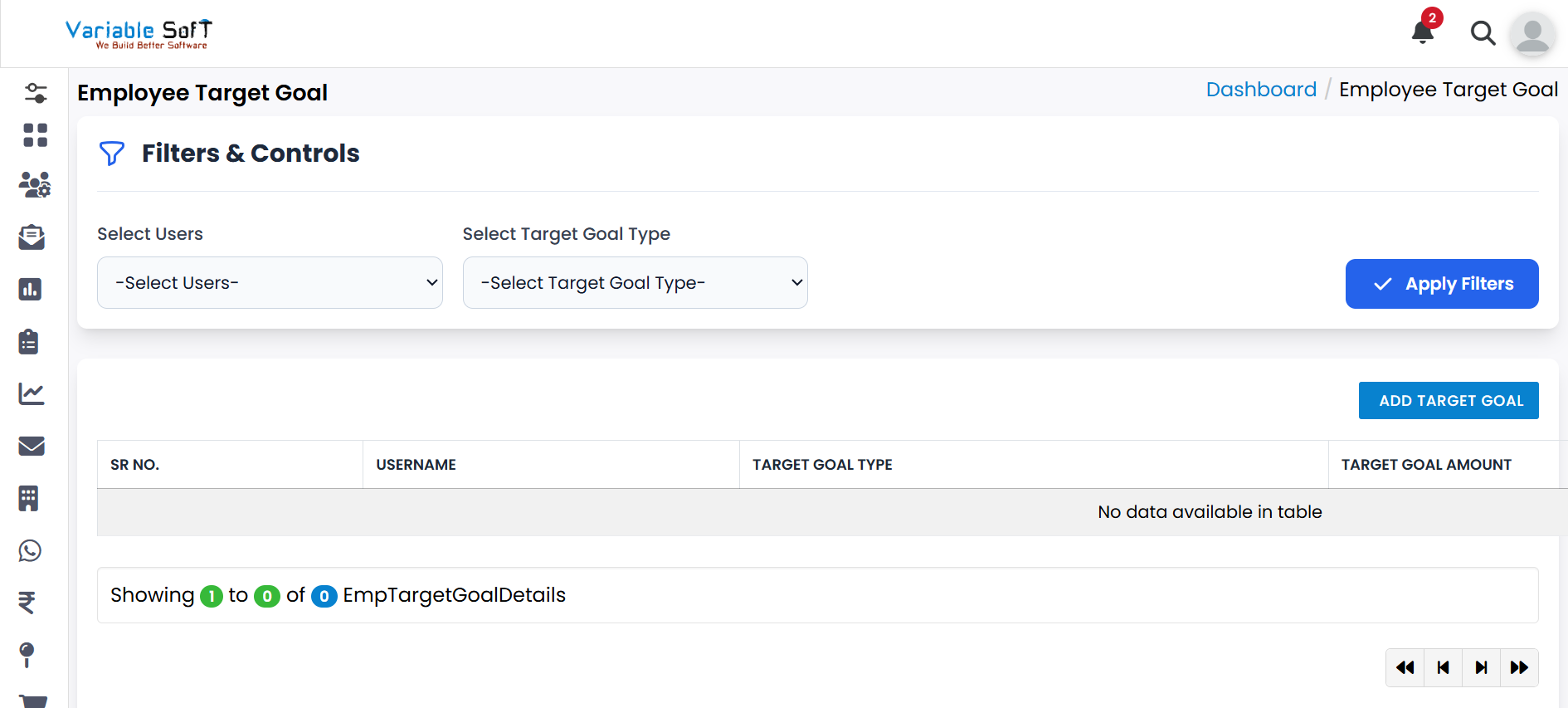
On this page, you can view detailed reports of employees’ Target Goals.
-
Step 2
To create a new goal, click on the Add Target Goal button and provide the necessary details.
-
Step 3
If you need to make changes, use the Edit option to update an existing target goal.
-
Step 4
To remove a goal that is no longer required, click on the Delete option.
-
Step 5
This section enables you to track, manage, and update employee target goals efficiently.
Quick Actions
💡 Pro Tip: Monitor Goals Regularly
Regular monitoring of employee goals ensures better performance tracking and helps in achieving organizational objectives effectively.