Property Amenities
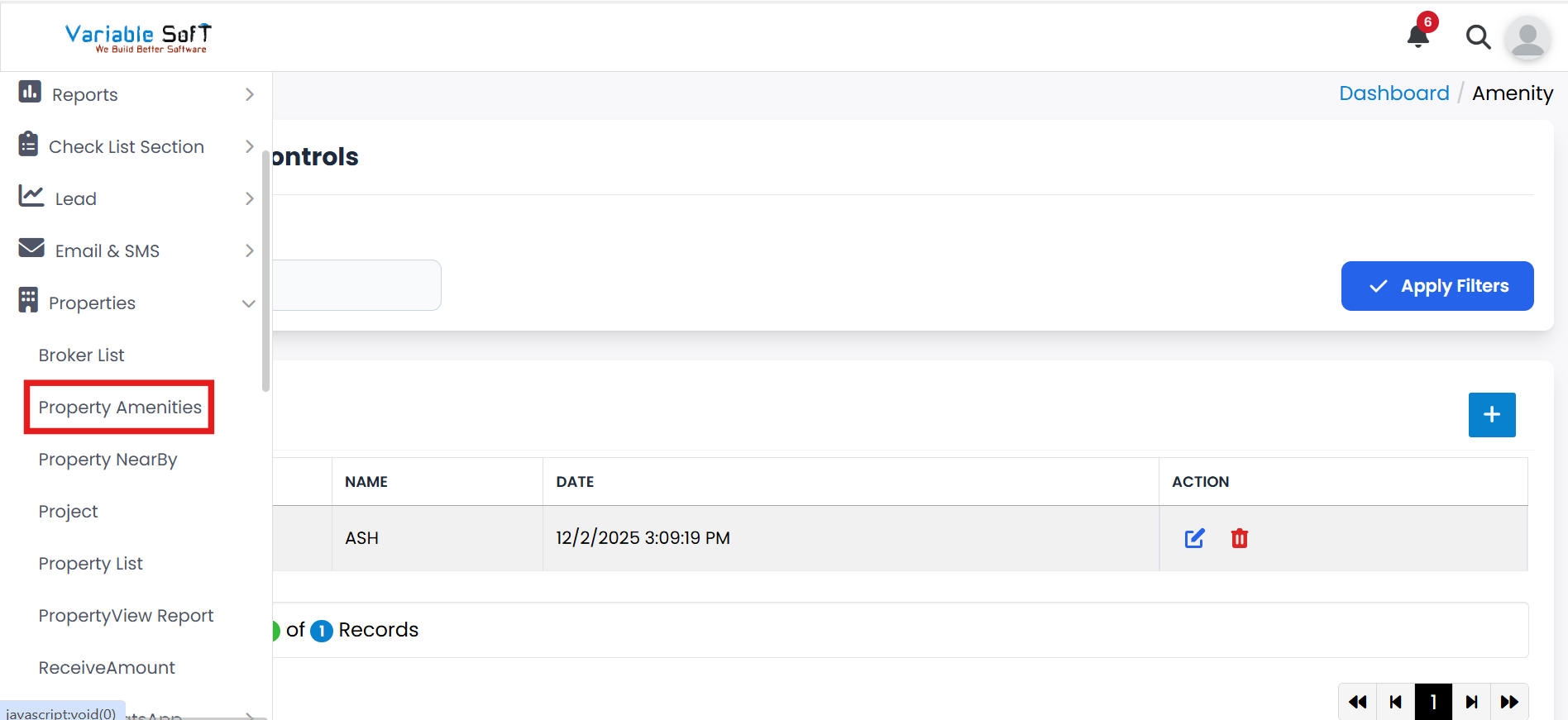
To access this feature, open your CRM Dashboard and click on Properties. From the dropdown menu, select Property Amenities to open the Amenity page.
Property Amenities Instructions
-
Step 1
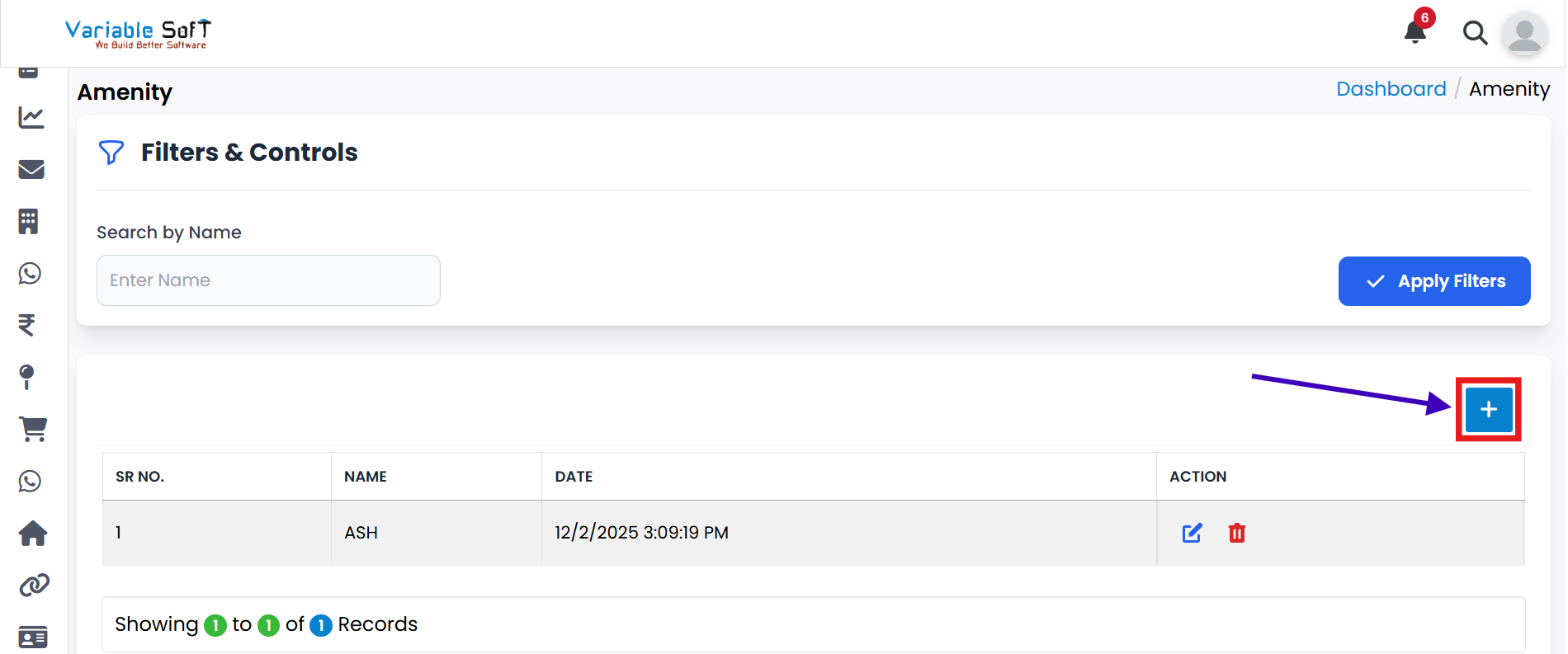
Click on the Add button.
-
Step 2
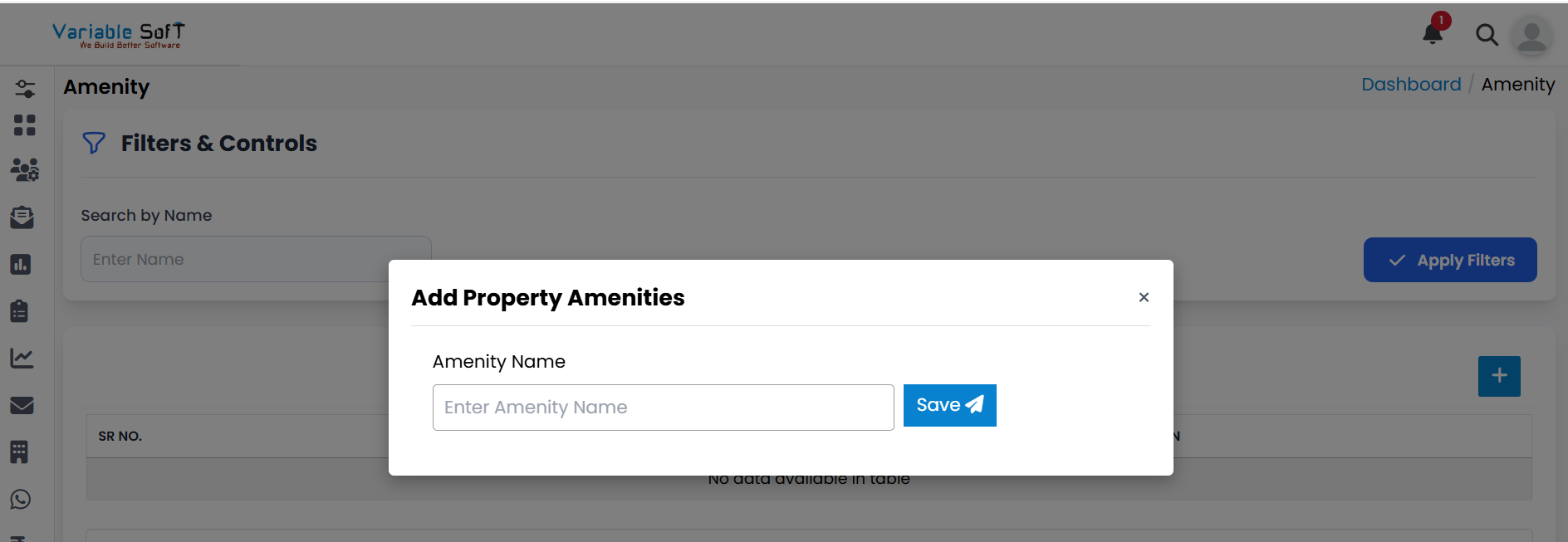
An Add Property Amenities pop-up will open.
-
Step 3
Enter the Amenity Name in the input field.
-
Step 4
Click on the Save button.
-
Step 5
Your Property Amenity will be added successfully.
💡 Pro Tip: Keep Amenities Organized
Use clear and consistent naming for amenities so that your property listings remain easy to manage and search.