User Offline
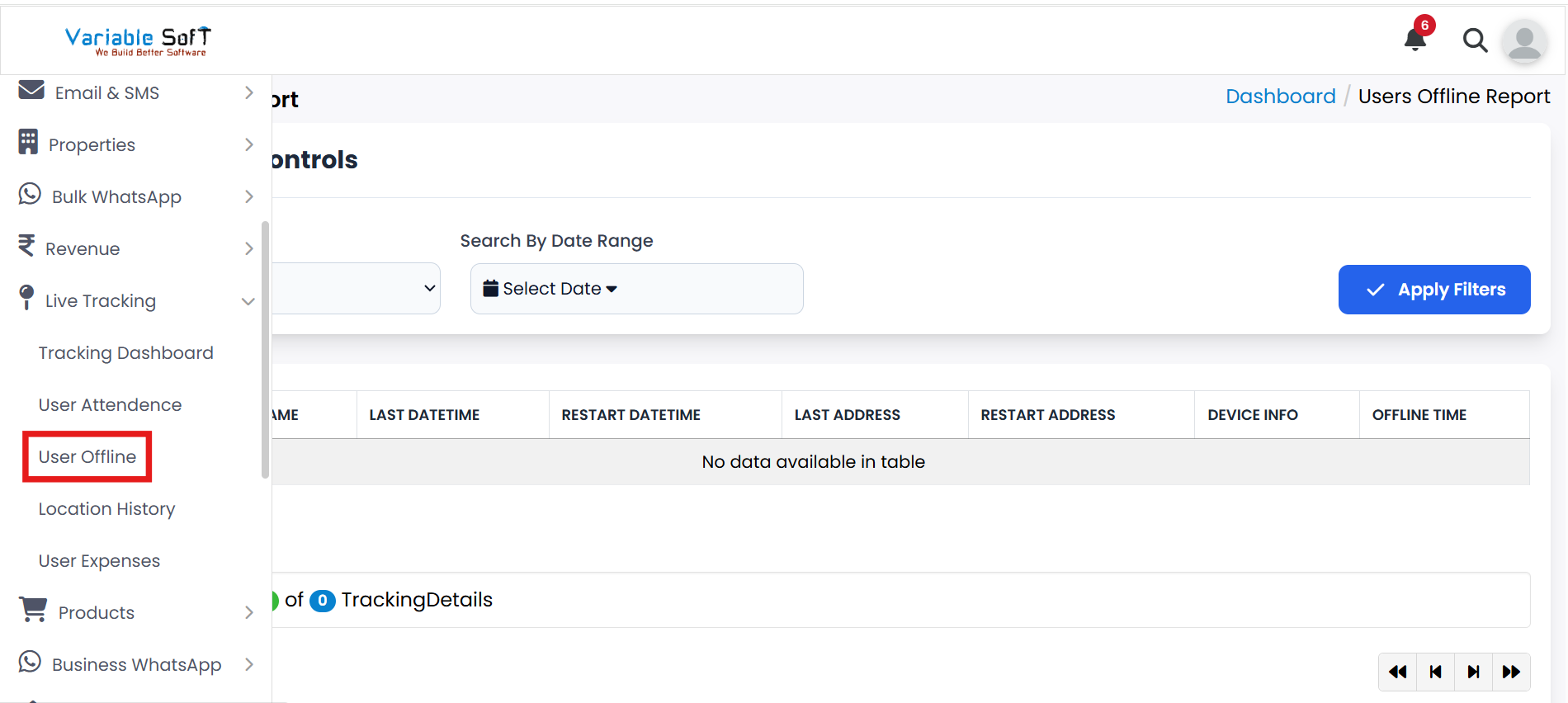
To access this feature, open your CRM Dashboard and click on Live Tracking. From the dropdown menu, select User Offline to open the Users Offline Report page.
User Offline Instructions
-
Step 1
Navigate to the Live Tracking section in your CRM.
-
Step 2
Under Live Tracking, click on the User Offline option.
-
Step 3
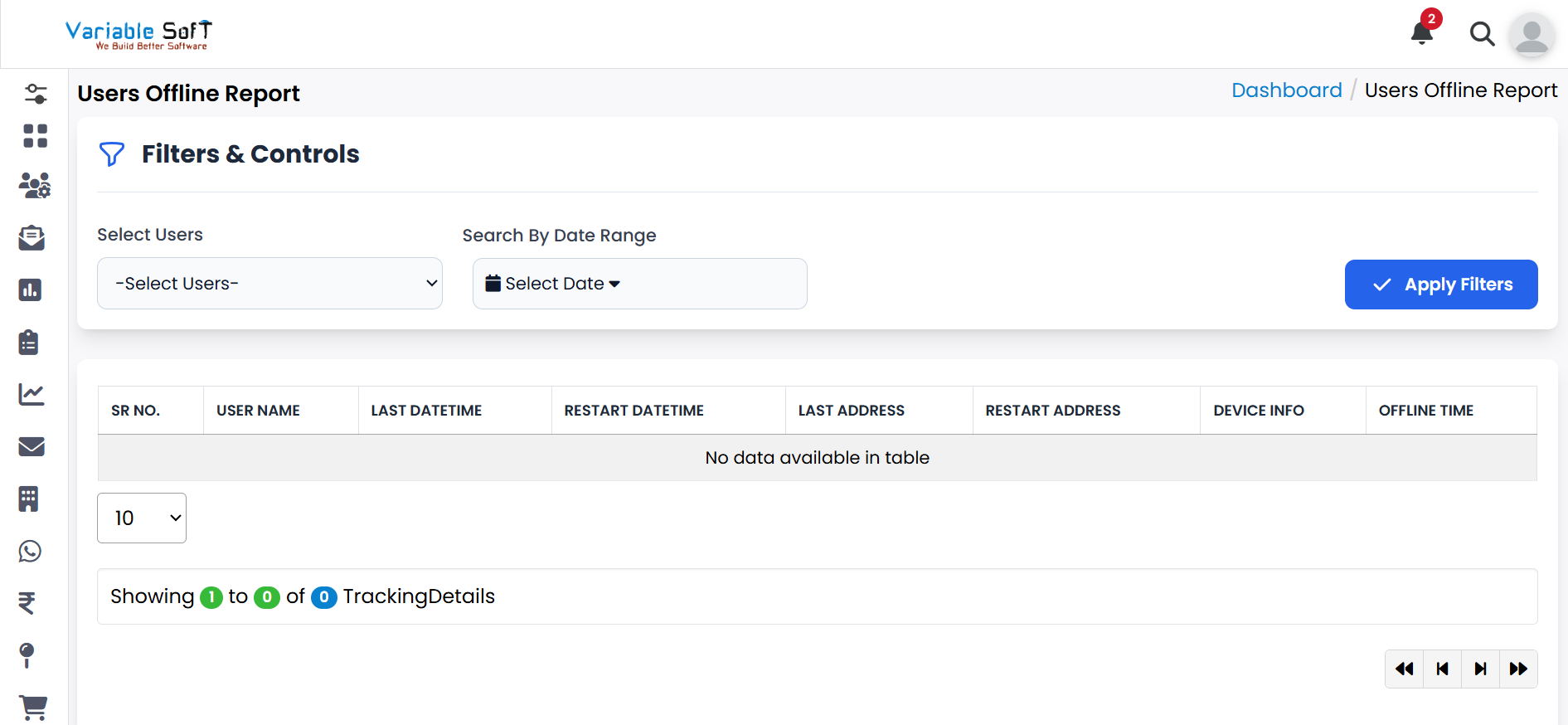
Here you can easily view detailed reports of users who are currently offline.
-
Step 4
Use available filters (like date or user) to refine the offline report for better insights.
💡 Pro Tip: Monitor Offline Patterns
Regularly check offline reports to identify connectivity issues, ensure accountability, and improve overall field team productivity.