Activity Report
To access this feature, open your CRM Dashboard and click on Reports. From the dropdown menu, select Activity Report to open the Activity Report page.
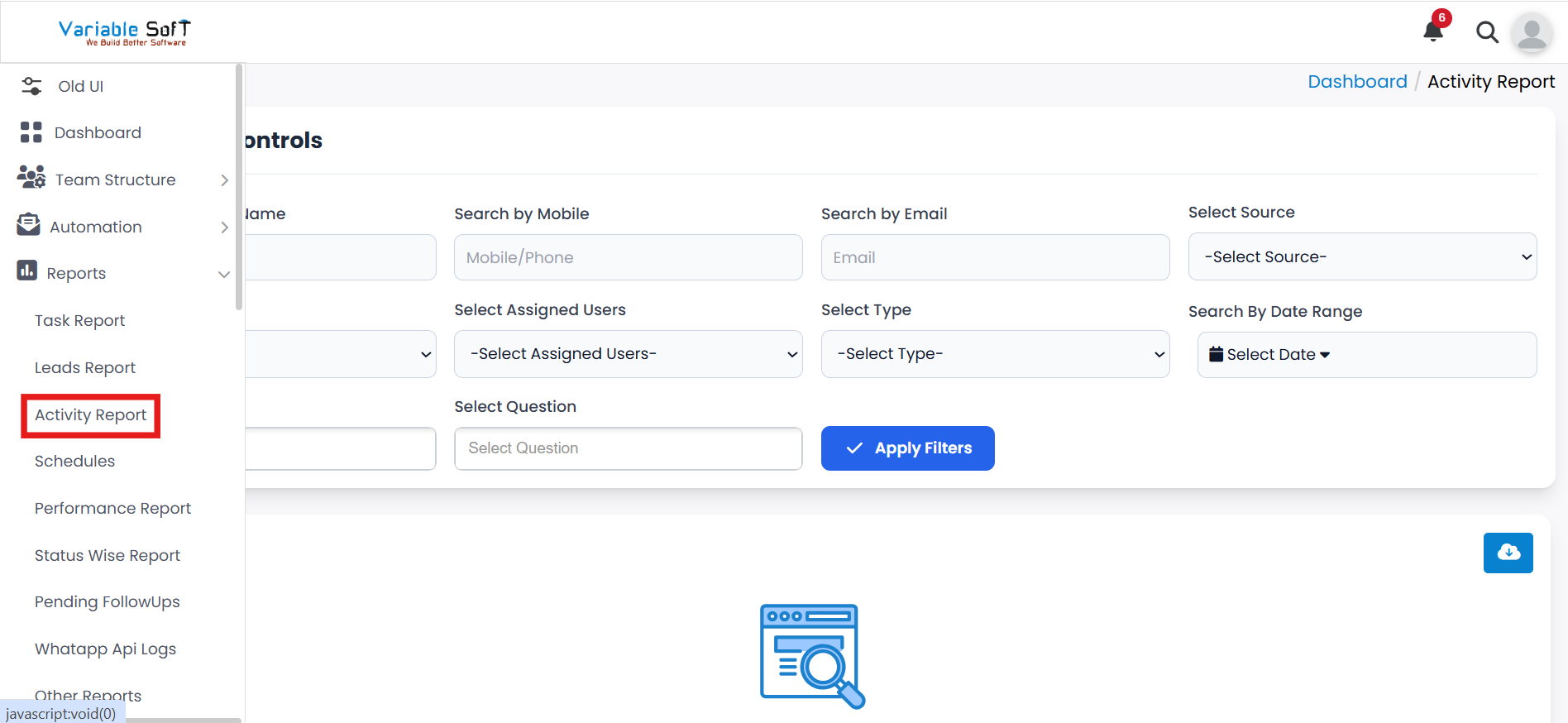
Setup Instructions
-
Step 1
To view lead activities, go to the Activity Report page.
-
Step 2
Here you can see all activities performed on leads in detail.
-
Step 3
You can view the type of activity, the lead it was performed on, and the date/time of the activity.
-
Step 4
Use the Filter & Control section to filter activities by user, date, or activity type.
-
Step 5
This allows you to track specific user activities efficiently and monitor lead engagement.
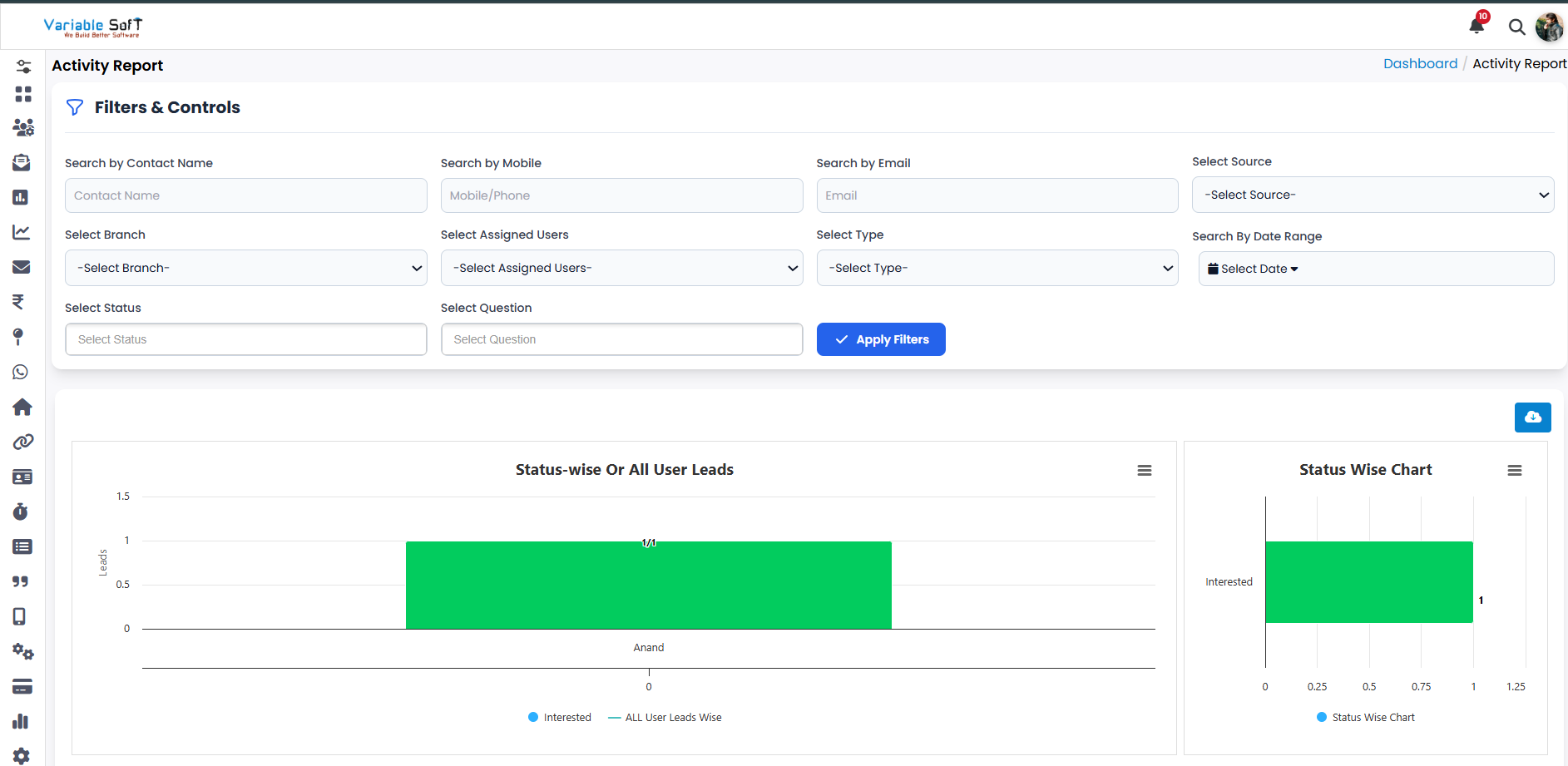
💡 Pro Tip: Use filters to track effectively
Filtering activities by user or type helps you focus on relevant actions and ensures accurate monitoring of lead interactions.