Fill Check List
To access this feature, open your CRM Dashboard and click on Check List Section. From the dropdown menu, select Fill Check List to open the Fill Check List page.
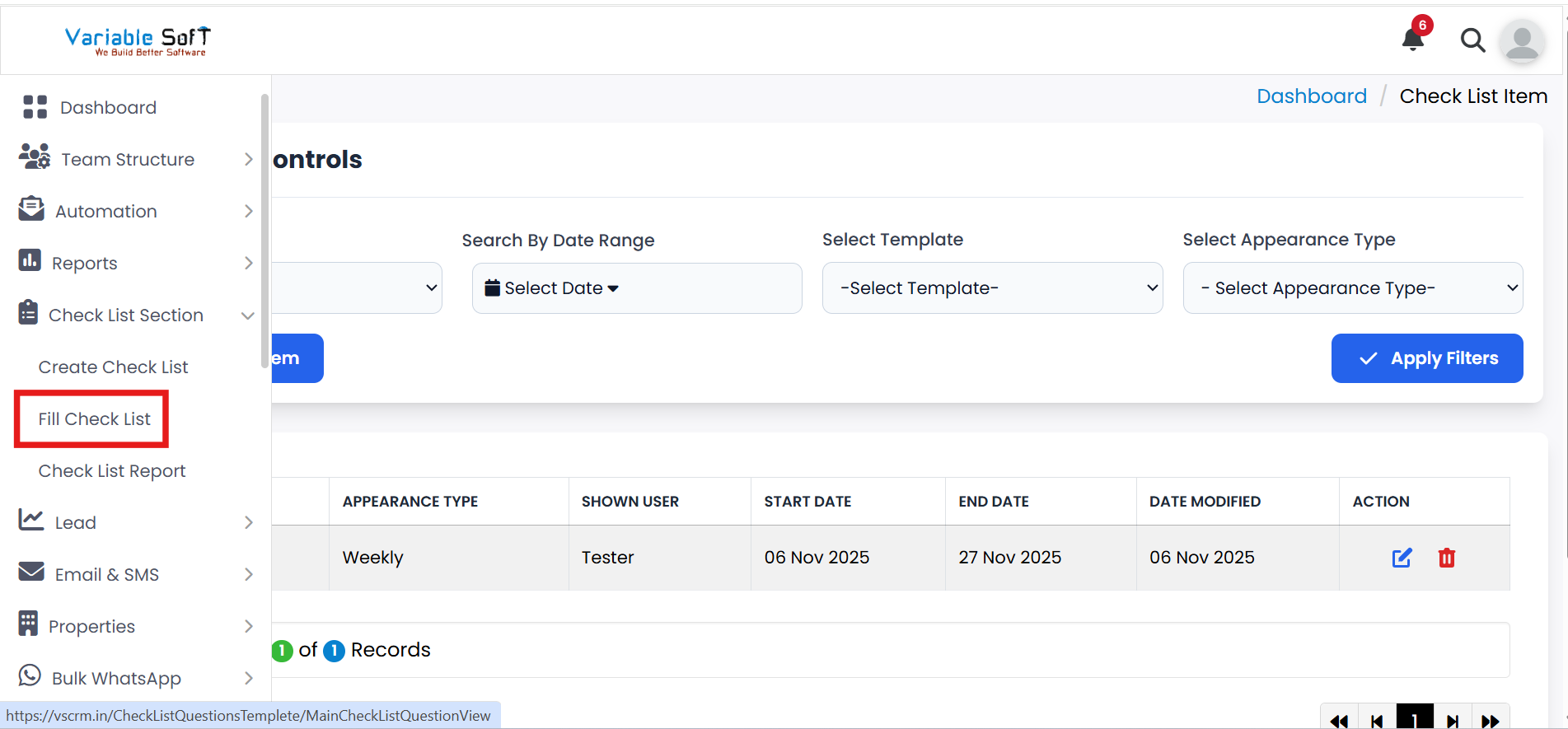
Fill Check List Instructions
-
Step 1
Go to the Fill Check List option in your CRM to review your assigned tasks.
-
Step 2
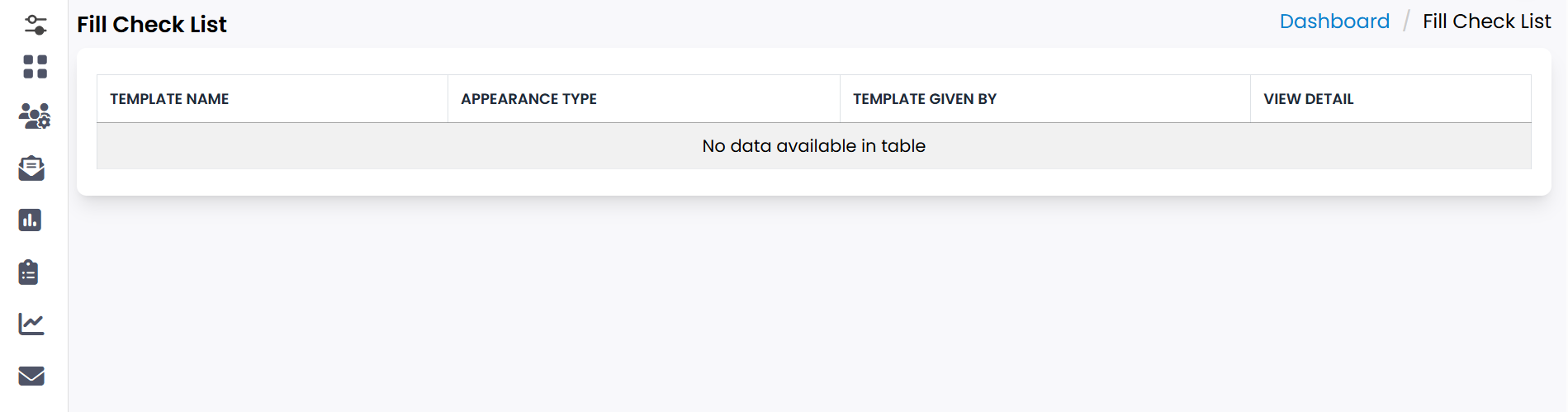
Here, you can clearly see all the tasks that have been assigned to you.
-
Step 3
Complete each task as per the requirement and update it within the checklist.
-
Step 4
Ensure that tasks are filled and submitted on time to maintain workflow efficiency.
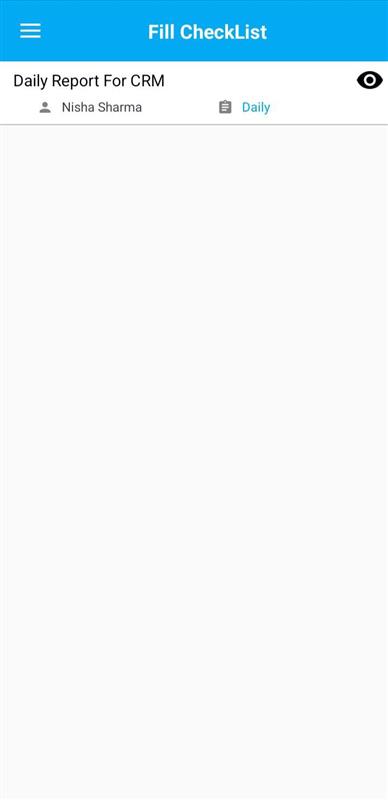
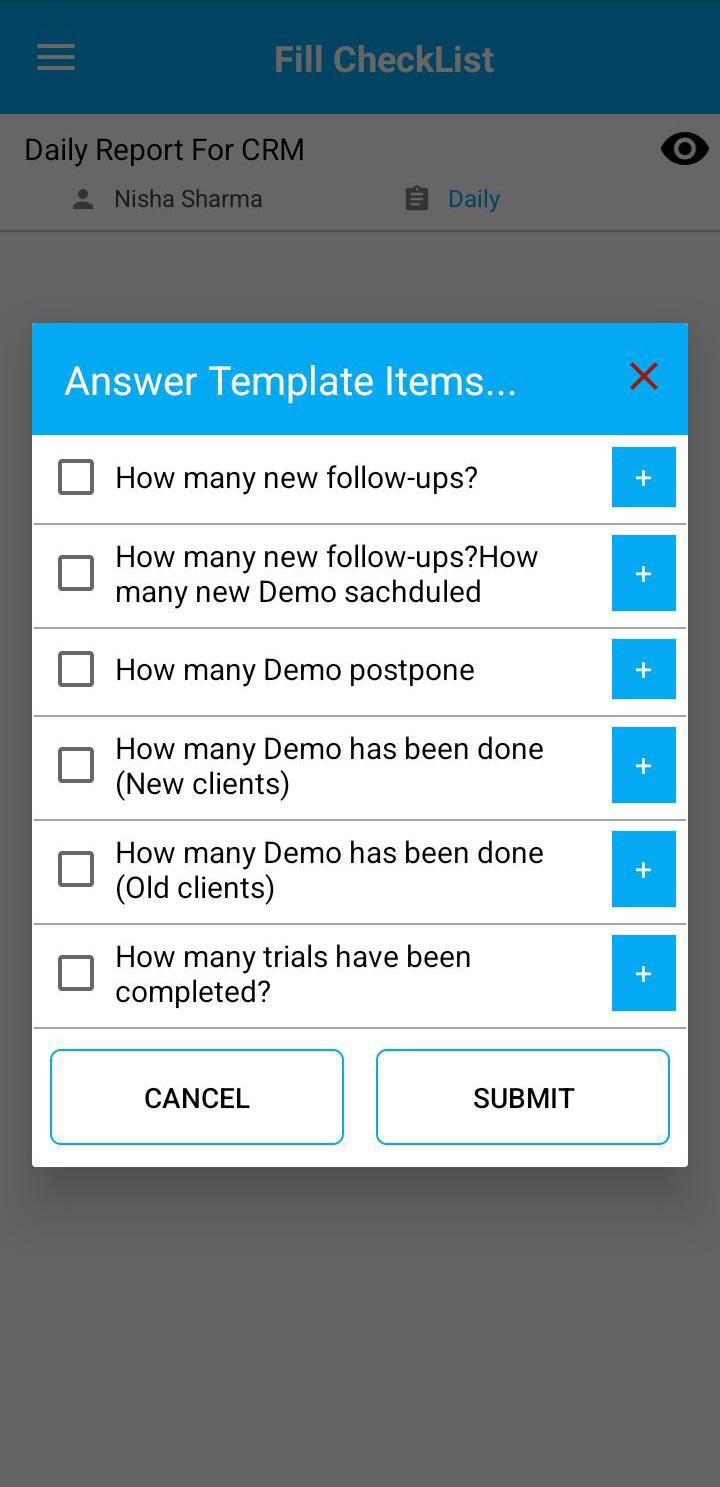
Explore Our App Interface
A quick glance at how VSCRM looks on your phone.
Pro Tip: Stay Consistent
Regularly update your checklist to avoid missing deadlines and to keep your task progress transparent for your team.