Bulk WhatsApp Sent
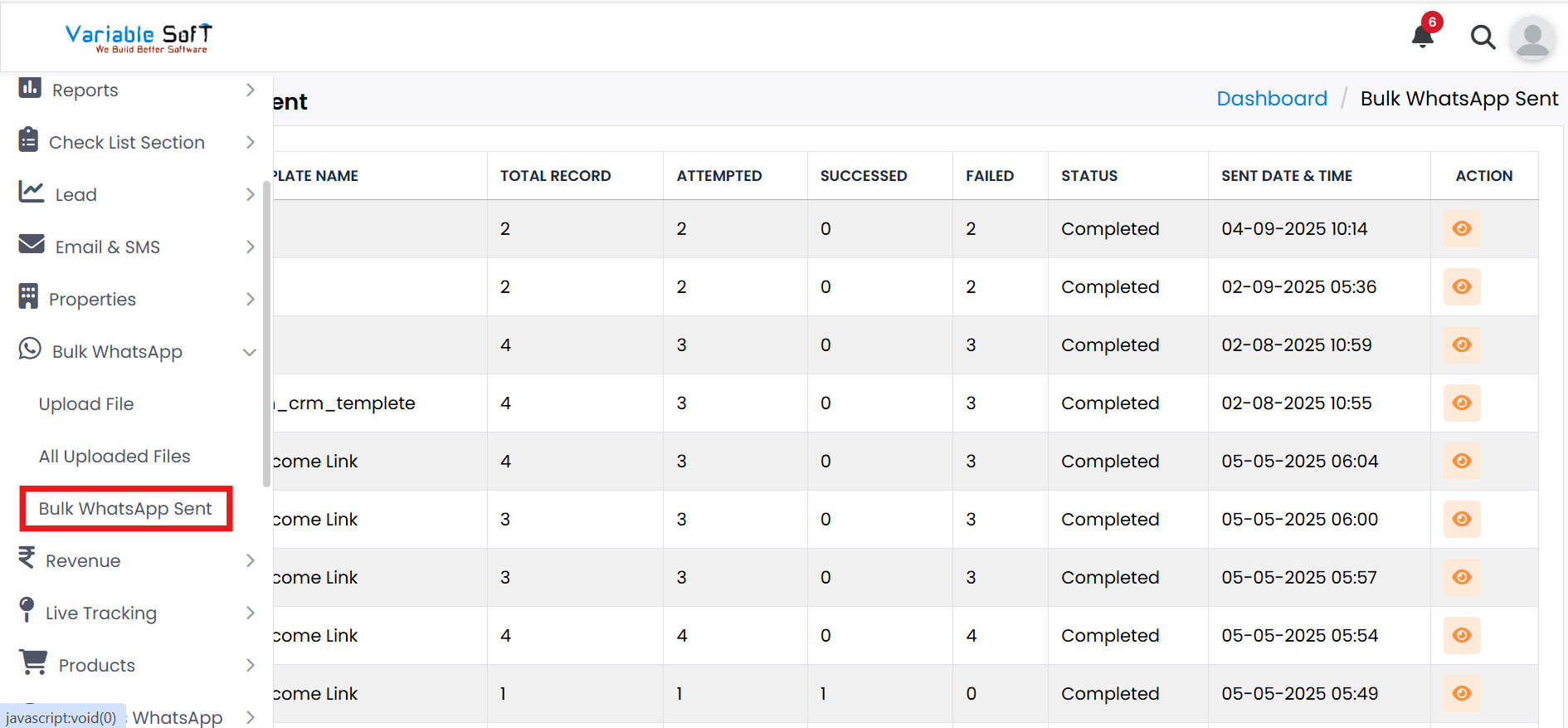
To access this feature, open your CRM Dashboard and click on Bulk WhatsApp. From the dropdown menu, select Bulk WhatsApp Sent to open the Bulk WhatsApp Sent page.
Bulk WhatsApp Sent Instructions
-
Step 1
Go to the Bulk WhatsApp Sent section from your CRM menu.
-
Step 2
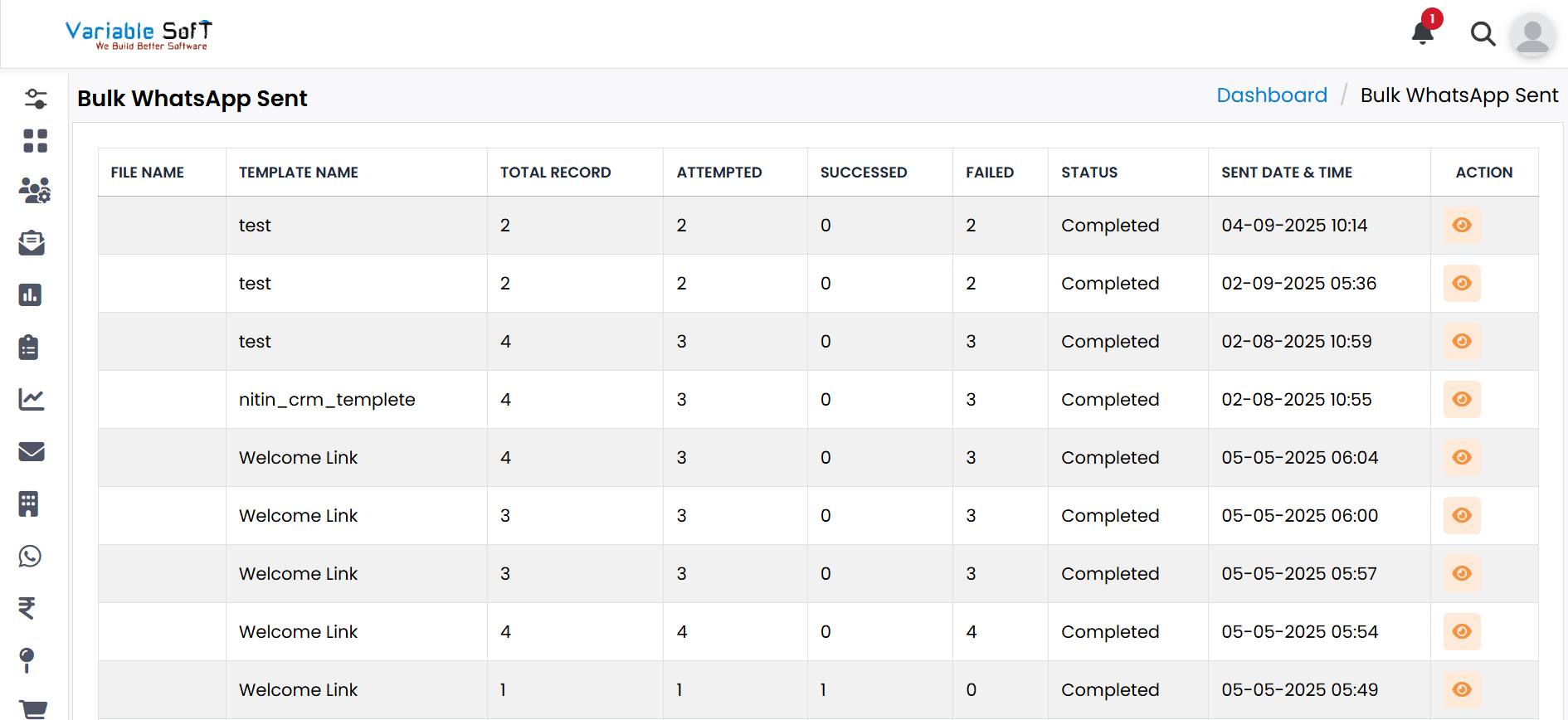
Here you can view reports of all bulk WhatsApp campaigns sent from the system.
-
Step 3
The report shows details like File Name, Template, Total Records, Status, Sent Date & more.
💡 Pro Tip: Monitor Campaigns Easily
Use the Show Details option to track delivery performance and improve your future campaigns.