Login Report
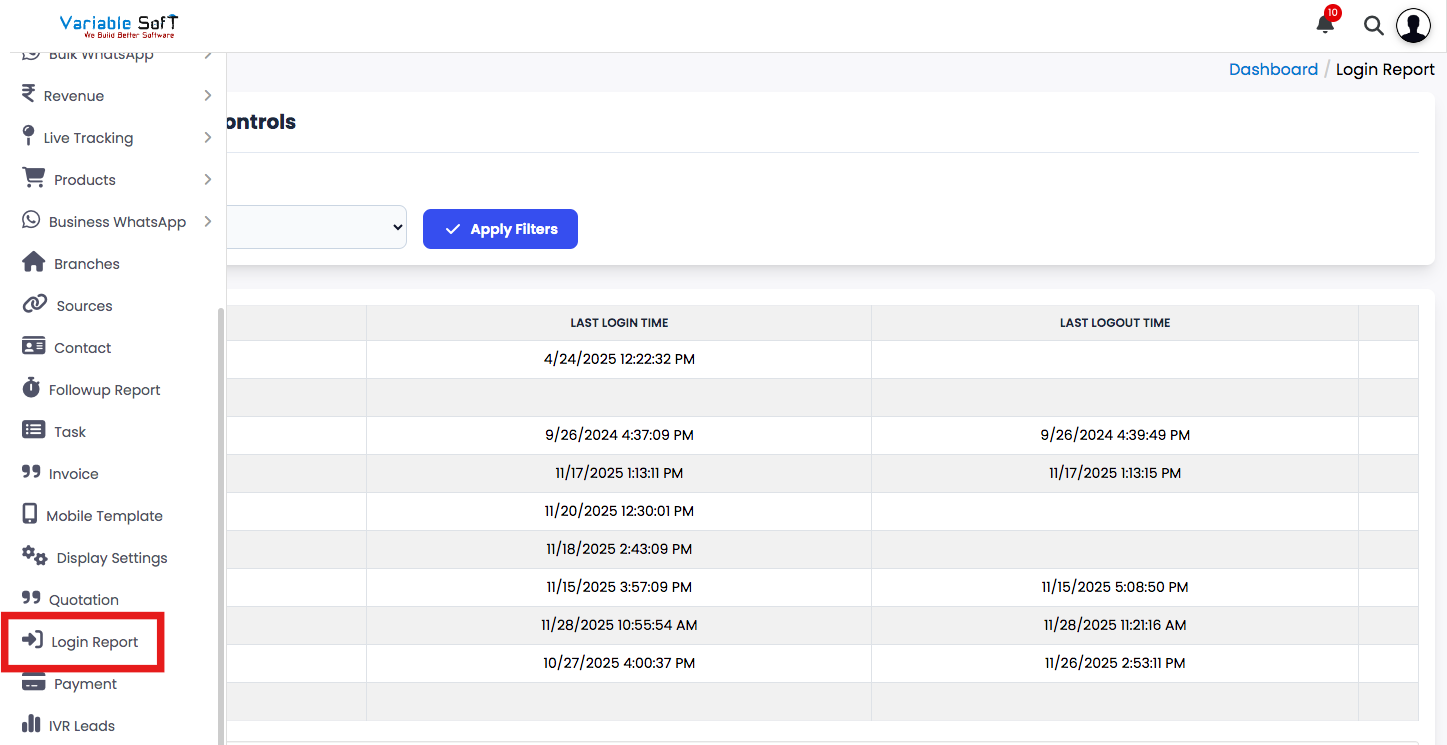
To access this feature, open your CRM Dashboard and click on Login Report to open the Login Report Dashboard page.
Login Report Dashboard Instructions
-
Step 1
Navigate to the Login Report section from the Dashboard menu.
-
Step 2
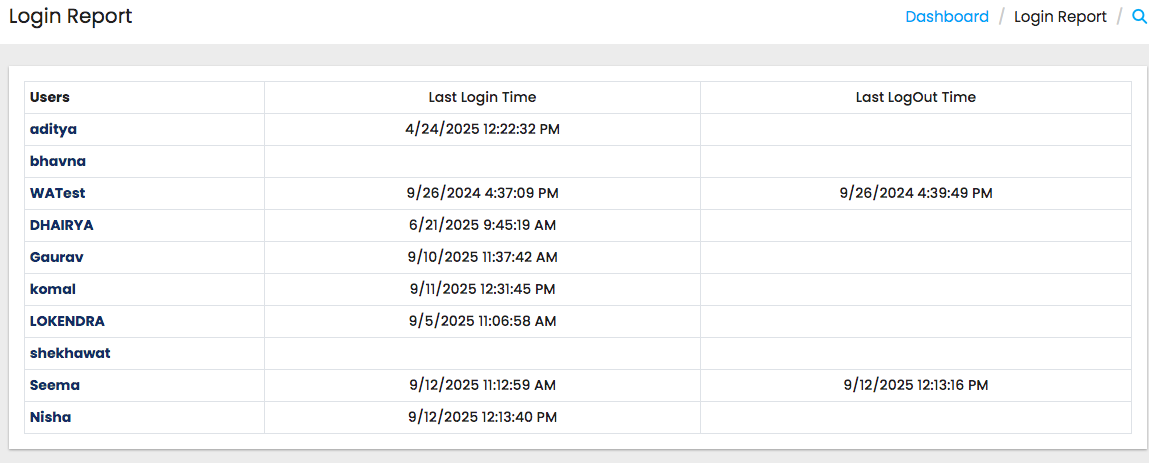
Here, you can view a detailed dashboard displaying user login activities.
-
Step 3
The report shows each User along with their Last Login Time and Last Logout Time.
-
Step 4
This allows you to track when a user last accessed the system and when they logged out.
-
Step 5
The timestamps provide complete visibility of user activity for monitoring and auditing purposes.
Pro Tip: Ensure Accurate Monitoring
Regularly review the Login Report Dashboard to identify unusual login or logout patterns. This helps in detecting unauthorized access and maintaining system security.