Property Near By
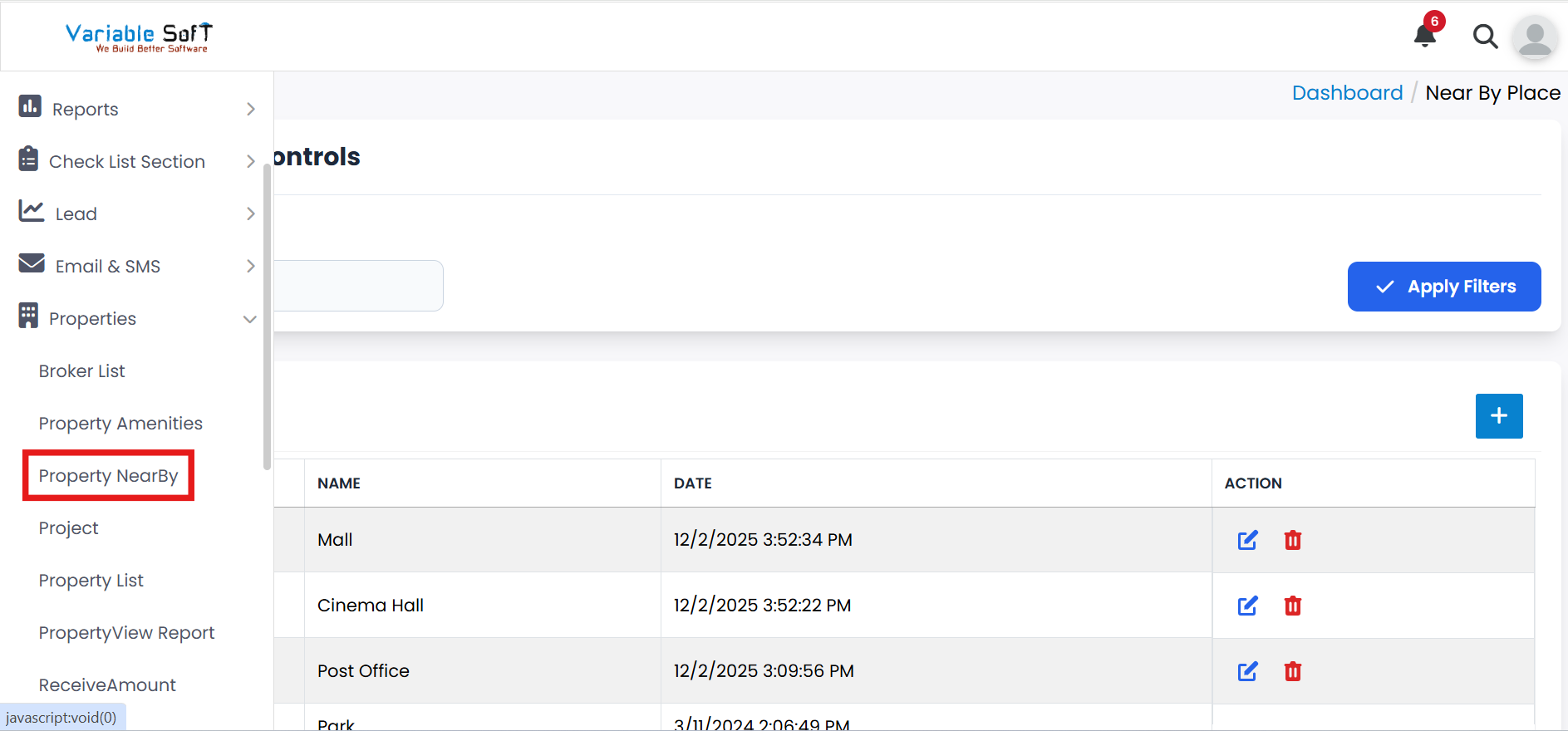
To access this feature, open your CRM Dashboard and click on Properties. From the dropdown menu, select Property NearBy to open the Near By Place page.
Property Near By Instructions
-
Step 1
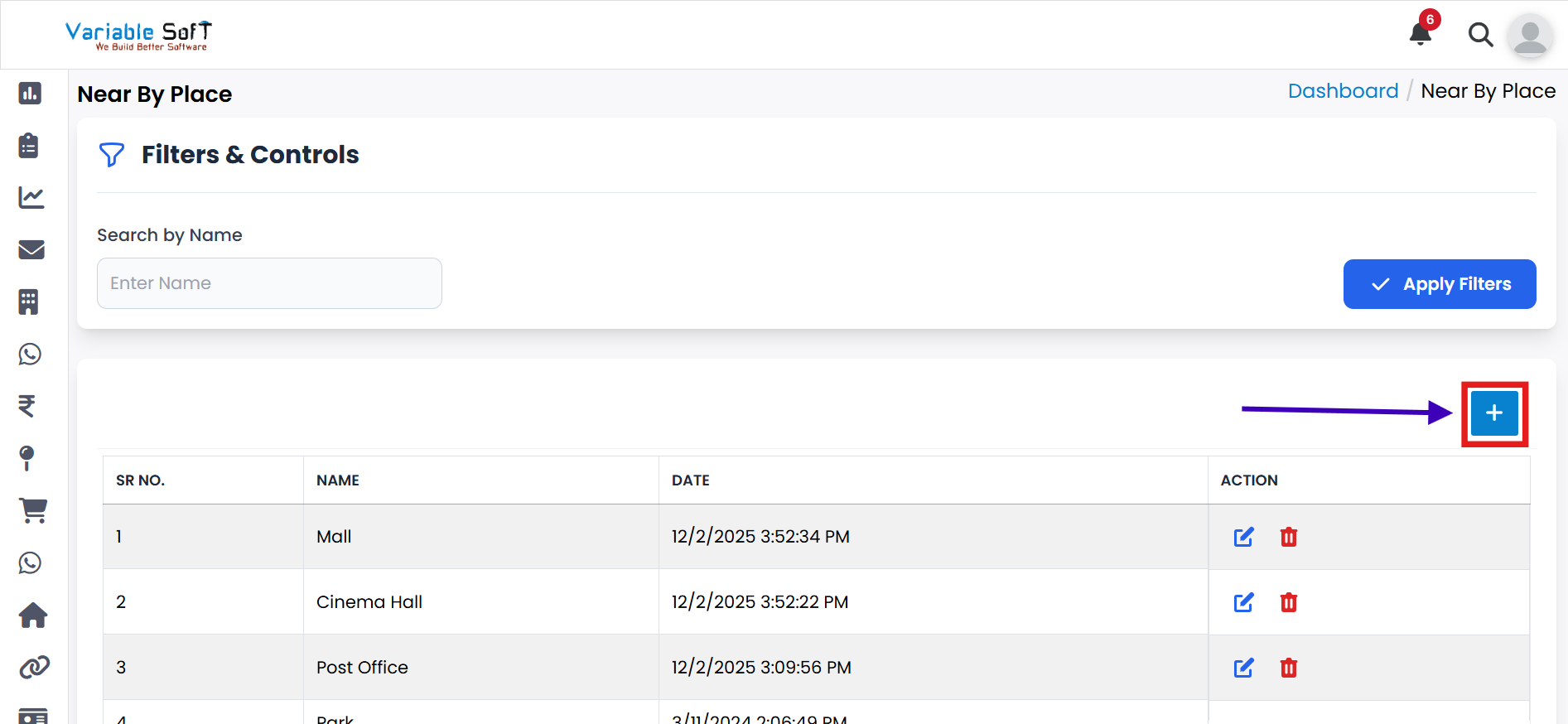
If you want to add Property Near By, click on the Add button.
-
Step 2
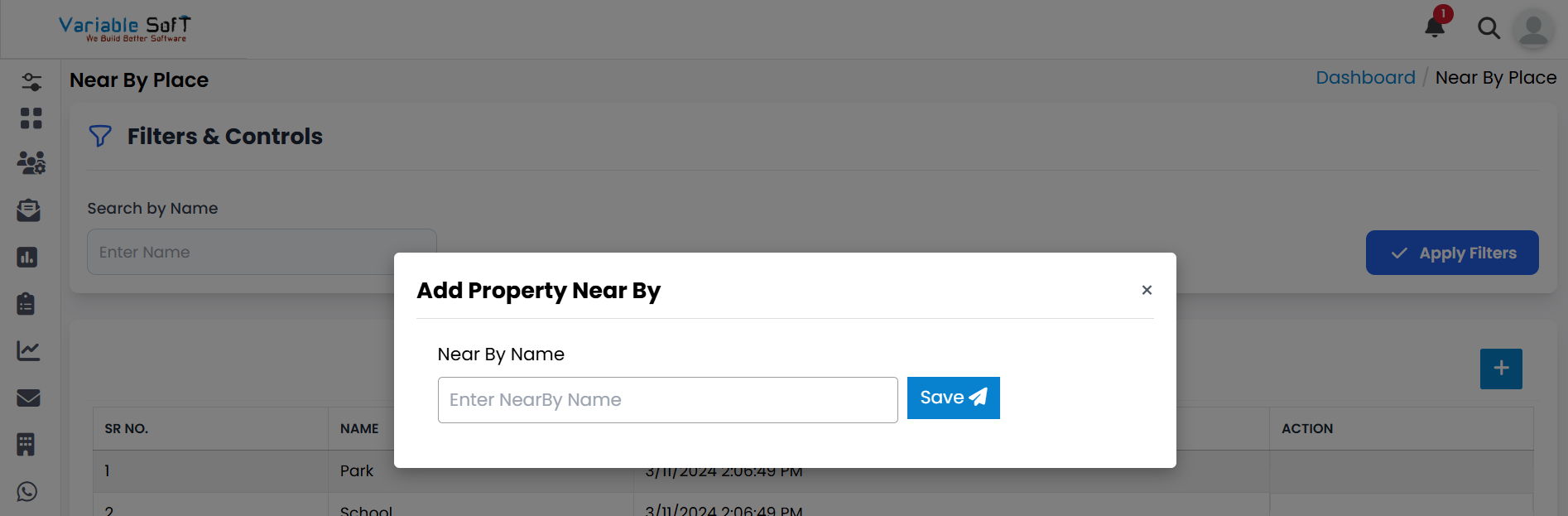
An Add Property Near By pop-up will open.
-
Step 3
Enter the Near By Name in the input field.
-
Step 4
Click on the Save button.
-
Step 5
Your Property Near By will be added successfully.
💡 Pro Tip: Add Relevant Nearby Details
Add useful nearby places like schools, hospitals, markets, or transport hubs to make property details more informative for clients.