Broker List
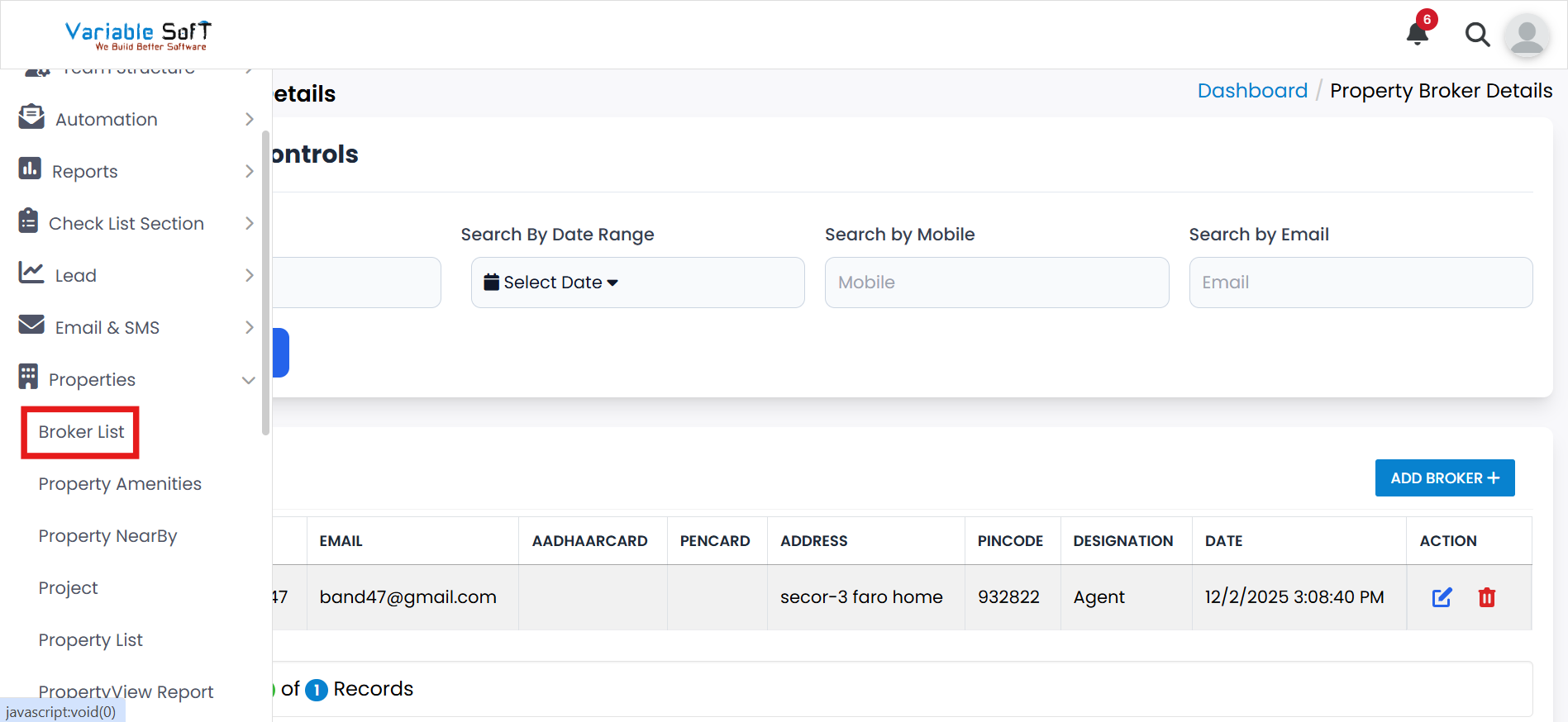
To access this feature, open your CRM Dashboard and click on Properties. From the dropdown menu, select Broker List to open the Property Broker Details page.
Broker List Instructions
-
Step 1
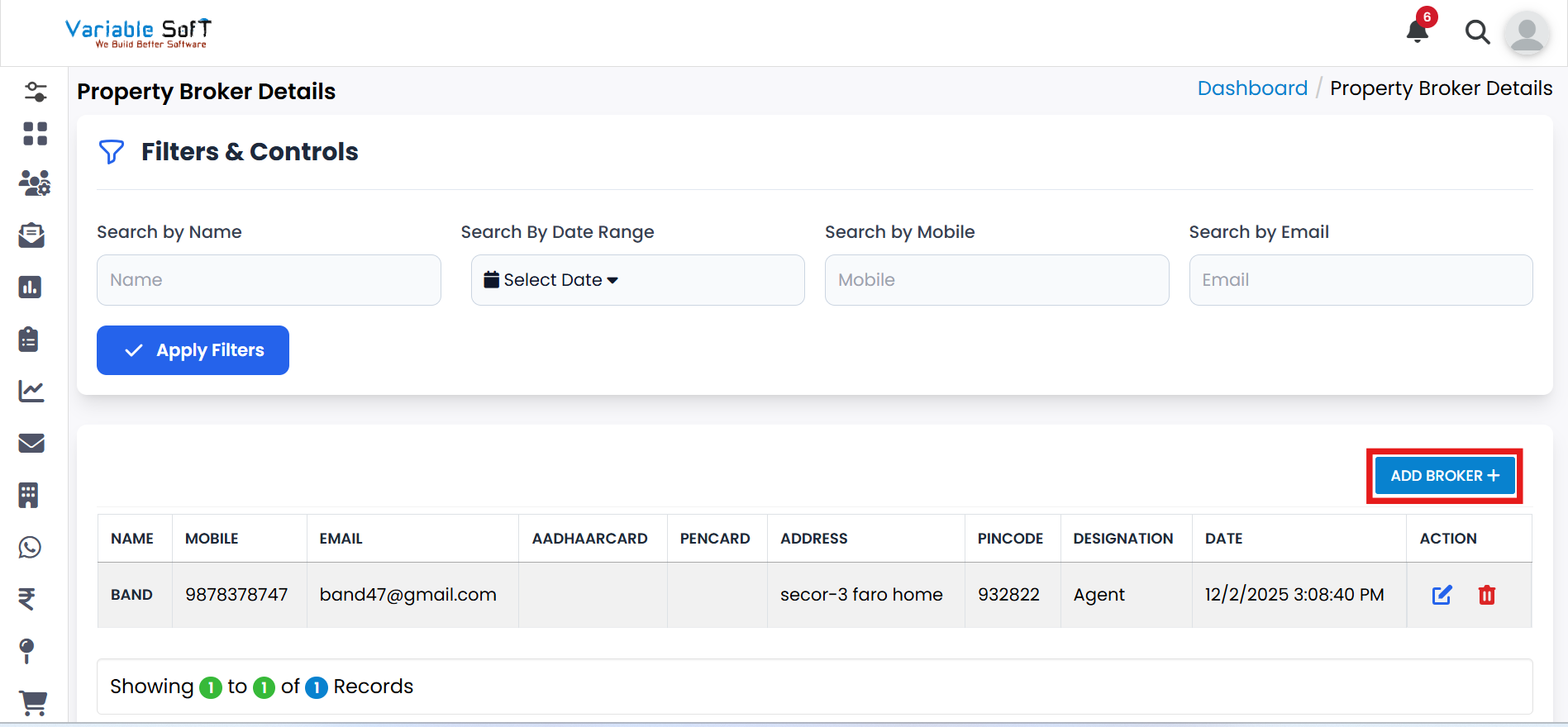
Click on the Add Broker button.
-
Step 2
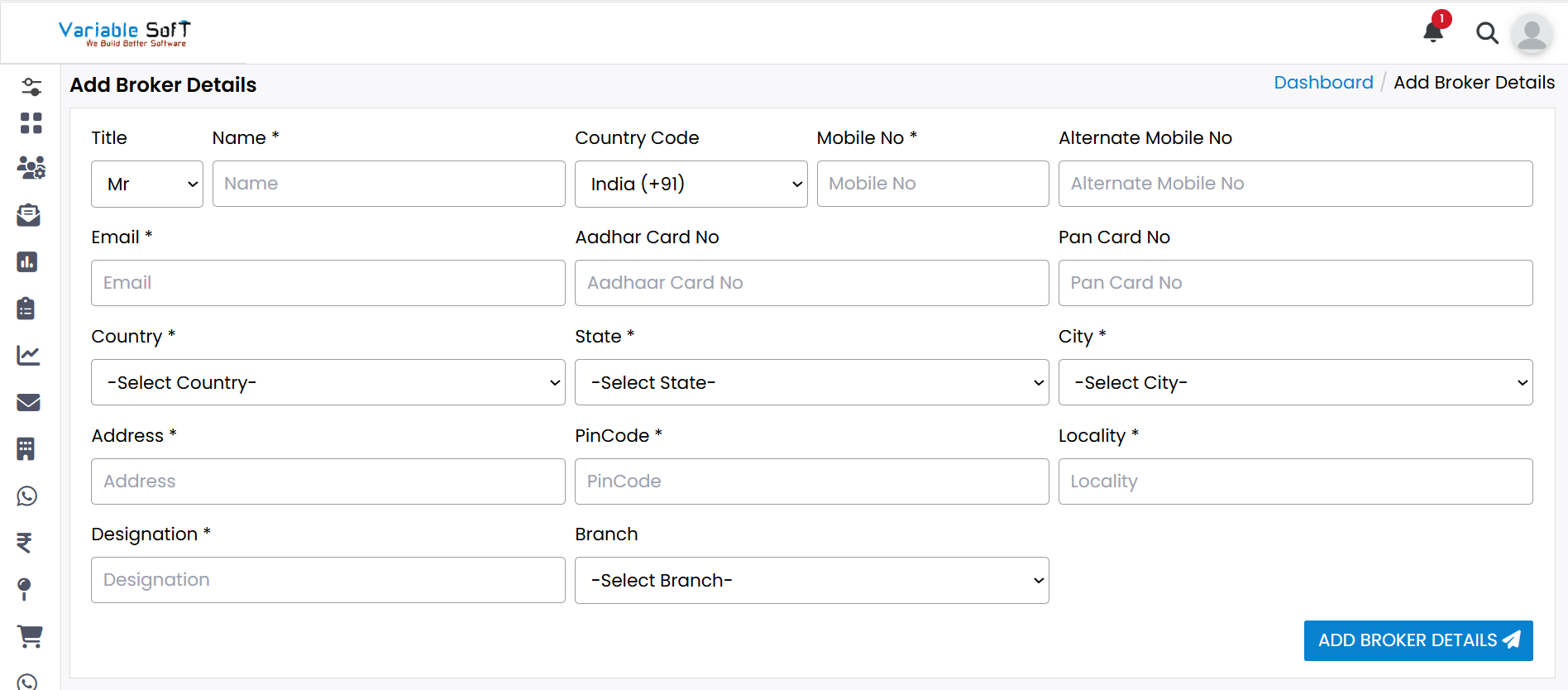
The Add Broker Details page will open.
-
Step 3
Fill in all the required broker information in the form.
-
Step 4
After completing the form, click the Add Broker Details button.
-
Step 5
Your broker will be successfully added and will appear on the Broker List page.
💡 Pro Tip: Keep Broker Information Accurate
Always double-check contact details and identification information before saving a broker to avoid duplicate or incorrect records.