WA Dashboard
To access this feature, open your CRM Dashboard and click on Business WhatsApp. From the dropdown menu, select WA Dashboard to open the WhatsApp Dashboard page.
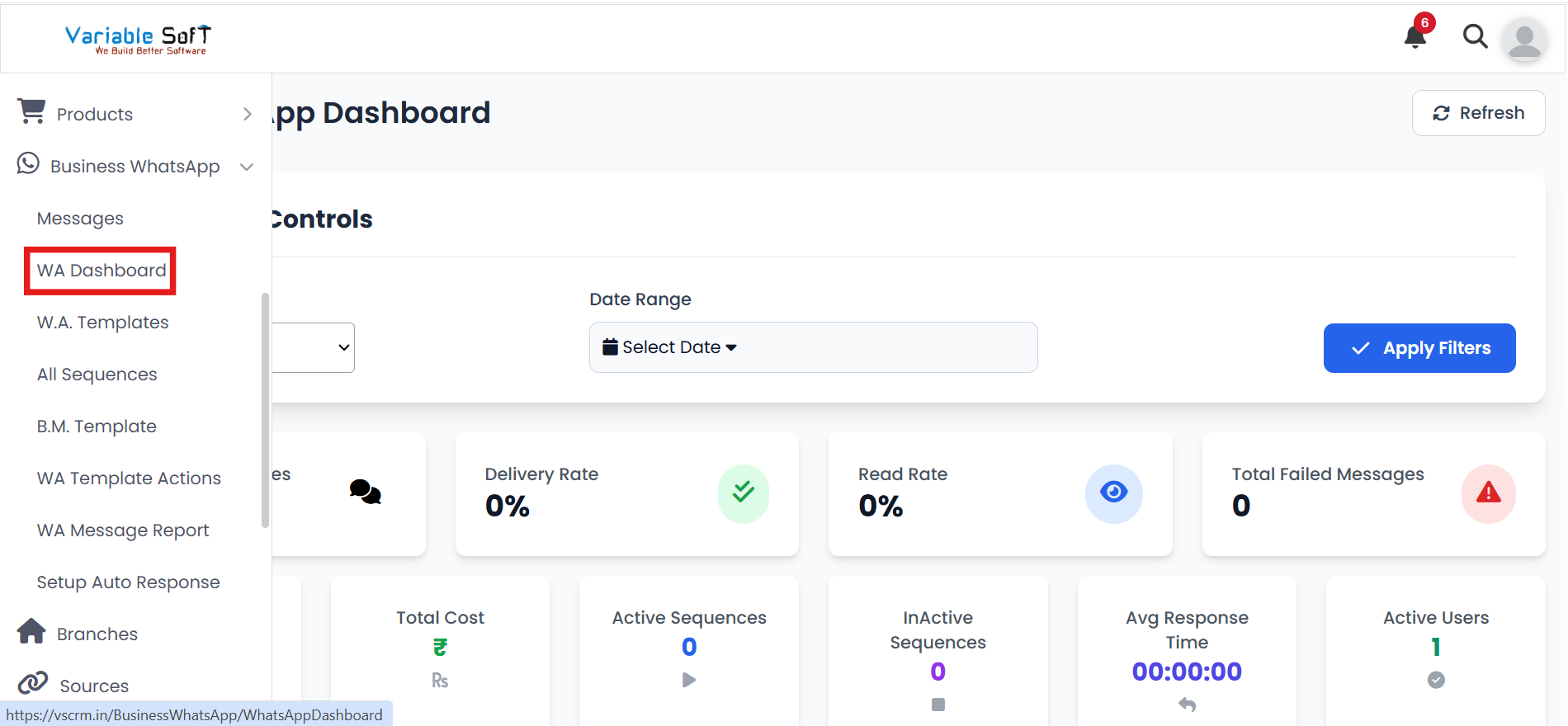
WA Dashboard Instructions
-
Step 1
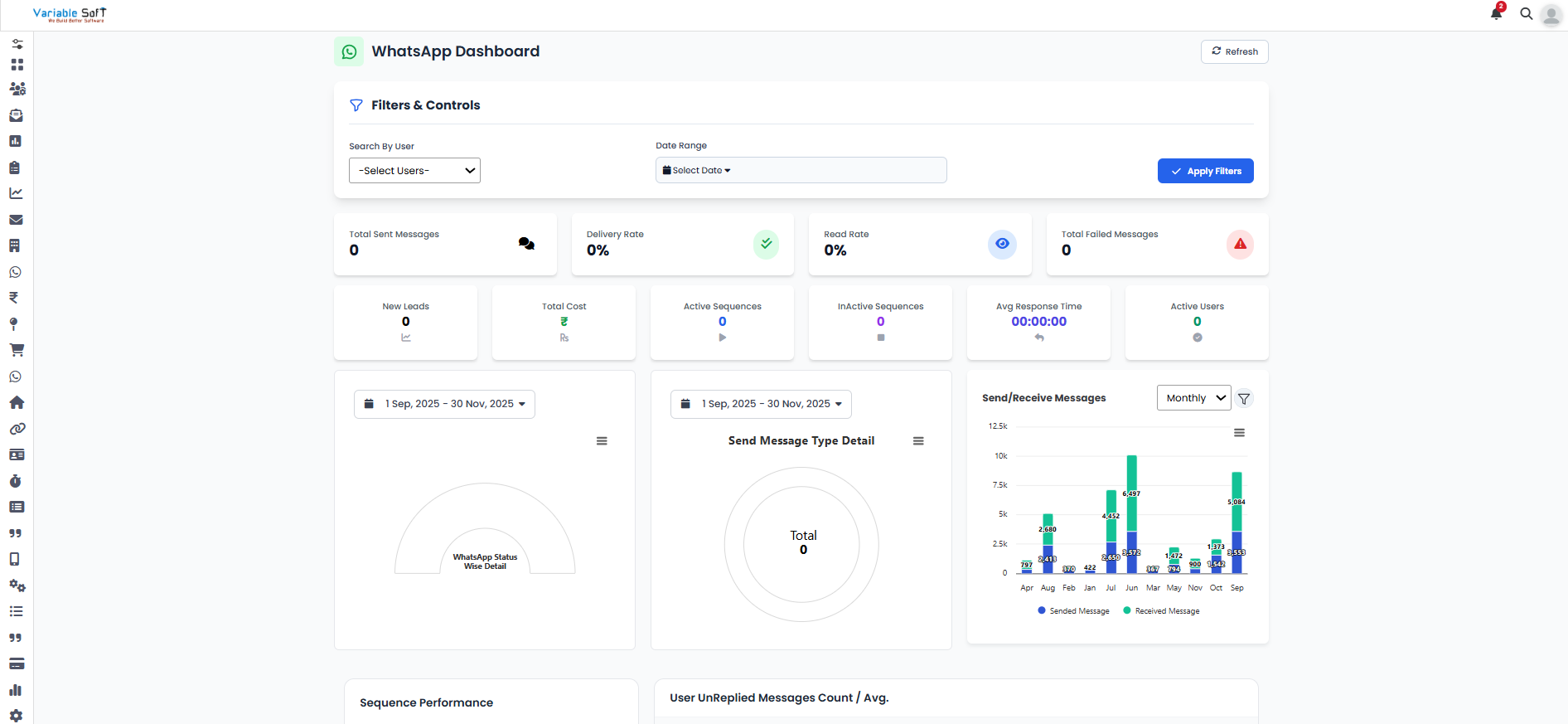
The WA Dashboard provides a quick snapshot of your WhatsApp activities and performance metrics at a glance.
-
Step 2
Key statistics displayed include:
- Total Sent Messages
- Delivery Rate
- Read Rate
- Total Failed Messages
- New Leads
- Total Cost
- Active Sequences
- Inactive Sequences
- Average Response Time
- Active Users
-
Step 3
The dashboard also presents graphical reports for deeper insights like:
- Send Message Type Detail – breakdown of different message categories.
- Send/Receive Messages – overall interaction tracking.
- Sequence Performance – efficiency of automated sequences.
- User Unreplied Messages Count / Avg. – helps monitor pending conversations.
-
Step 4
These insights enable you to evaluate performance, identify gaps, and optimize communication strategies effectively.
Pro Tip: Focus on Engagement
Pay close attention to read rates and unreplied messages — improving these areas will directly boost customer engagement and satisfaction.