Bulk SMS & Email List
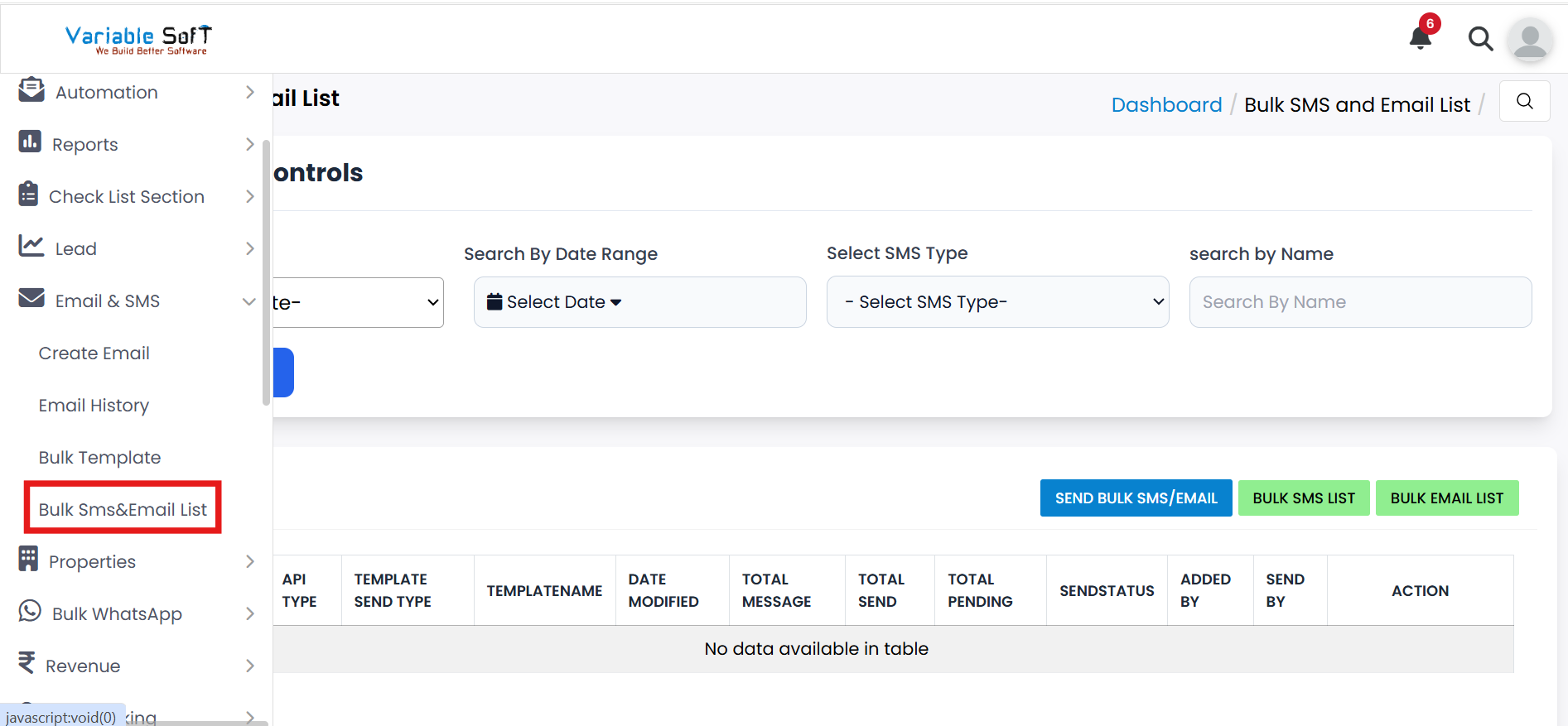
To access this feature, open your CRM Dashboard and click on Email & SMS. From the dropdown menu, select Bulk SMS&Email List to open the Bulk SMS and Email List page.
Bulk SMS & Email List Instructions
-
Step 1
Go to the Bulk SMS & Email List section under the Email & SMS option.
-
Step 2
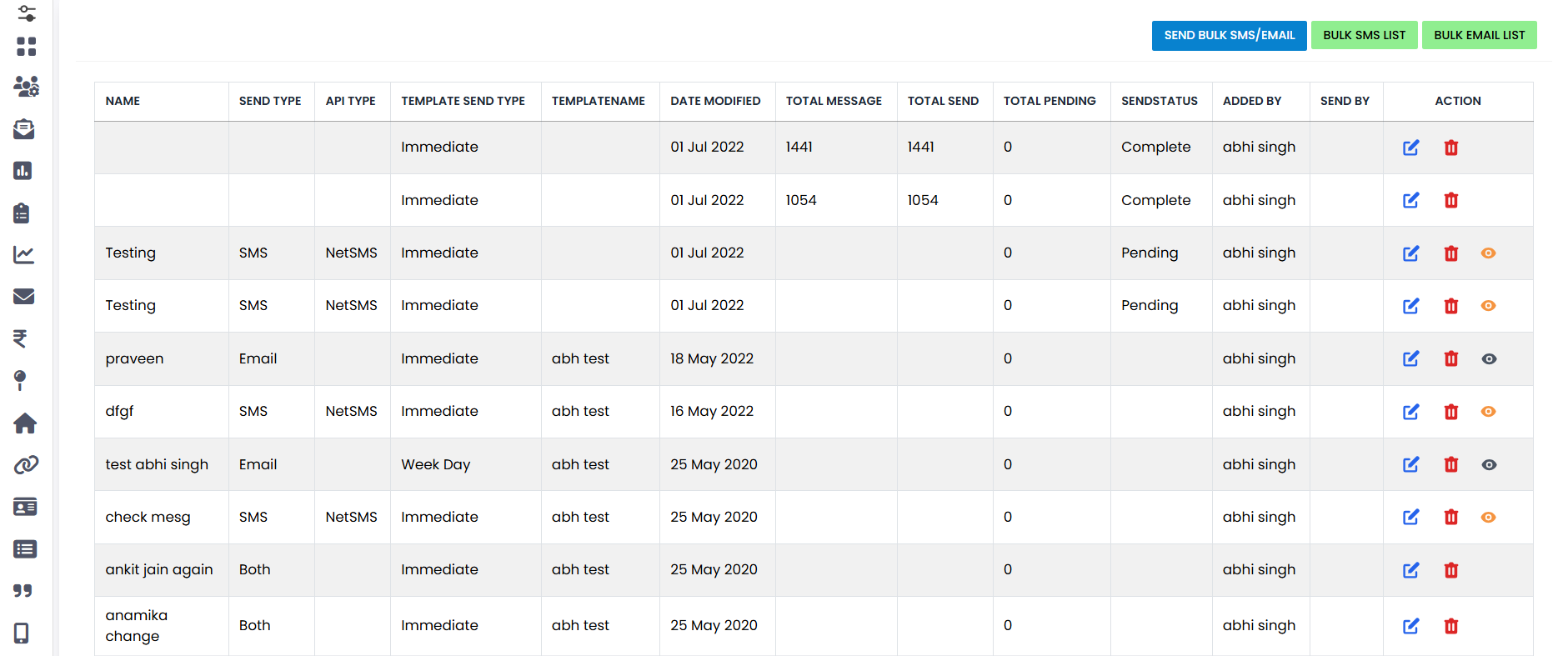
Here you can see the following options:
- Send Bulk SMS/Email
- Bulk SMS List
- Bulk Email List
-
Step 3
If you want to Send Bulk SMS/Email, click on the button. You can also edit or delete them as needed.
-
Step 4
If you want to see the Bulk SMS List, click on the Bulk SMS List button.
-
Step 5
If you want to see the Bulk Email List, click on the Bulk Email List button.
Quick Actions
Pro Tip: Manage Lists Efficiently
Keep your SMS and Email lists clean and updated. Regularly remove invalid contacts to improve delivery rates and avoid unnecessary costs.