Send Bulk SMS/Email
Steps to Send Bulk SMS/Email
-
Step 1
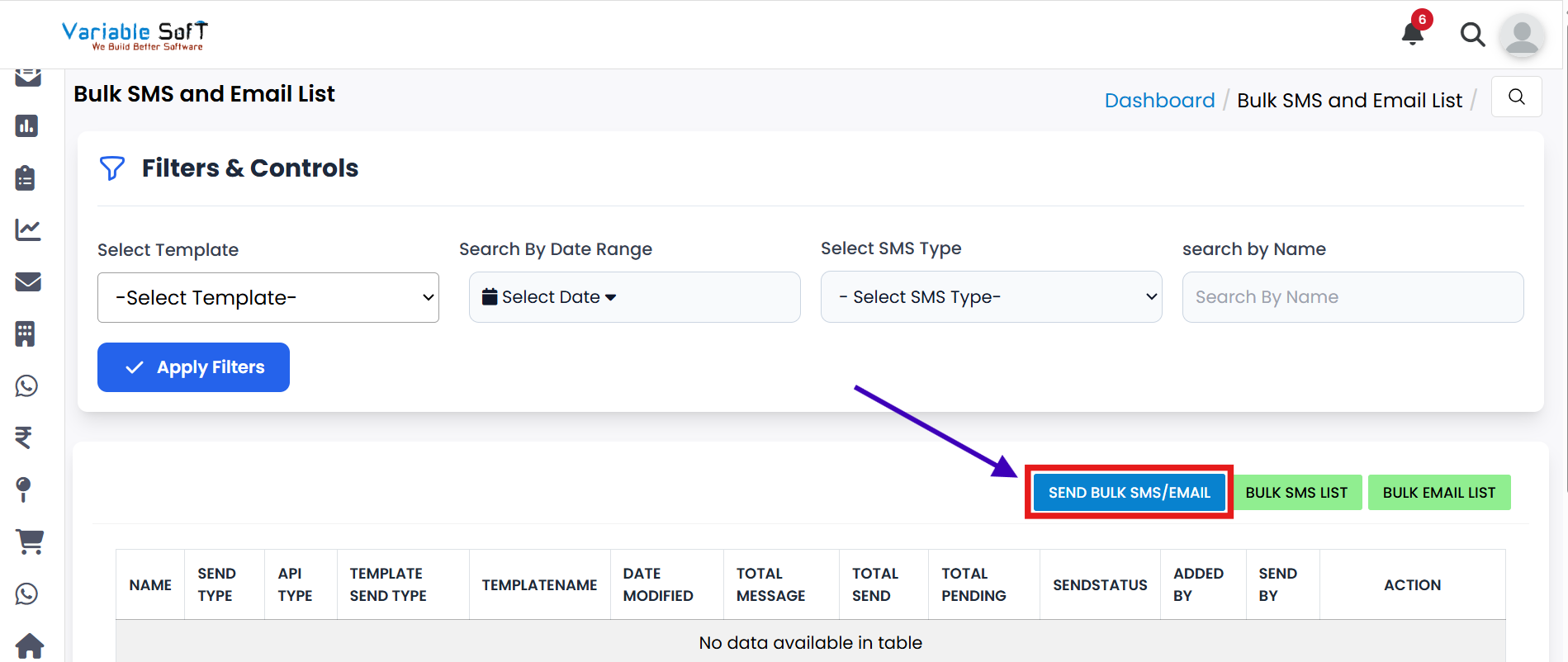
Click on the Send Bulk SMS/Email button.
-
Step 2
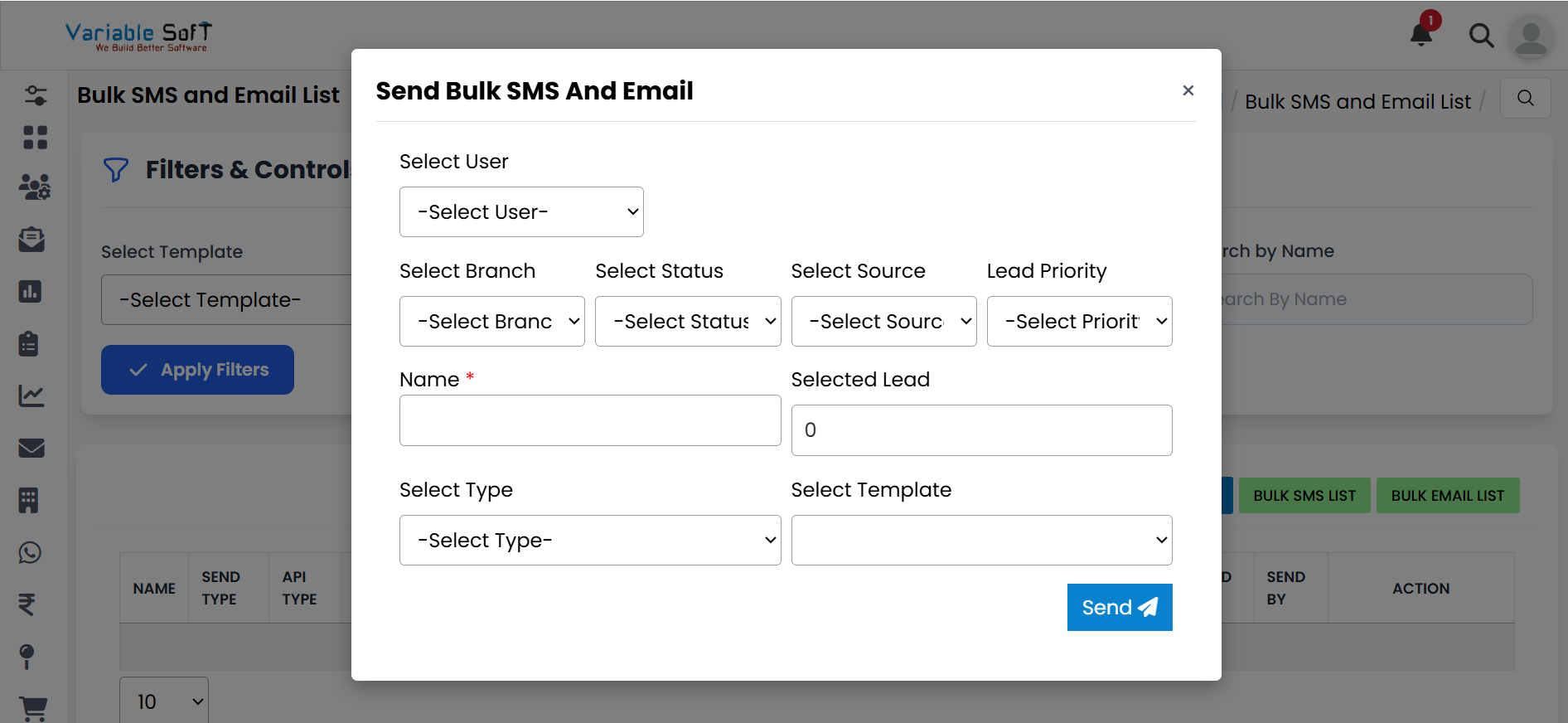
A Send Bulk SMS and Email form will open.
-
Step 3
Fill in all the required information according to your needs.
-
Step 4
After filling in the information, click on the Send button.
-
Step 5
Your Bulk SMS and Email will be successfully sent.
Quick Actions
Important Note
Sending bulk messages is an impactful action. Ensure recipient details are correct and messages are clear before sending.