Branches
To access this feature, open your CRM Dashboard and click on Branches. The Branches page will open.
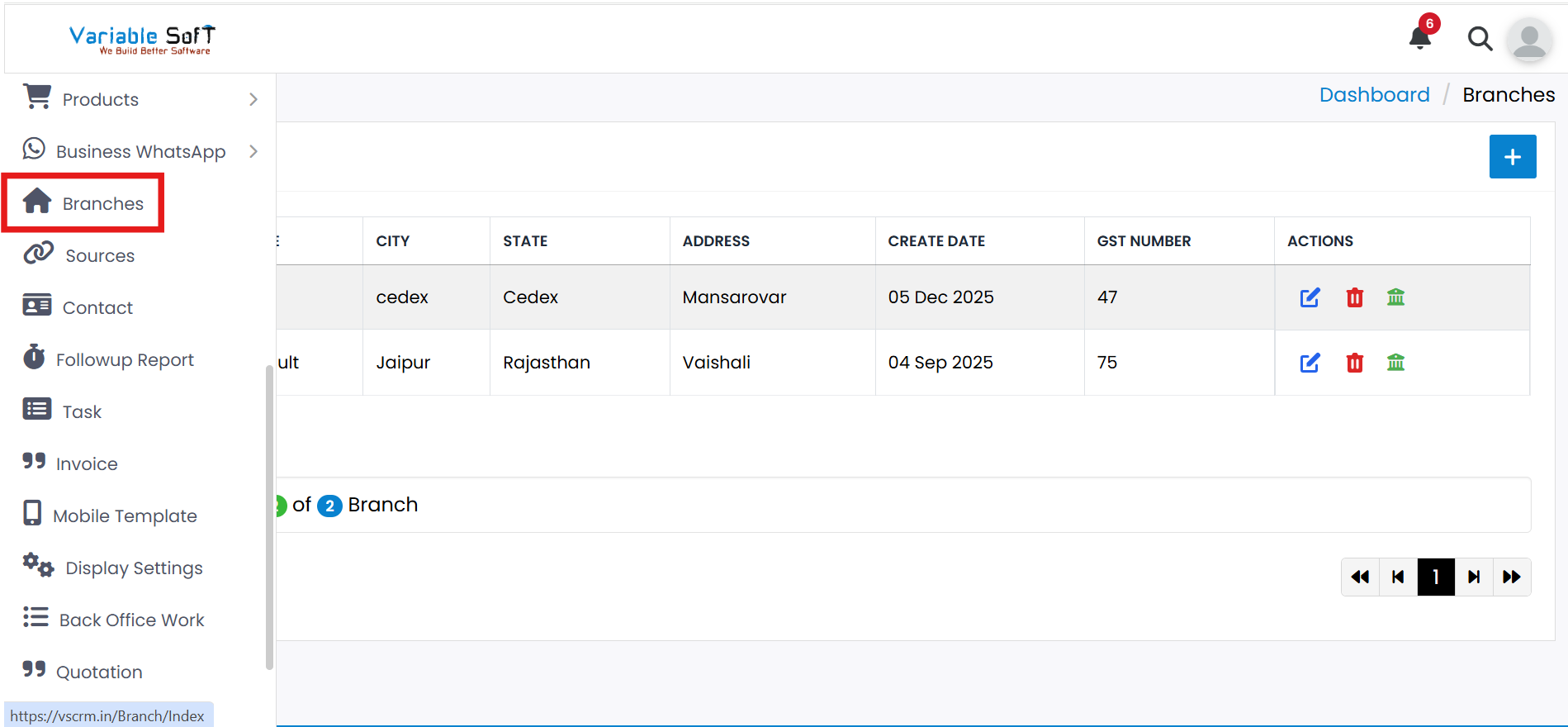
Branches Instructions
-
Step 1
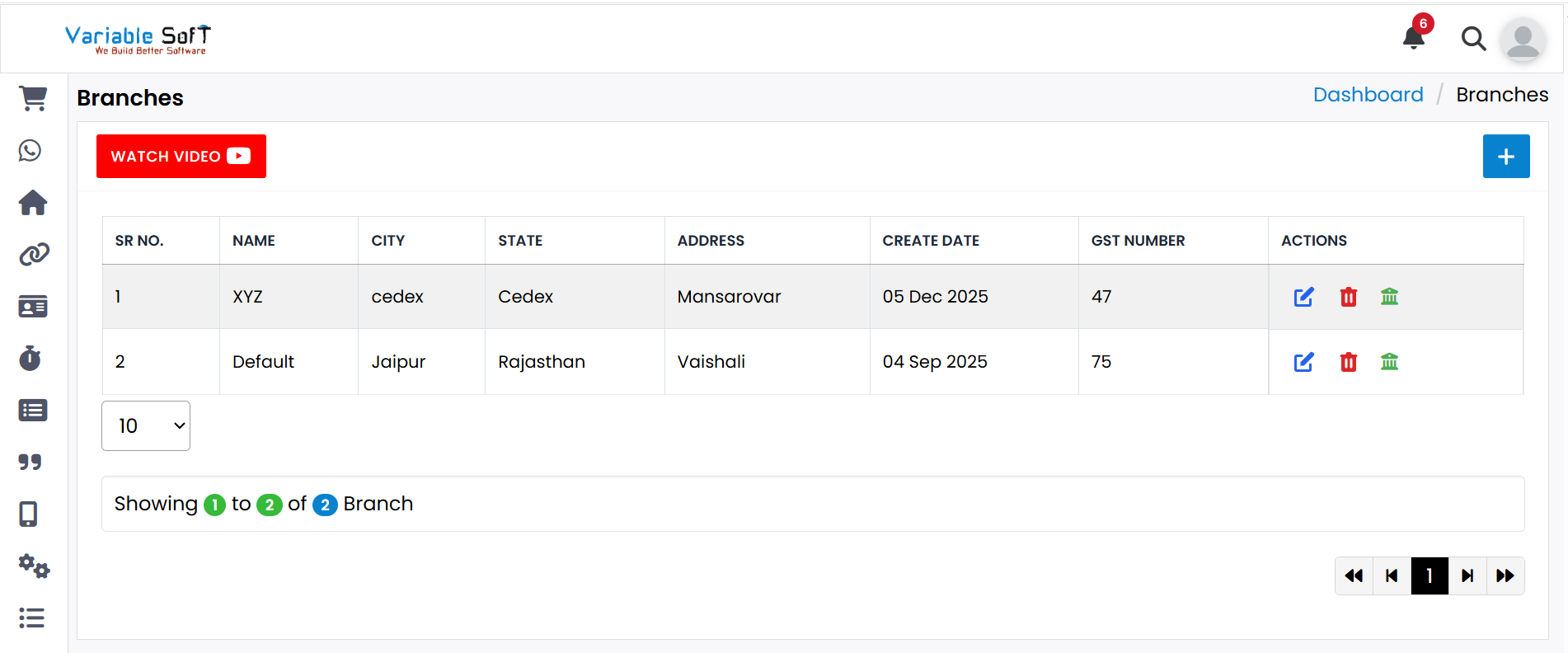
You can view the data for all branches in your CRM.
-
Step 2
If you want to add a new branch, simply click the Add button.
-
Step 3
If you wish to make changes to an existing branch, click on the Edit button to edit the branch details.
-
Step 4
If you want to delete a branch, simply click on the Delete button to remove it.
Quick Actions
💡 Pro Tip: Manage Branches Effectively
Organize and track branches efficiently to streamline operations and ensure smooth communication across all locations.