Edit Branch
Edit Branch Instructions
-
Step 1
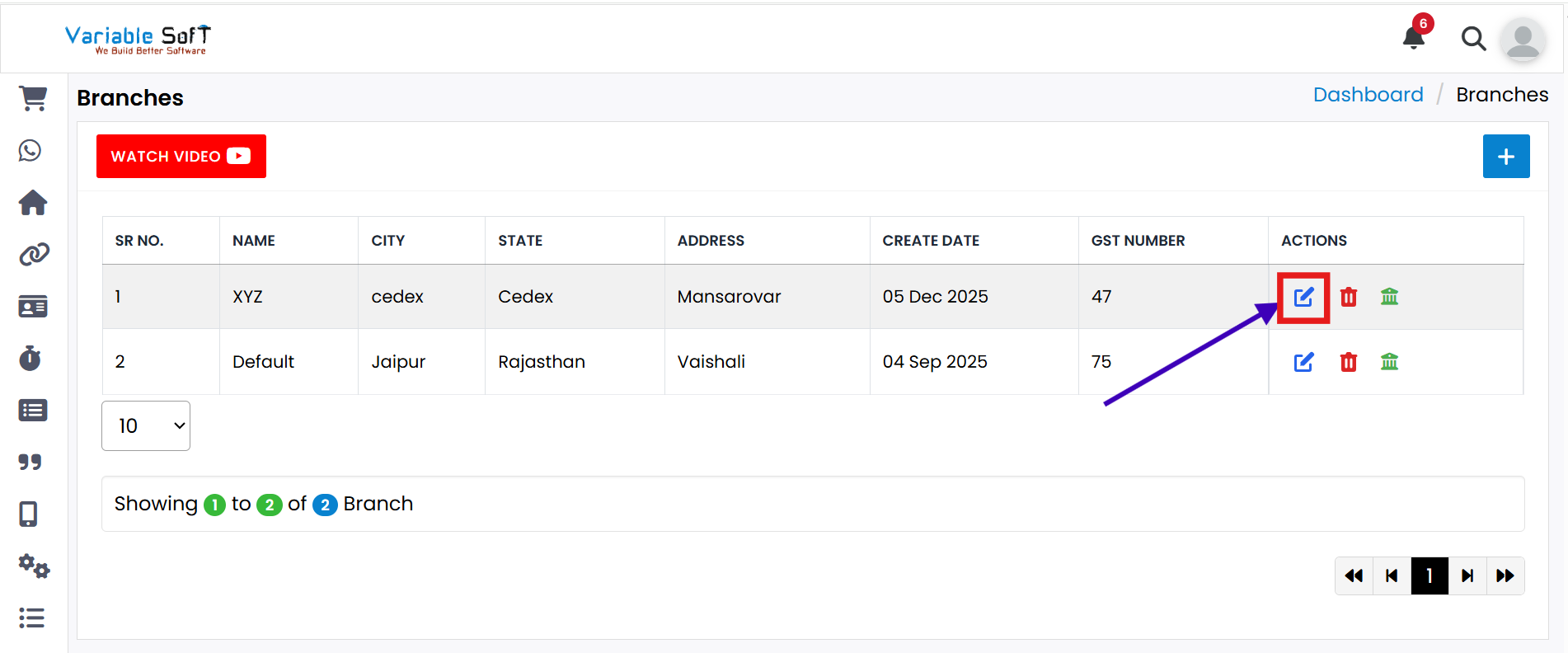
If you want to Edit Branch, click on the Edit button.
-
Step 2
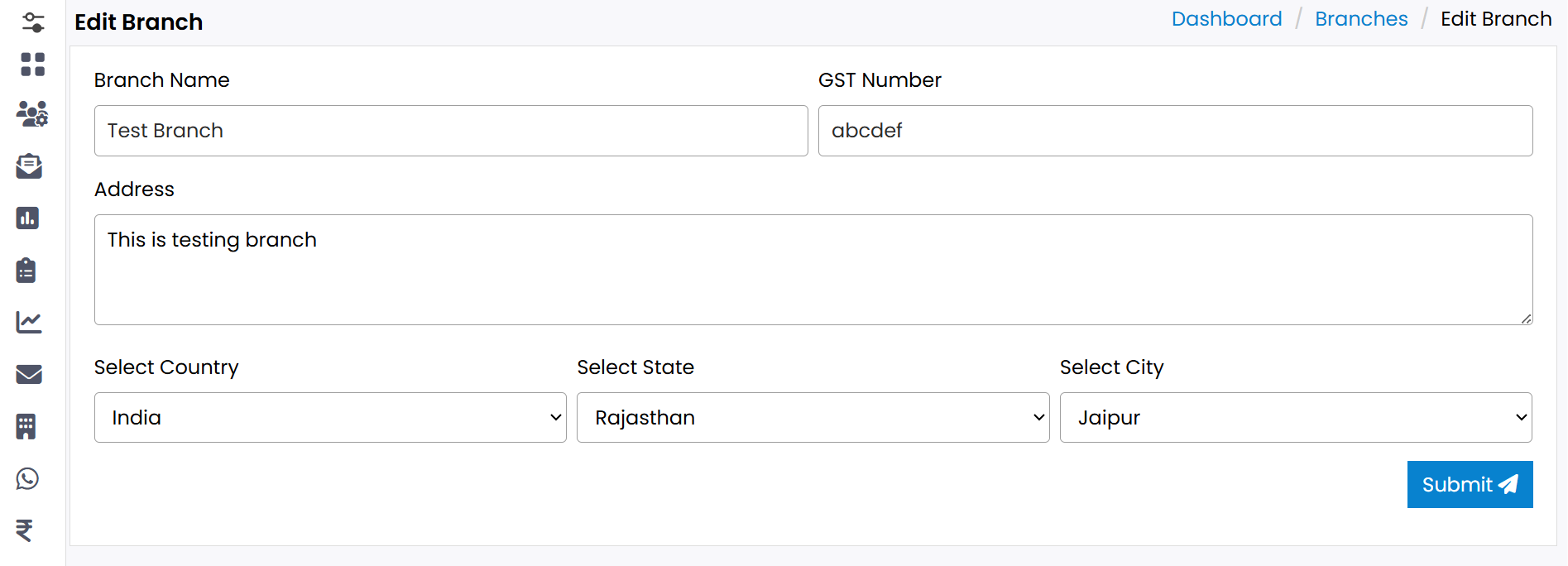
The Edit Branch form will open.
-
Step 3
Update the details you want to modify in the form.
-
Step 4
After updating, click on the Submit button.
-
Step 5
Your branch will be successfully edited.
💡 Pro Tip: Keep Branch Information Updated
Regularly update branch details to maintain accuracy and ensure smooth operations.