All Uploaded Files
To access this feature, open your CRM Dashboard and click on Bulk WhatsApp. From the dropdown menu, select All Uploaded Files to open the Uploaded Files page.
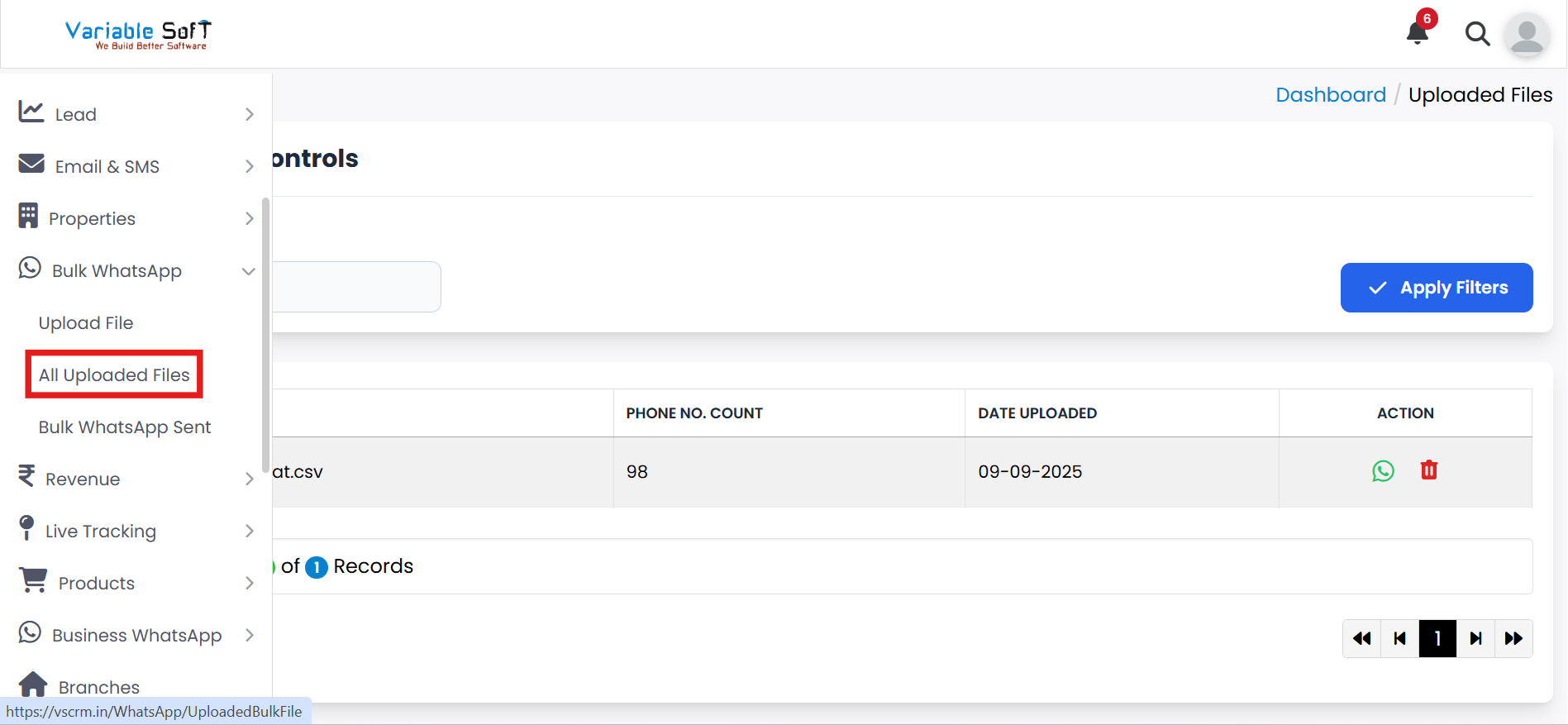
All Uploaded Files Instructions
-
Step 1
Here you can easily view all the uploaded files in one place.
-
Step 2
If you want to send WhatsApp Web Templates, click on the Select WhatsApp Web Template button.
-
Step 3
To remove any file, use the Delete button.
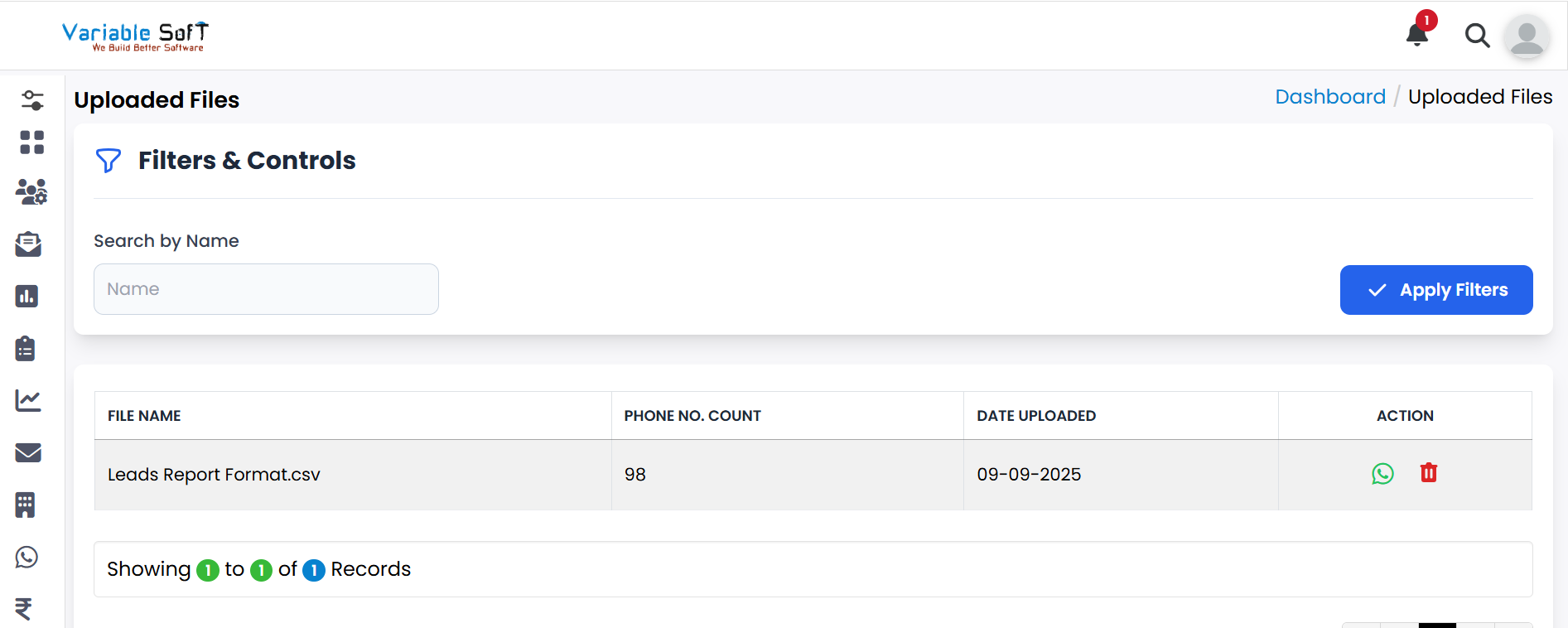
Quick Actions
💡 Pro Tip: Keep Your Files Organized
Regularly delete unnecessary files to keep the workspace clean and make it easier to manage only the relevant campaign data.