ABM Page
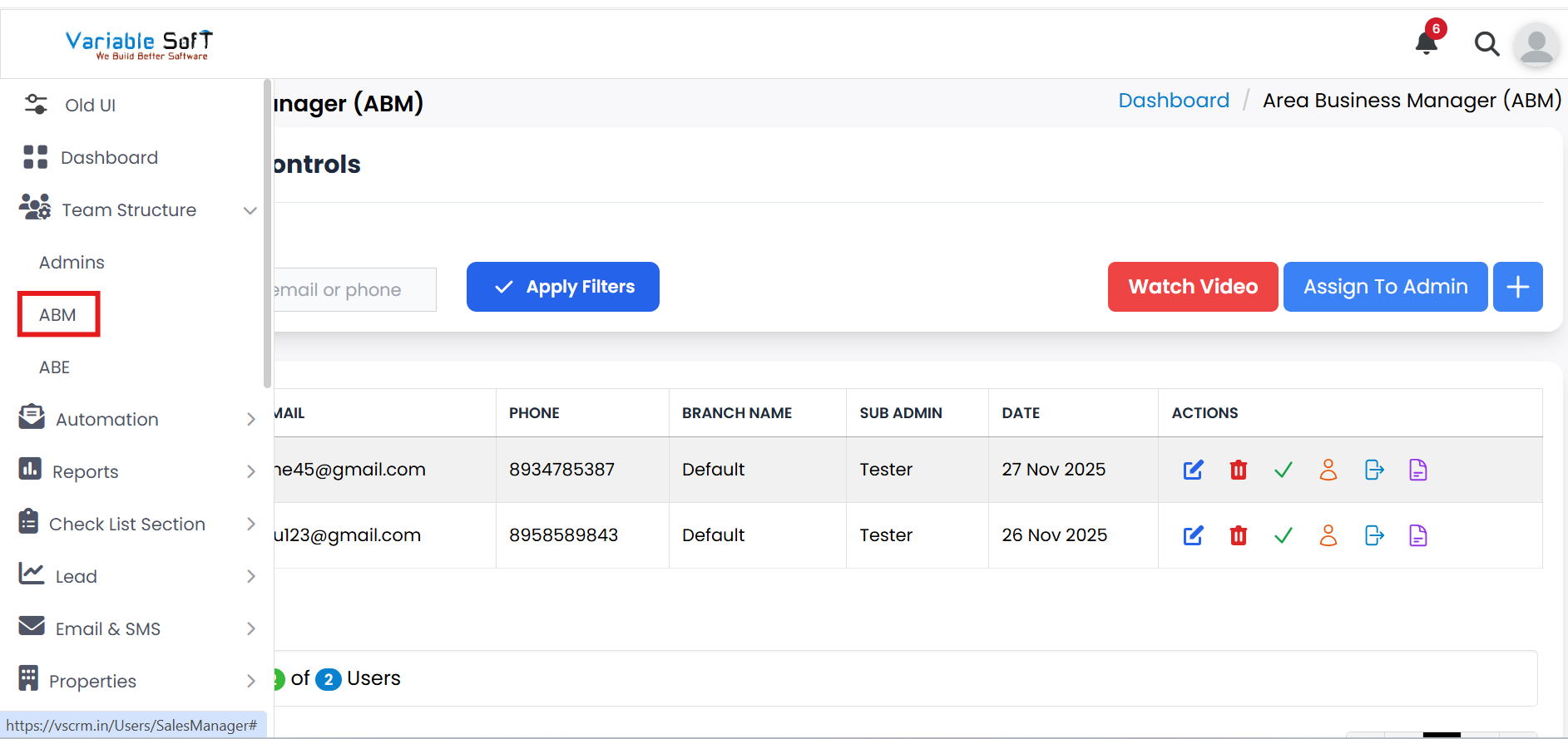
To access this feature, open your CRM Dashboard and click on Team Structure. From the dropdown menu, select ABM to open the ABM page.
Setup Instructions
-
Step 1
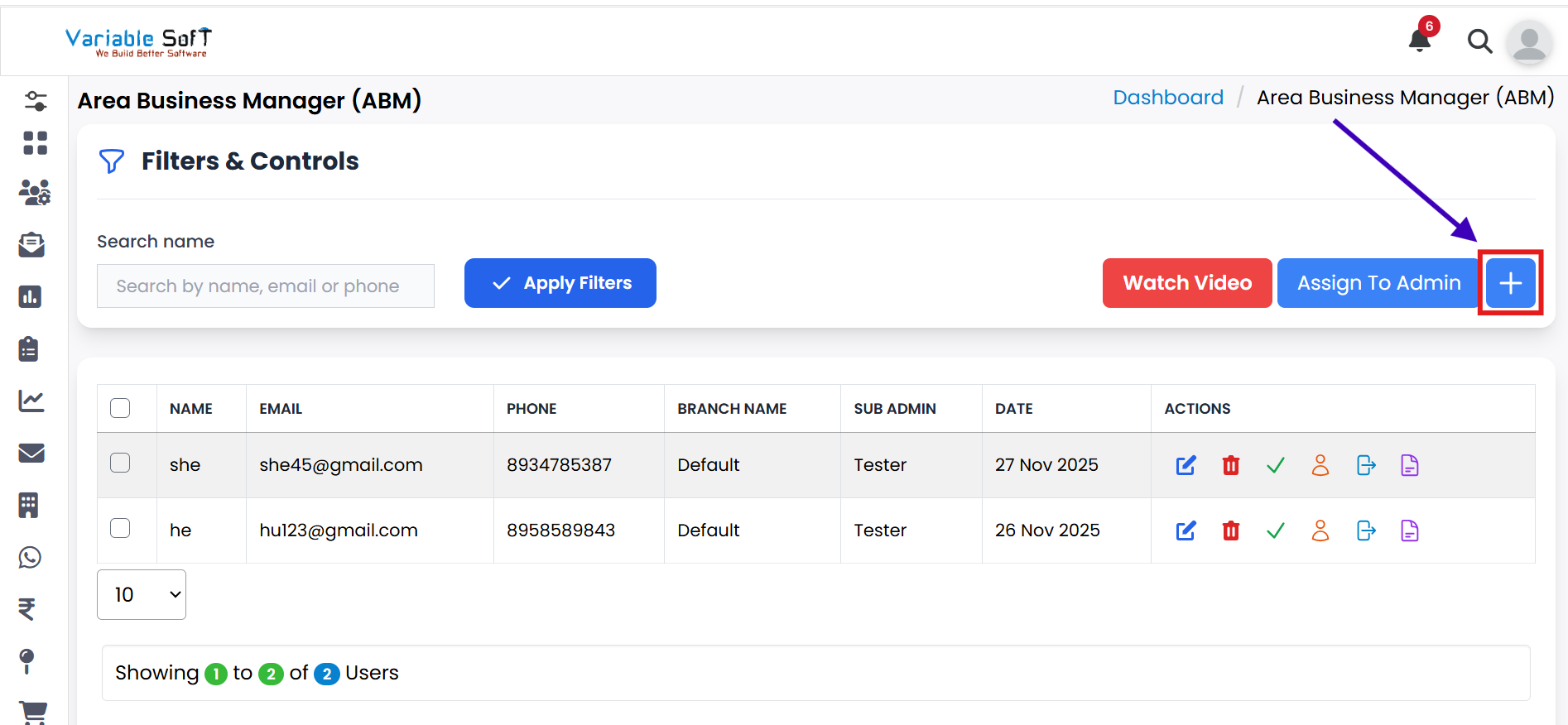
If you want to add an ABM (Area Business Manager), click on the ABM button.
-
Step 2
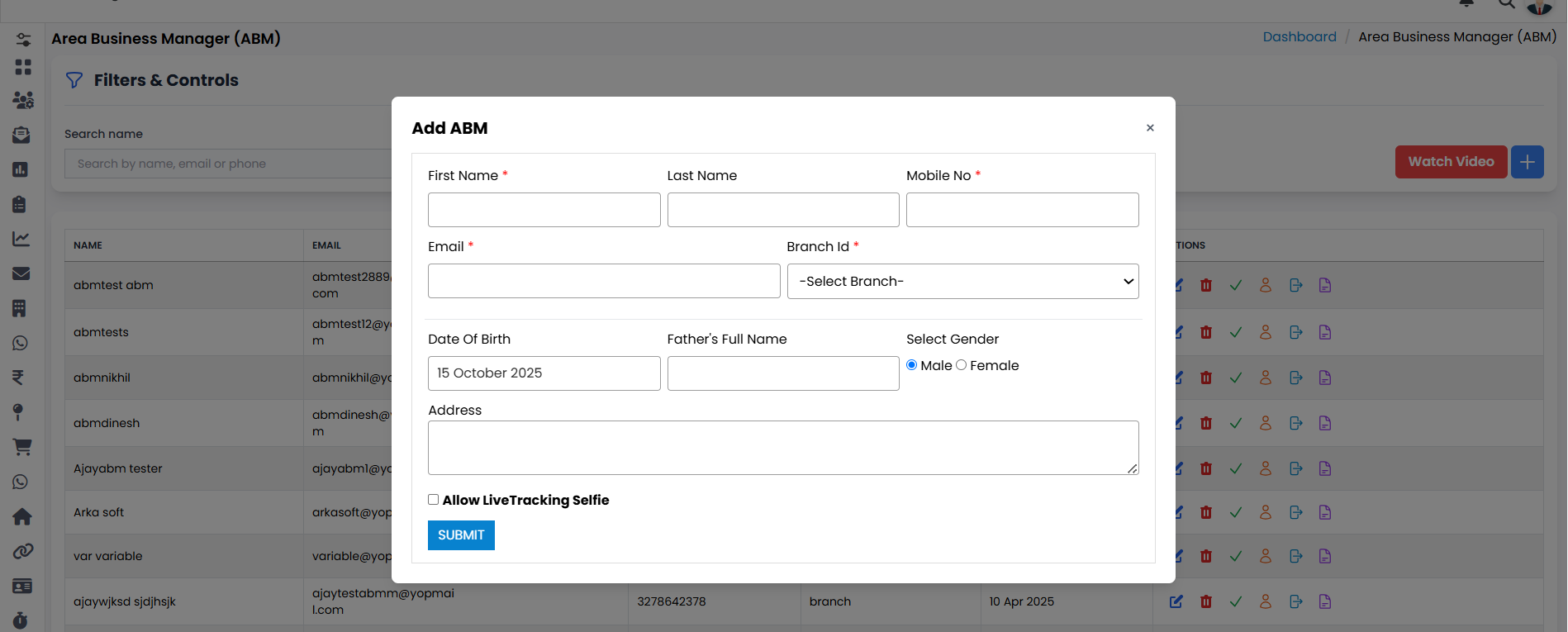
The Add ABM form will open.
-
Step 3
Fill in all the required information in the form.
-
Step 4
After completing the details, click the Submit button.
-
Step 5
Your ABM will be successfully added to the system.
-
Step 6
You can also get help by clicking on the Watch Video button.
-
Step 7
When you click on the Video button, two options will appear: Create Team and Team Rights.
-
Step 8
Click on Create Team to watch the guide.
🎥 Video Guide
If you're unsure about any step, watch this video guide for complete instructions.
Watch Video