Lead Status
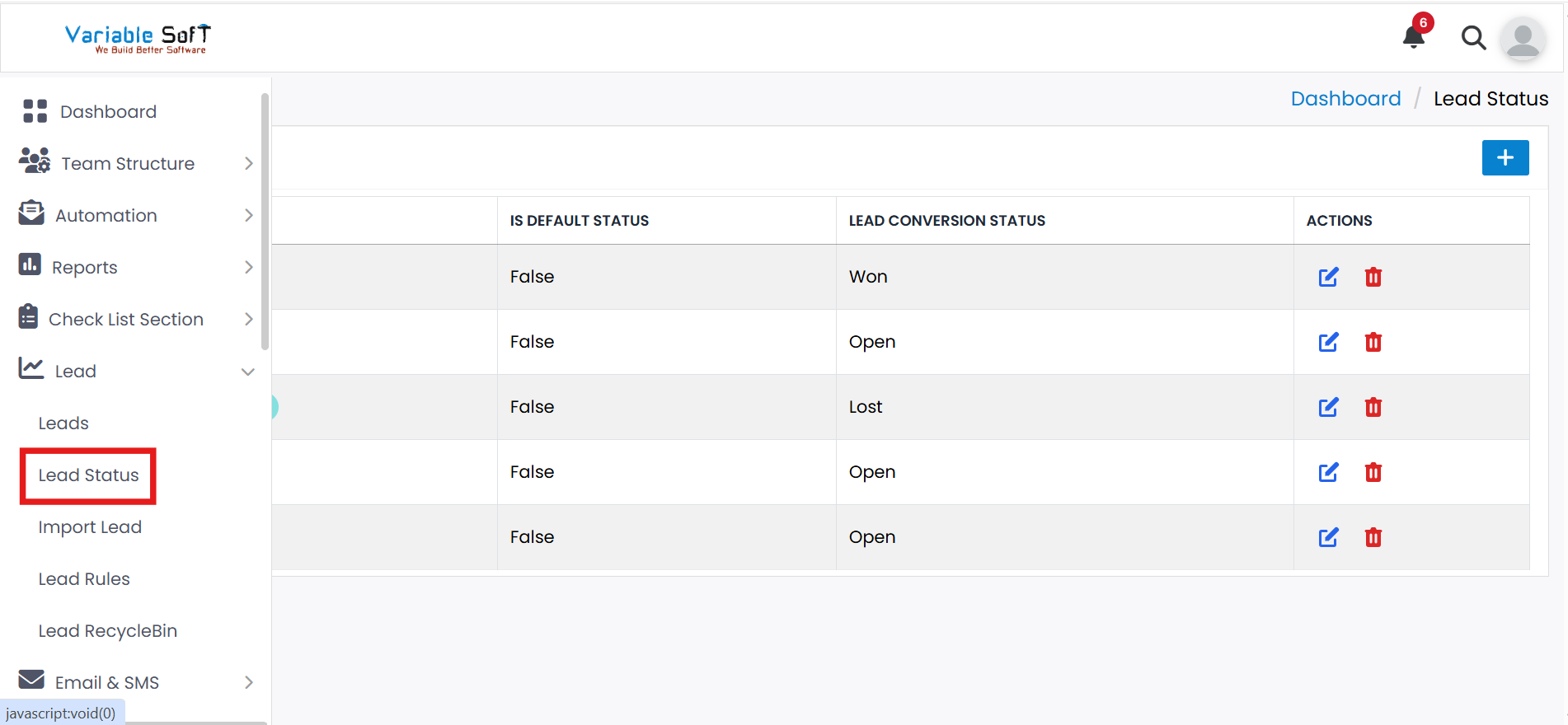
To access this feature, open your CRM Dashboard and click on Lead. From the dropdown menu, select Lead Status to open the Lead Status page.
Add Lead Status
-
Step 1
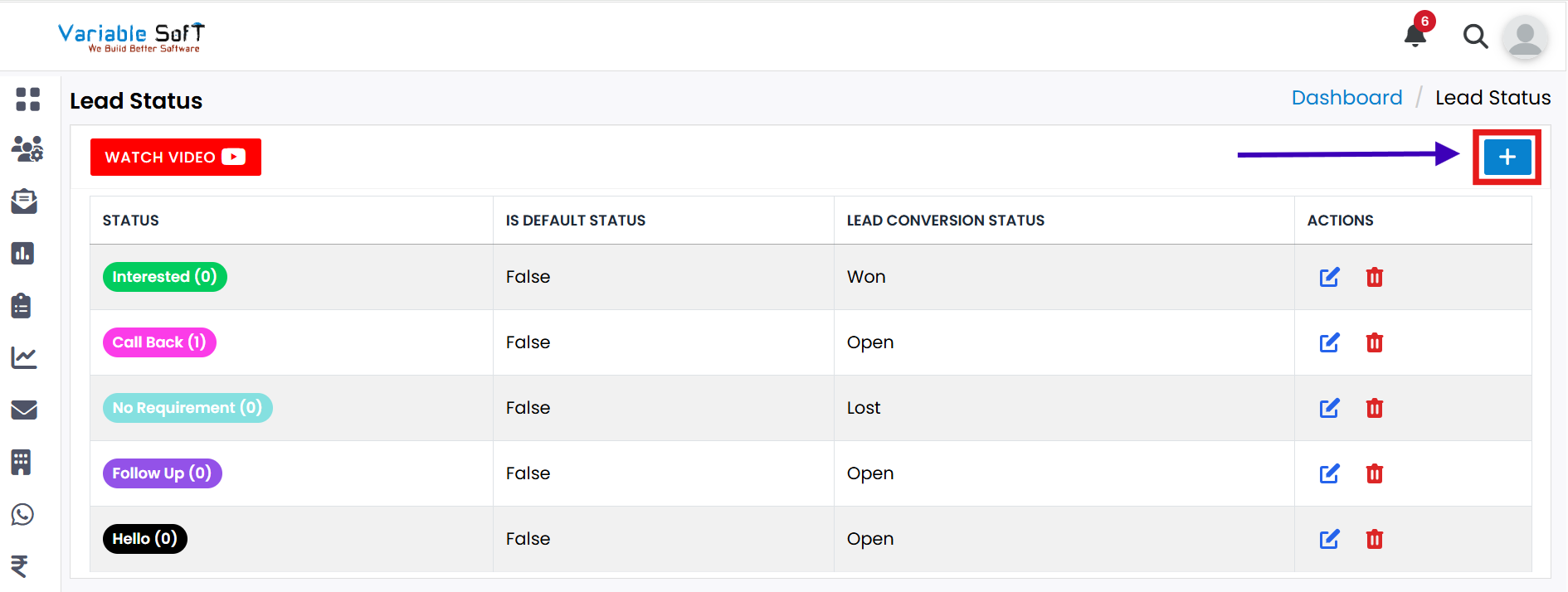
Click on the Add New Status button.
-
Step 2
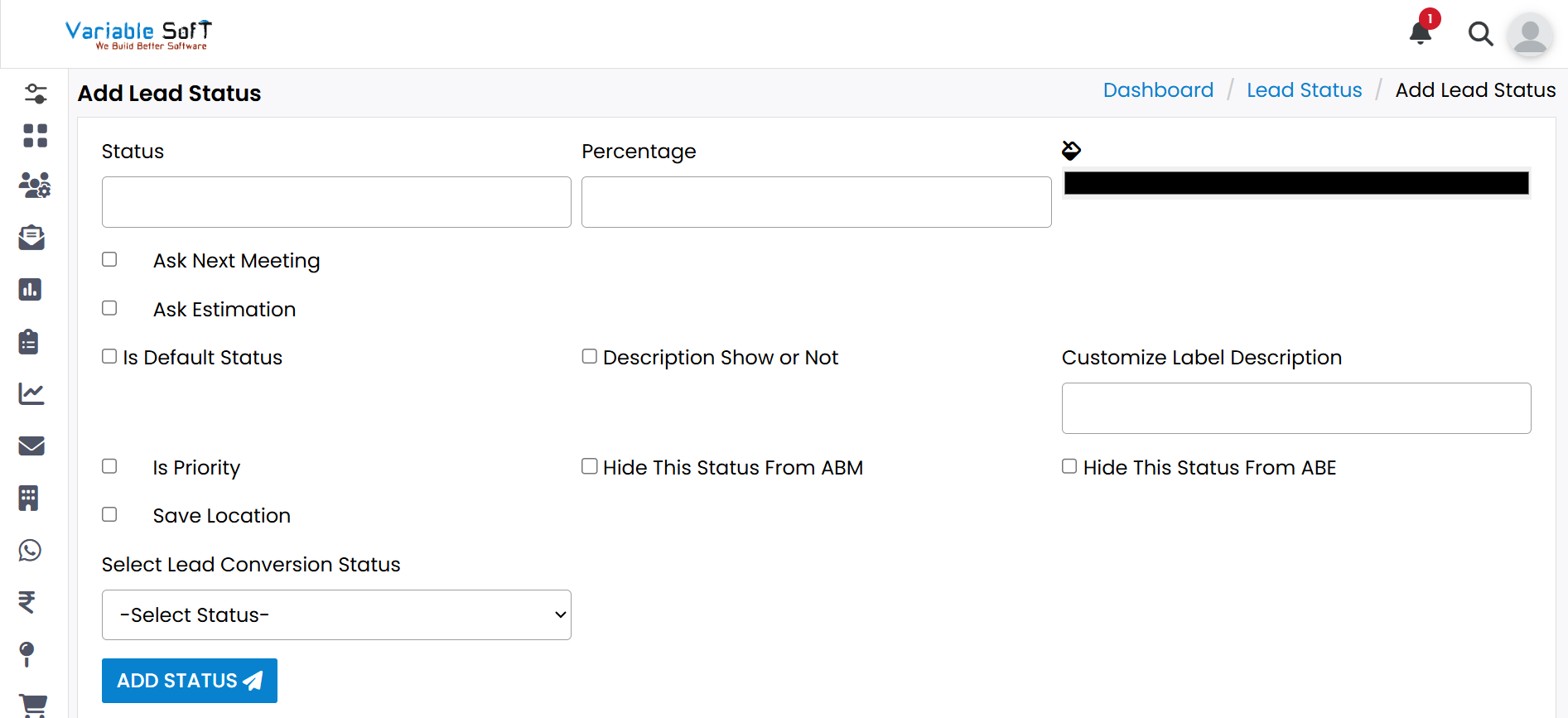
A form titled Add Lead Status will open.
-
Step 3
Fill out all required information in the form.
-
Step 4
Use the Select Status option to choose the status you want.
-
Step 5
After completing all fields, click on the ADD STATUS button.
-
Step 6
Your new status will be successfully added.
🎥 Video Guide
If you don't understand the process, watch the video help below. The video explains every step clearly.
Watch Video