Create Email
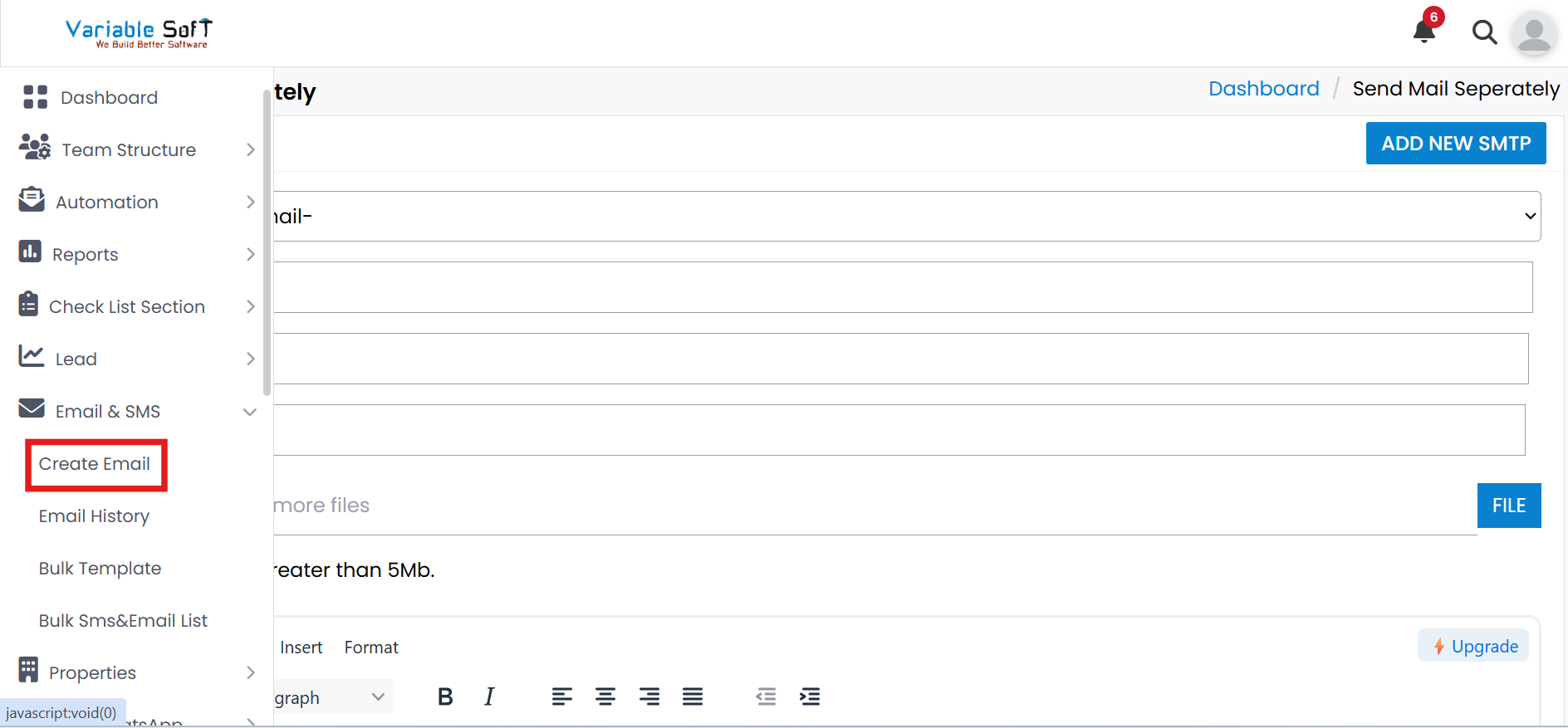
To access this feature, open your CRM Dashboard and click on Email & SMS. From the dropdown menu, select Create Email to open the Send Mail Separately page.
Create Email Instructions
-
Step 1
Click on the Create Email option under Email & SMS.
-
Step 2
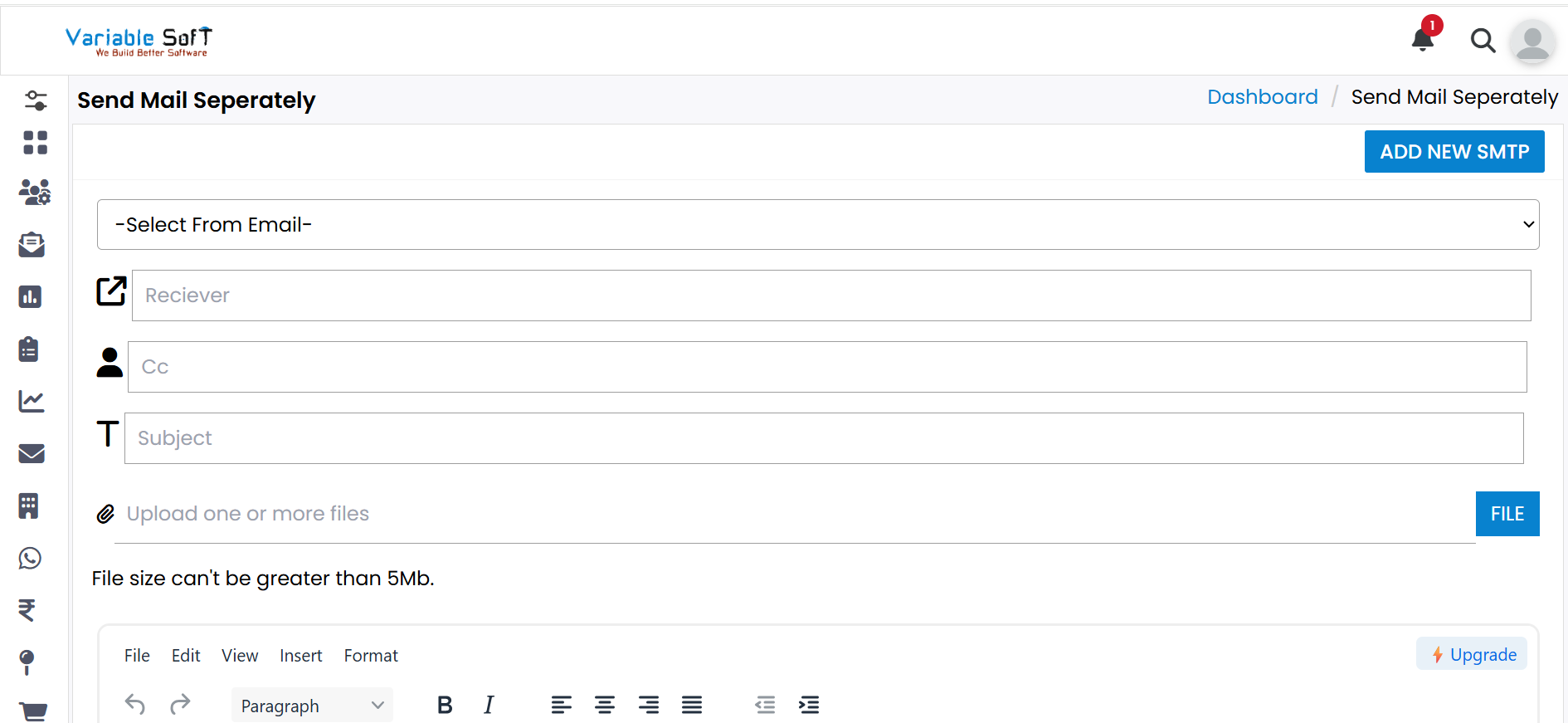
The Send Mail Separately page will open.
-
Step 3
In the Receiver field, enter the email address of the person to whom you want to send the mail.
-
Step 4
If you want to send the same email to additional people, enter their email addresses in the CC field.
-
Step 5
In the Subject field, enter the main purpose or topic of your email.
-
Step 6
If you want to attach any file, click on the File button and select your file.
-
Step 7
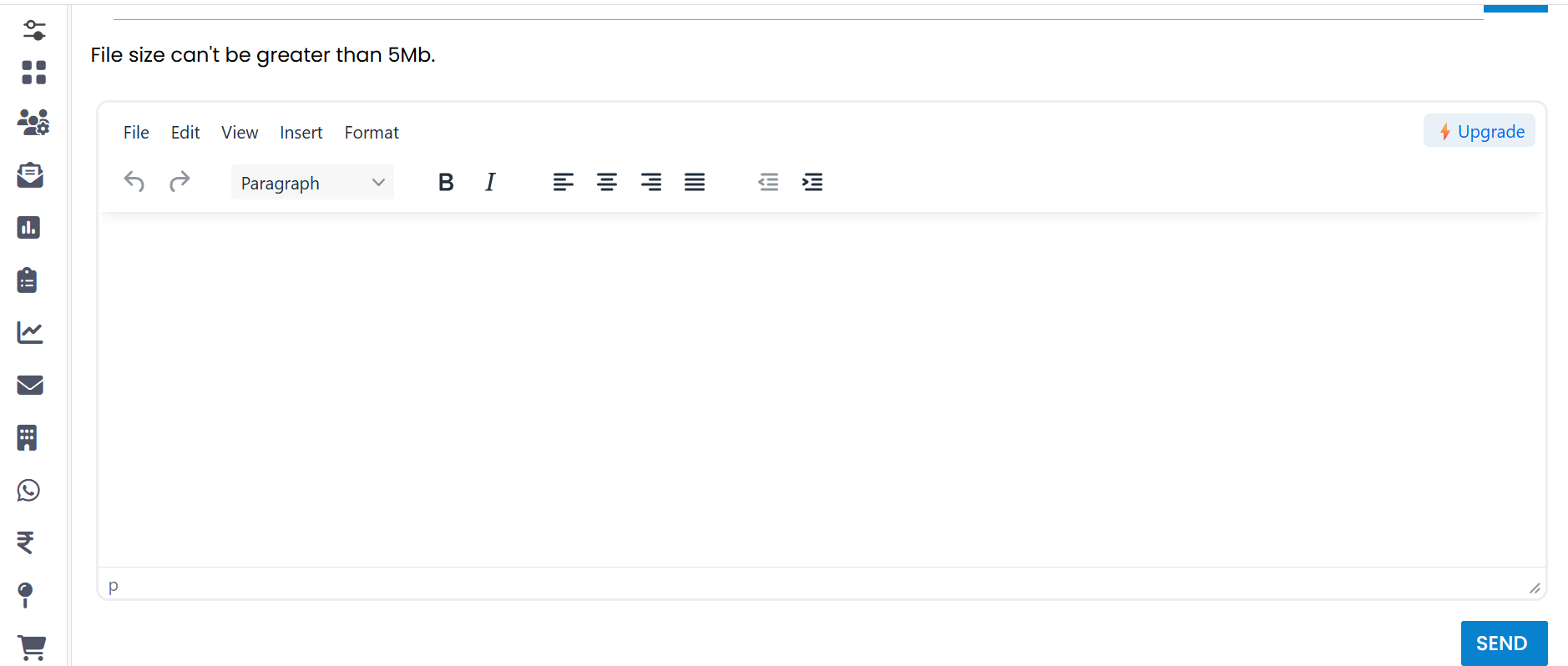
After filling all the details, click the Send button. Your email will be successfully created and sent.
Quick Actions
💡 Pro Tip: Ensure SMTP Security
Always use a dedicated App Password for SMTP to keep your account secure. Do not share your App Password with others.