Add New SMTP
Add SMTP Instructions
-
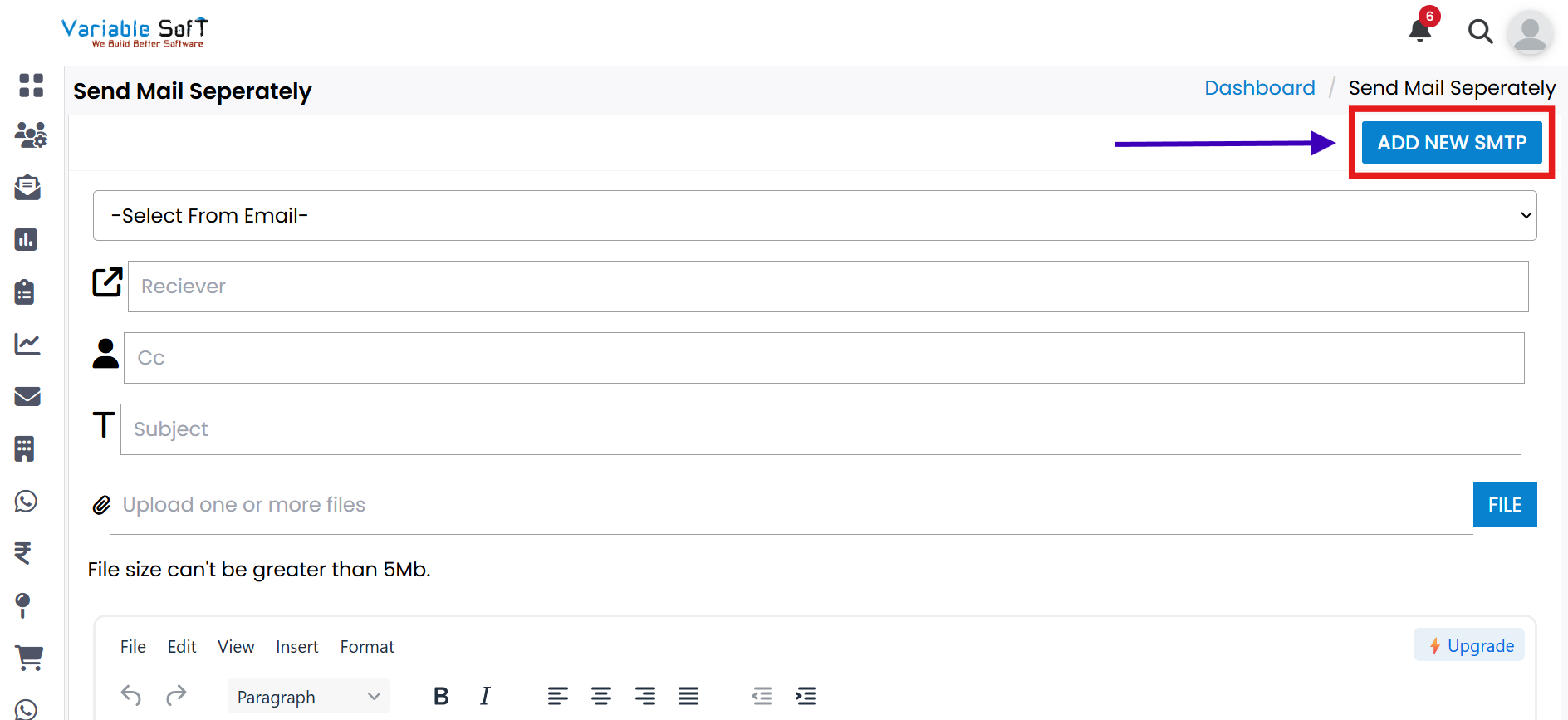
Step 1
If you want to create a new SMTP, click on the Add New SMTP button.
-
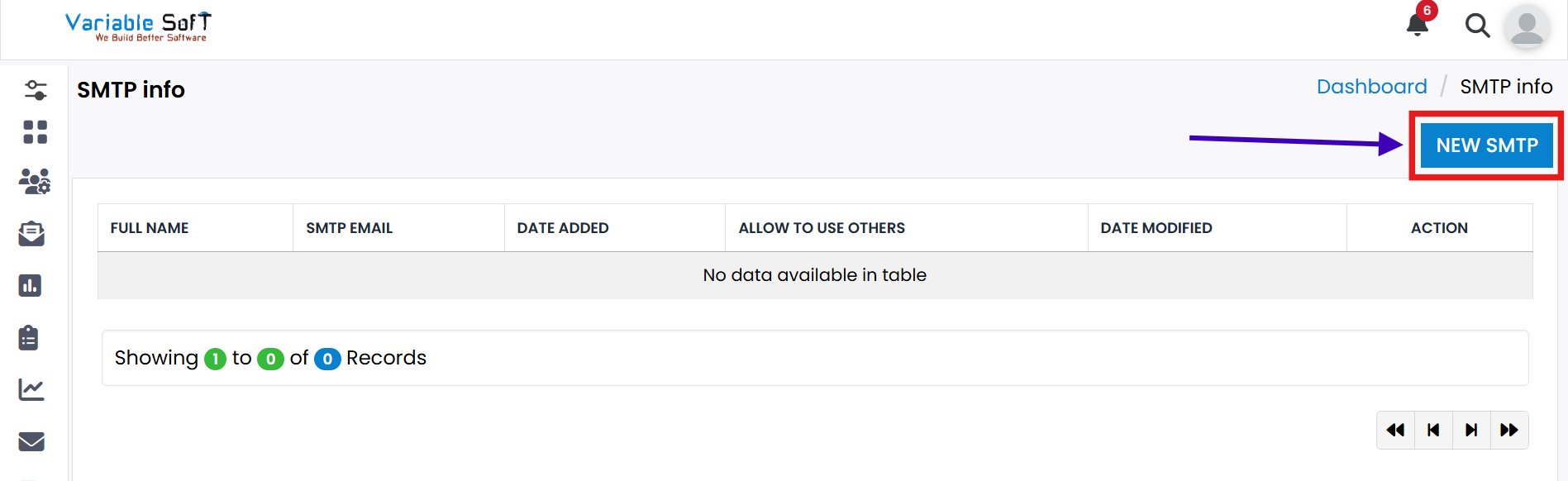
Step 2
The SMTP Info page will open. Now, click on the New SMTP button.
-
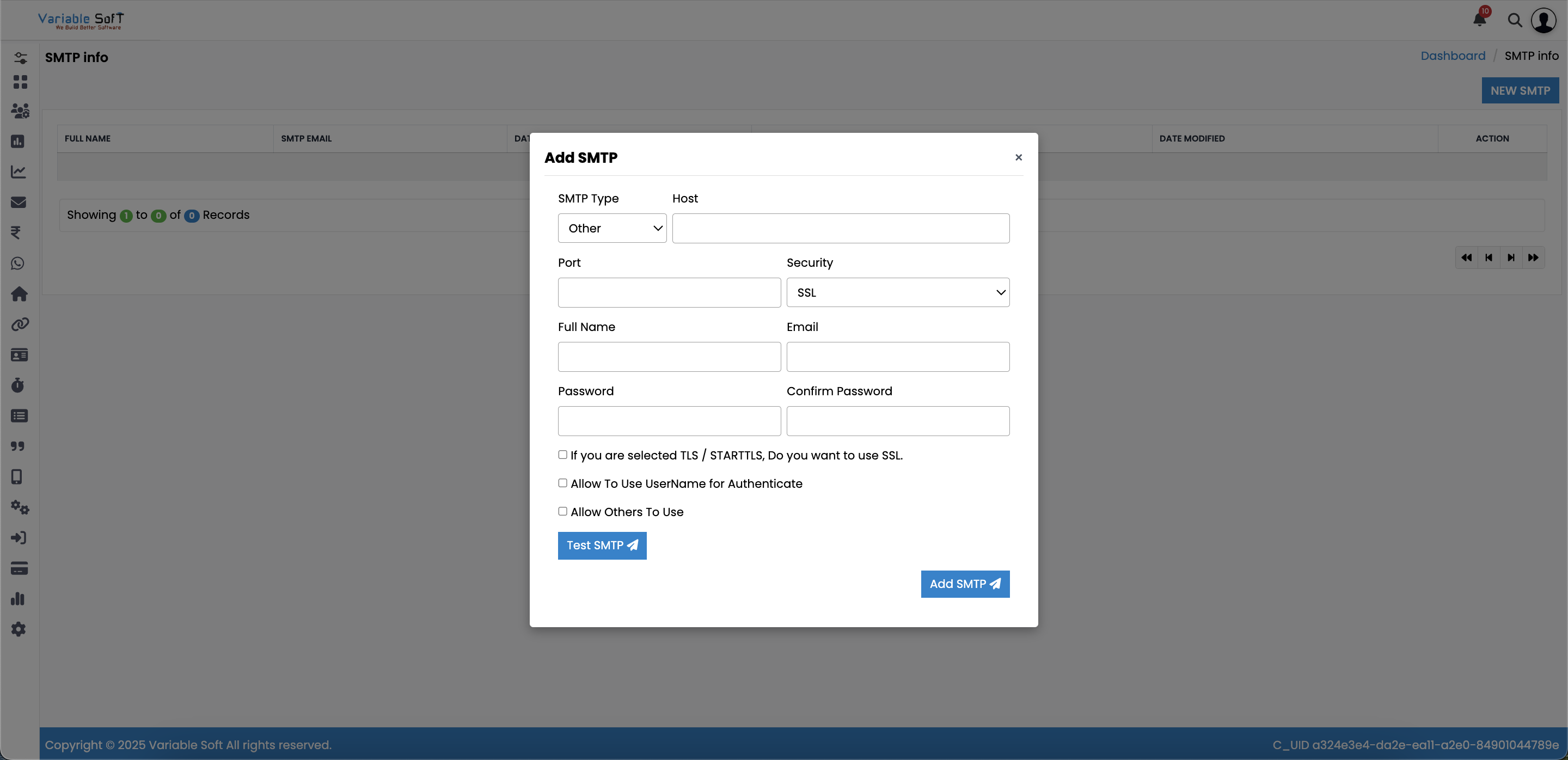
Step 3
An Add SMTP form will appear. Fill in all the required information.
-
Step 4
For the password field, you must generate an App Password:
- Go to Google and search for App Password.
- Open the official Google Help page and create an App Password.
- Note: Two-Step Verification is mandatory to create an App Password.
-
Step 5
Once all information is filled, click on the Test SMTP button to test.
-
Step 6
Click the Add SMTP button. Your SMTP will be successfully added.
💡 Pro Tip: Keep Your SMTP Secure
Always use an App Password instead of your main email password, and never share your SMTP credentials with anyone to keep your account secure.