Product
To access this feature, open your CRM Dashboard and click on Products. From the dropdown menu, select Product to open the Product page.
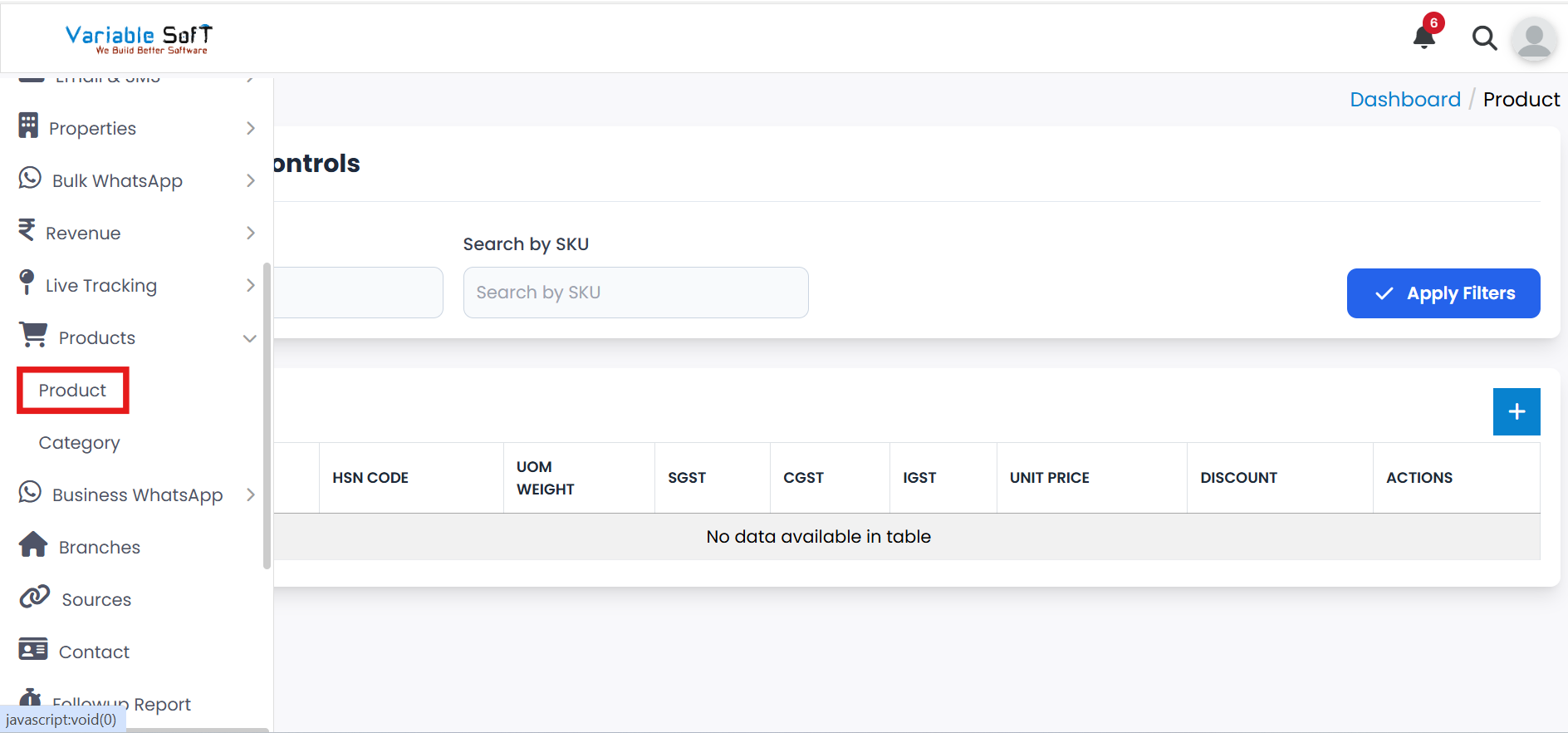
Add Product Instructions
-
Step 1
On this page, if you want to add any product, you can easily add products from here with the help of the Add Button.
-
Step 2
Here, if you want to edit any product, you can easily edit from here with the help of the Edit Button.
-
Step 3
Here, if you want to delete any product, you can easily delete it from here with the help of the Delete Button.
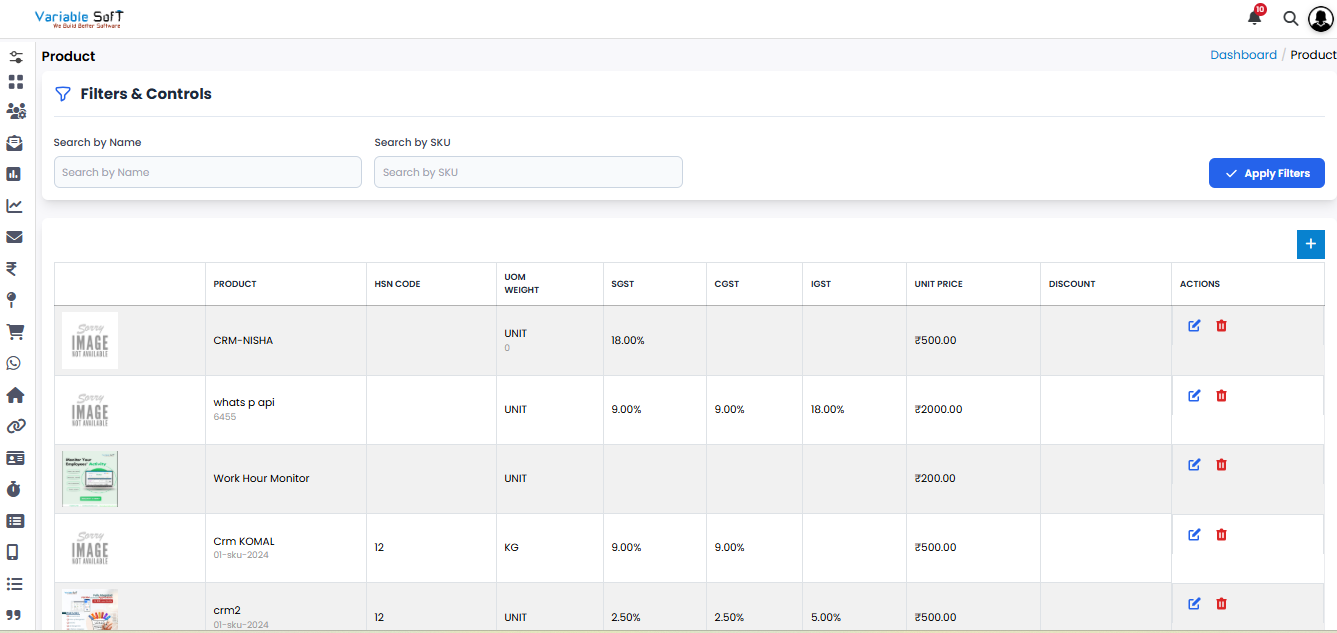
Quick Actions
⚠️ Important Note
Make sure you enter the correct HSN Code and other product details, as this information will be used for compliance and reporting purposes.