Add Product
Add Product Instructions
-
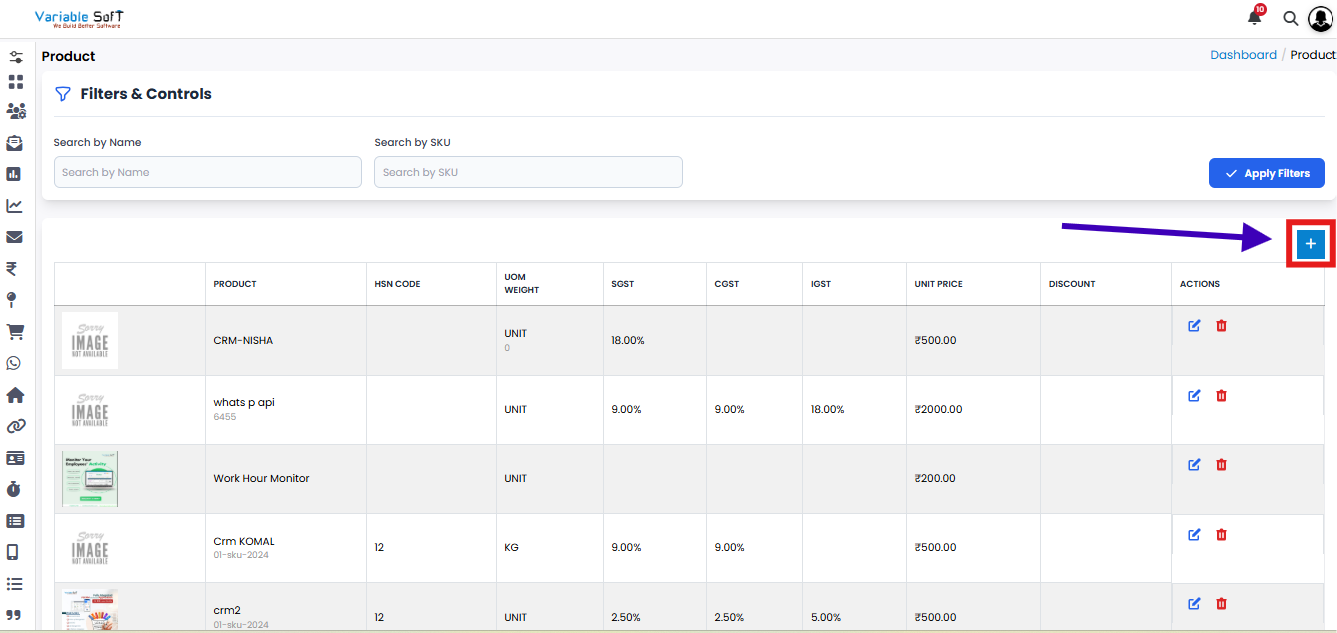
Step 1
Click on the Add Product button.
-
Step 2
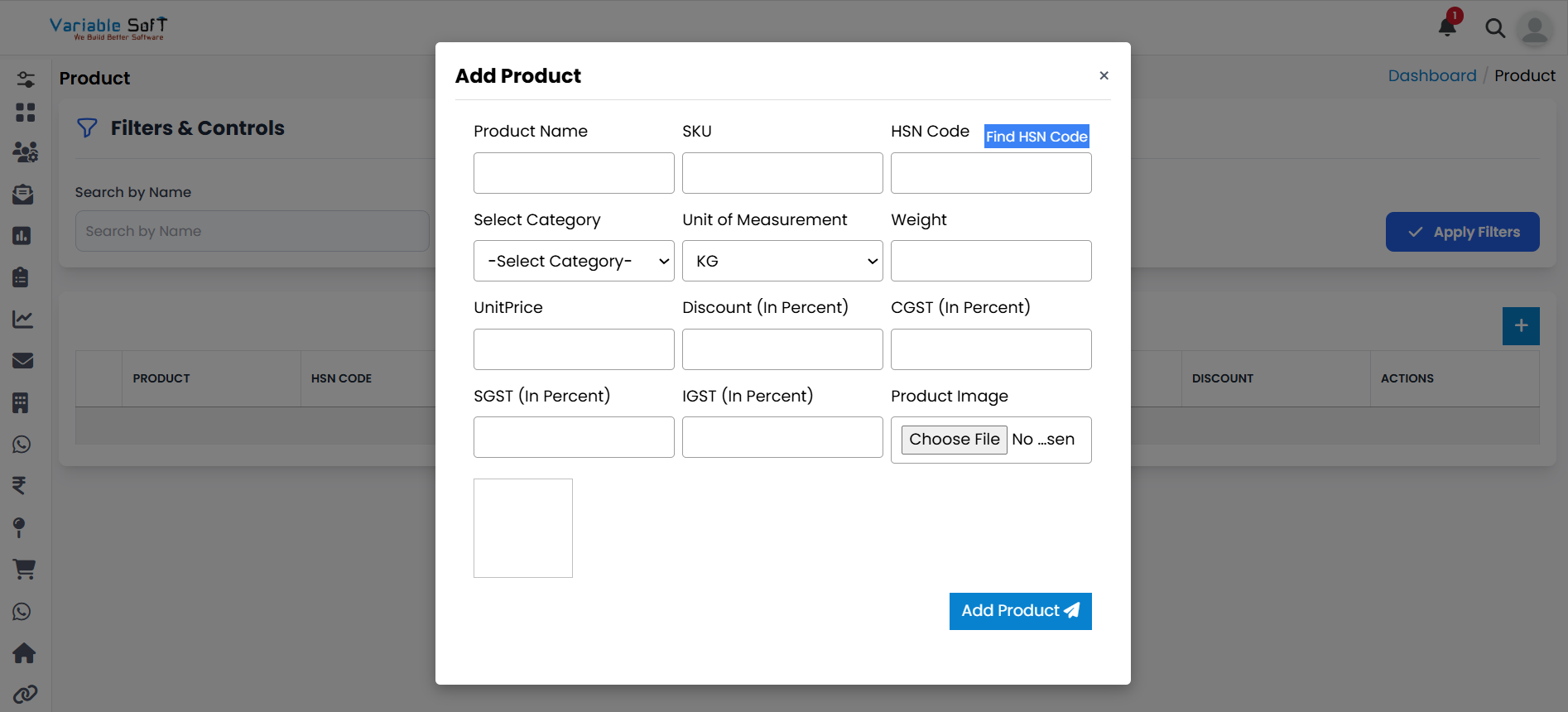
An Add Product form will open.
-
Step 3
Fill in all the required details of the product.
-
Step 4
In the HSN Code field, click on the Find HSN Code link. It will open the government website where you can easily find the correct HSN code for your product.
-
Step 5
After filling all the information, click on the Add Product button.
-
Step 6
Your product will be successfully added.
⚠️ Important Note
Make sure you enter the correct HSN Code and other product details, as this information will be used for compliance and reporting purposes.