WA Integration
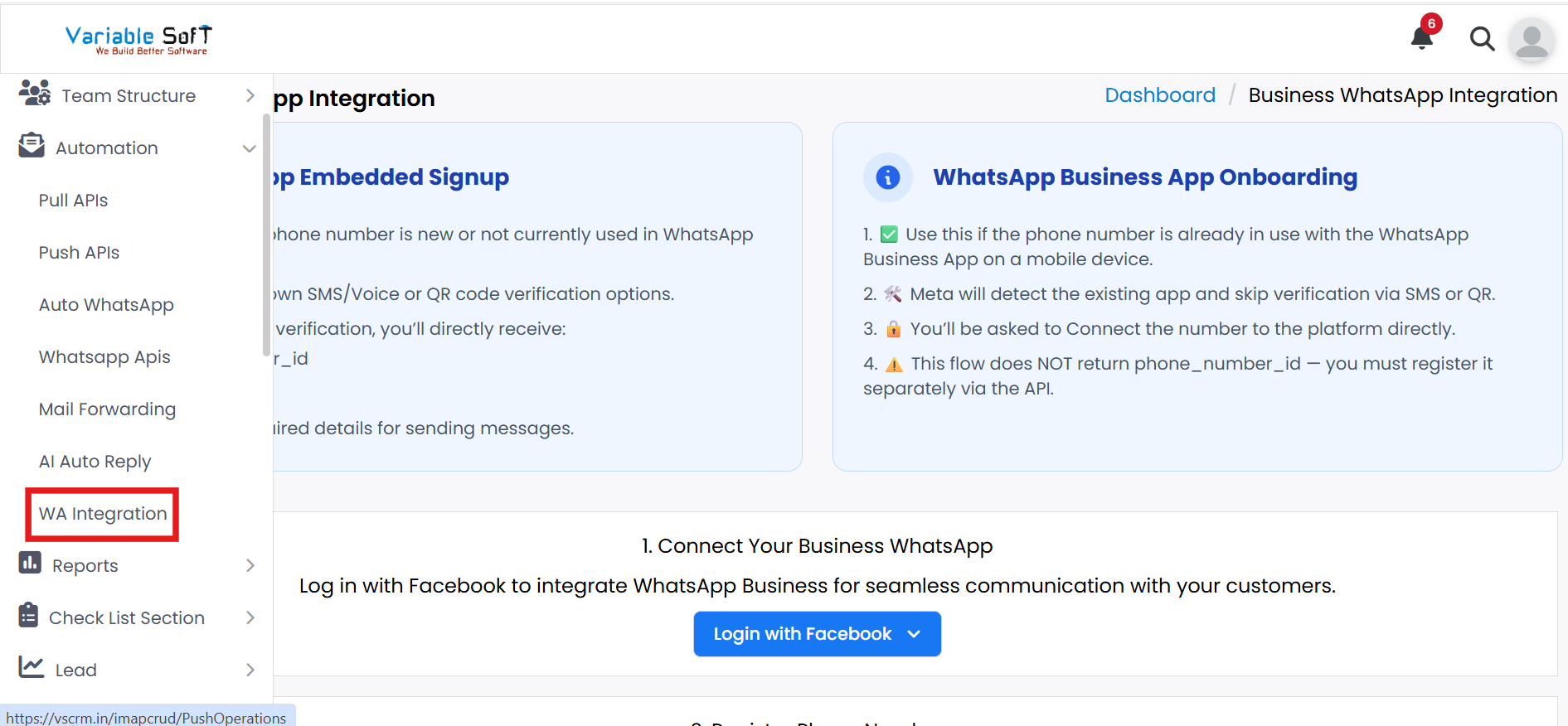
To access this feature, open your CRM Dashboard and click on Automation. From the dropdown menu, select WA Integration to open the Business WhatsApp Integration page.
Setup Instructions
To complete the WhatsApp Integration process, it is mandatory to have all the required documents listed below. Without these documents, the integration cannot be completed successfully:
- GST registration documents
- Active Meta (Facebook) account logged in on your system
- Active company website
- Active mobile number for API Business WhatsApp or a fresh unused number
- Active email ID
- Credit/Debit card (MasterCard or Visa) with online and international transactions enabled
-
Step 1
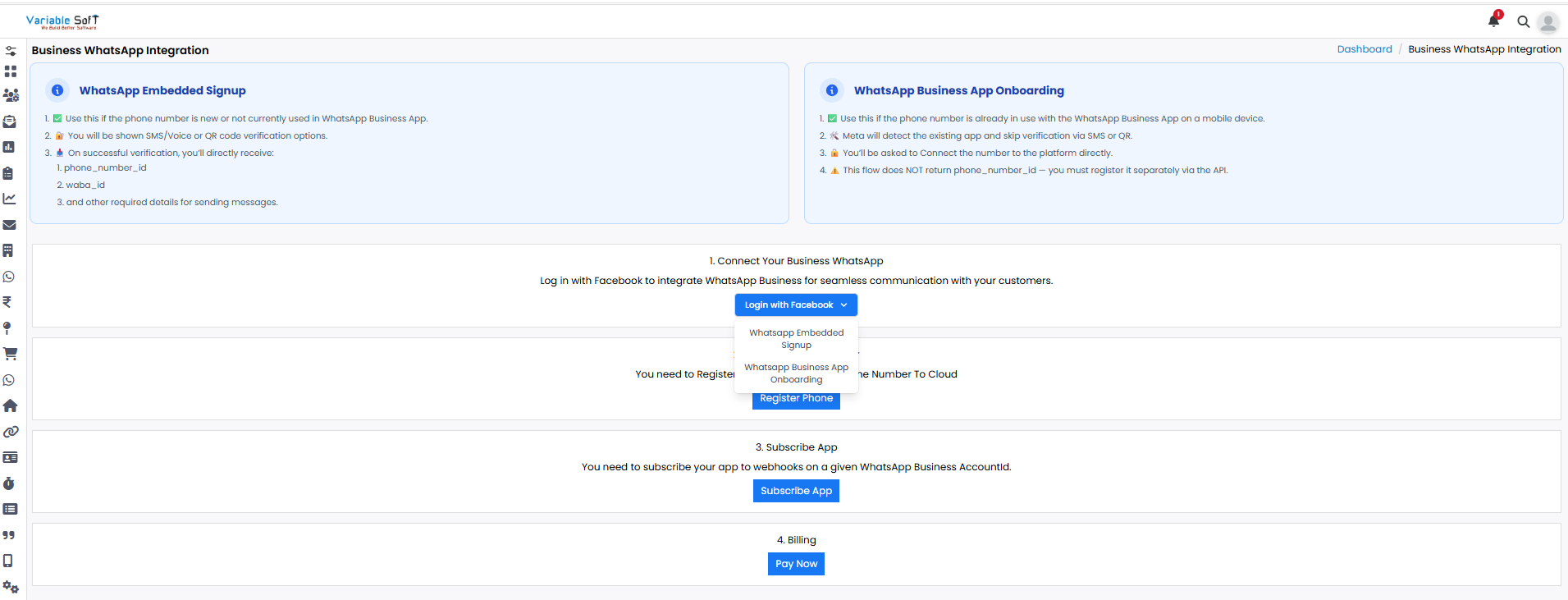
On this page, you can see the complete process of WhatsApp Embedded Signup and WhatsApp Business App Onboarding. Use Embedded Signup if the phone number is new or not currently used in WhatsApp Business App, and Business App Onboarding if the number is already in use with WhatsApp Business App on a mobile device.
-
Step 2
Click on the Login With Facebook option.
-
Step 3
Two options will appear: WhatsApp Embedded Signup and WhatsApp Business App Onboarding.
-
Step 4
Choose based on your number: if it is new or not yet on WhatsApp Business, select Embedded Signup. If it is already on WhatsApp Business, choose App Onboarding.
-
Step 5
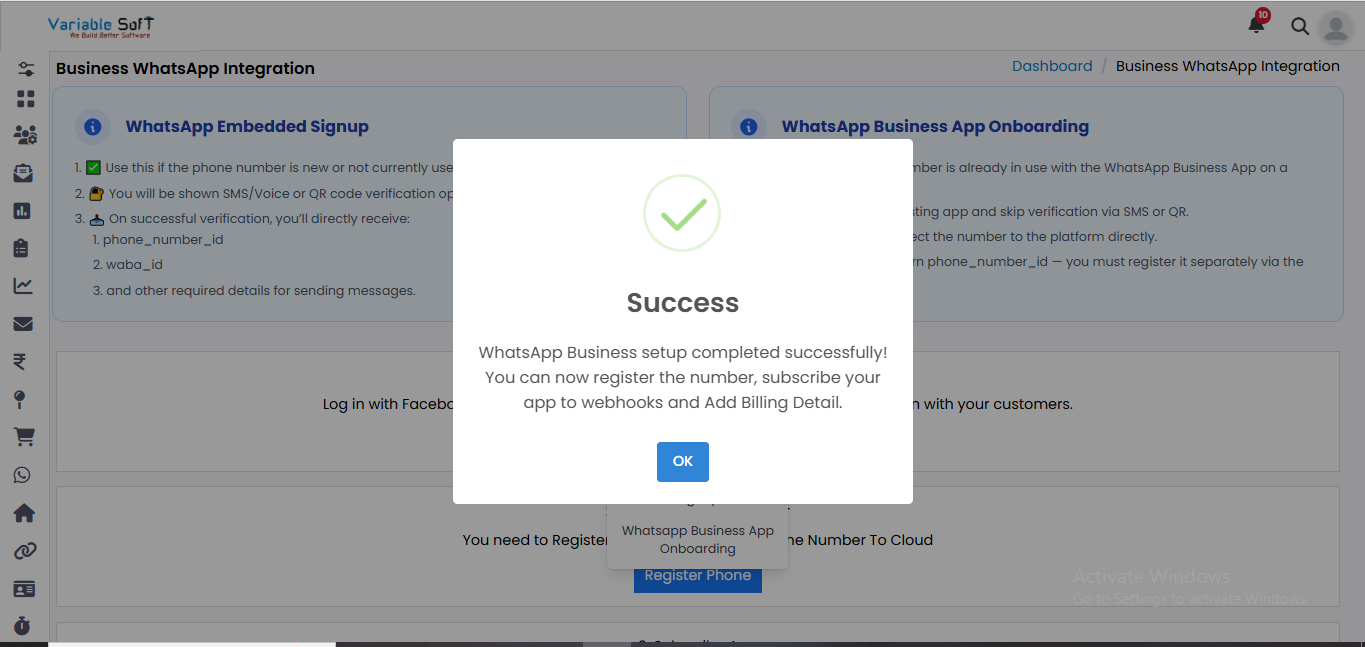
After clicking Login with Facebook, a Facebook login page will open. Sign in and complete the process. Once finished, you will be prompted to register your phone number. Complete the registration to proceed.
-
Step 6
If there is any issue with the registration process, you can also register your number by using the Register Phone option.
-
Step 7
Click Register Phone to open SetUp Business WhatsApp. Then click Register and add your phone number.
-
Step 8
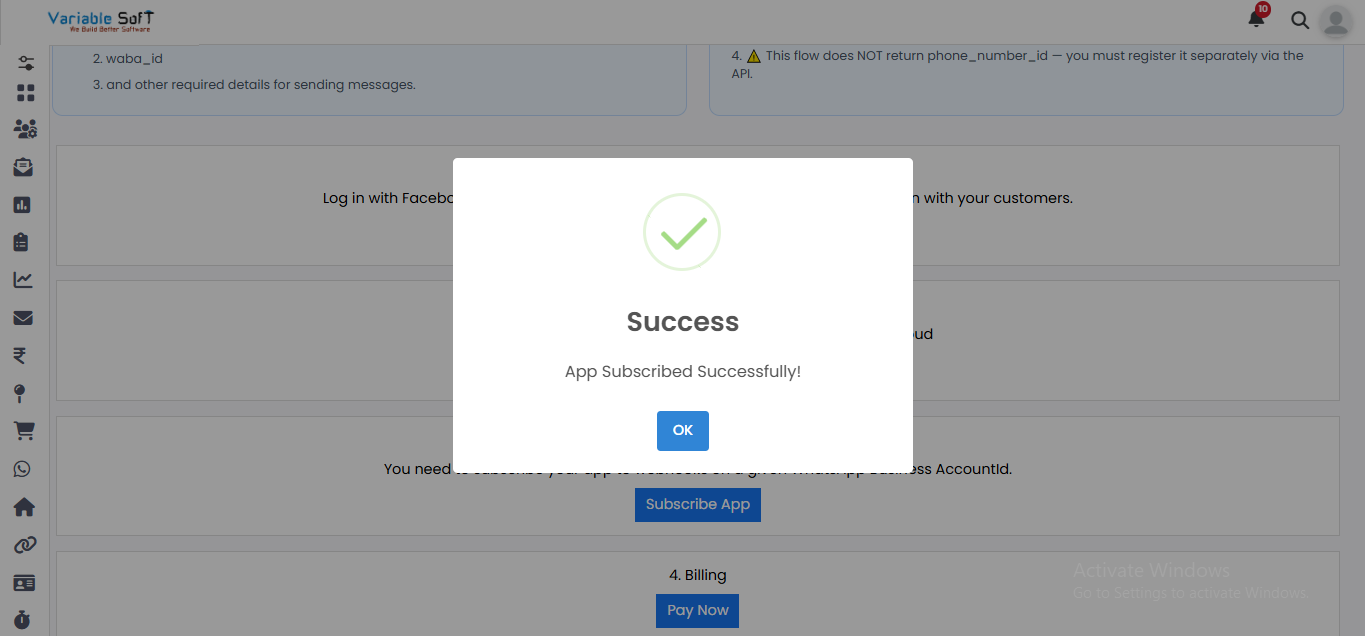
Click Subscribe App to enable webhooks. You will get a confirmation once the app is subscribed successfully.
-
Step 9
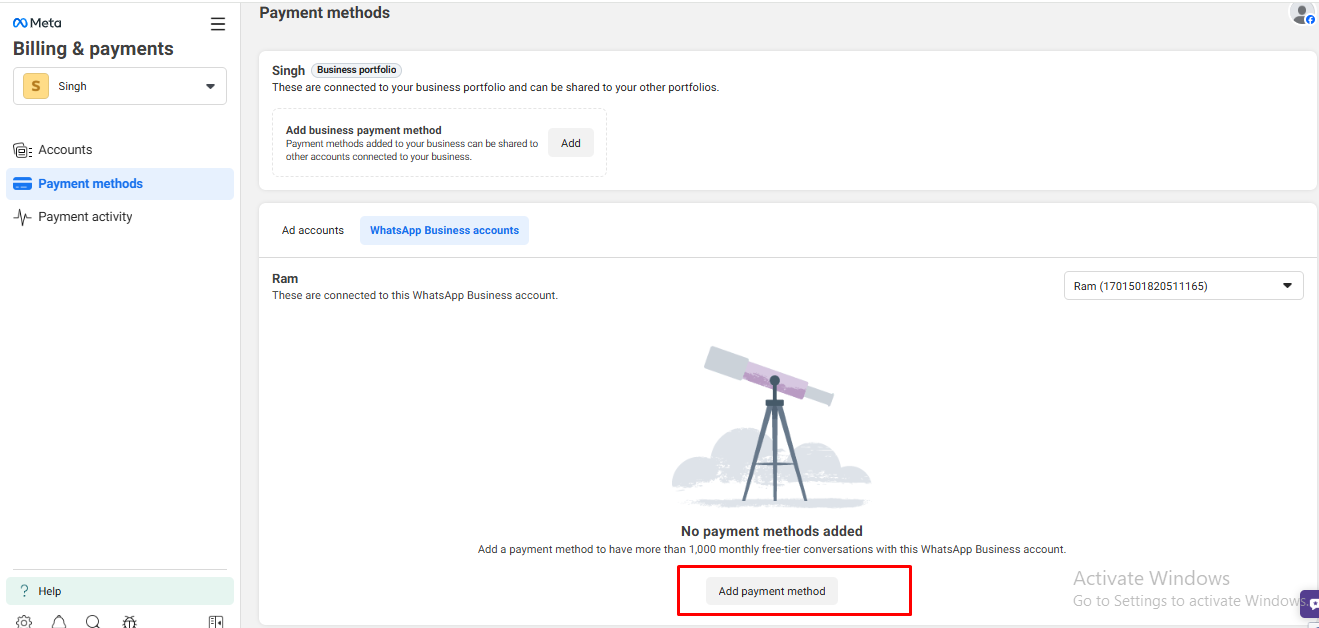
For payment, click Pay Now. In Billing & Payments, add a payment method.
-
Step 10
Enter your MasterCard / Visa details and complete the transaction. Your Business WhatsApp integration will now be completed successfully.

Pro Tip: Save Time with Auto Reply
Once your WA Integration is completed, enable WhatsApp auto-reply features to handle common customer queries instantly and improve overall communication efficiency.