Bank Details
Bank Details Instructions
-
Step 1
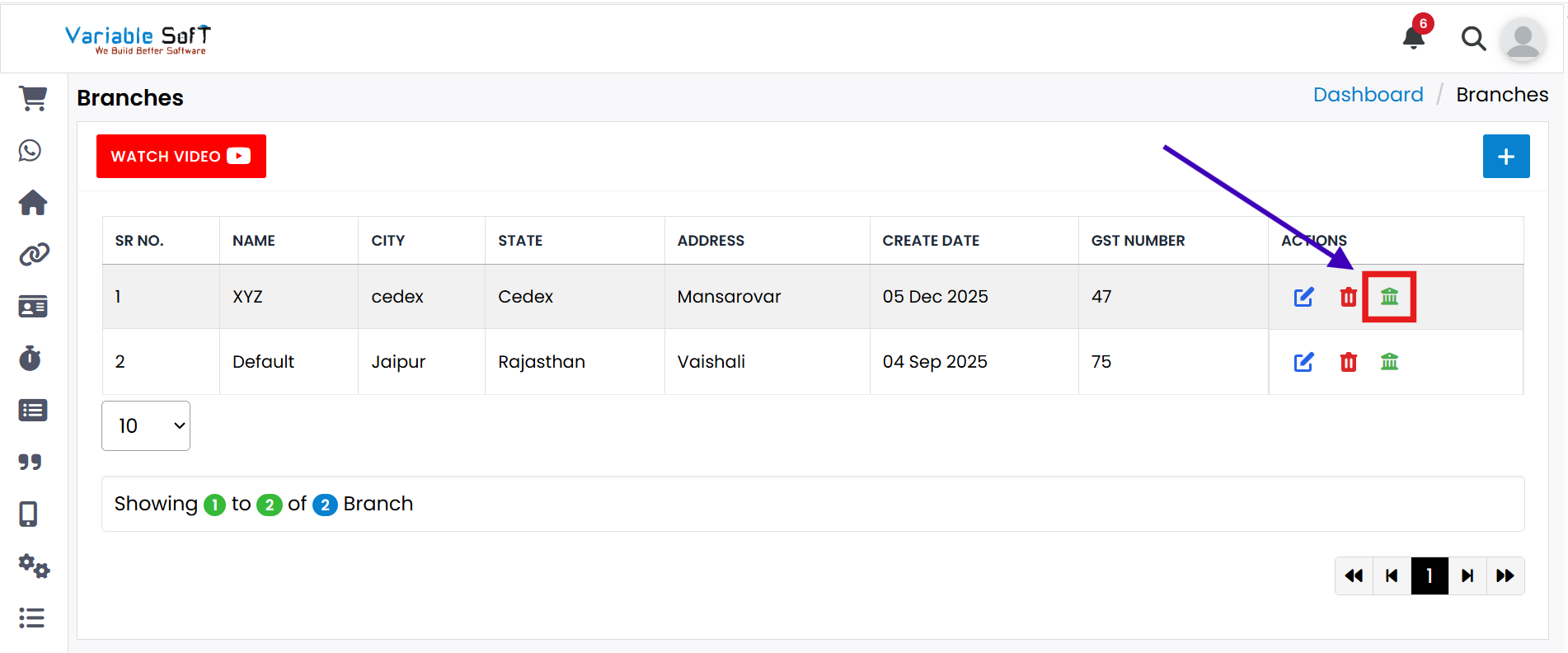
If you want to view Bank Details, click on the Bank Details button.
-
Step 2
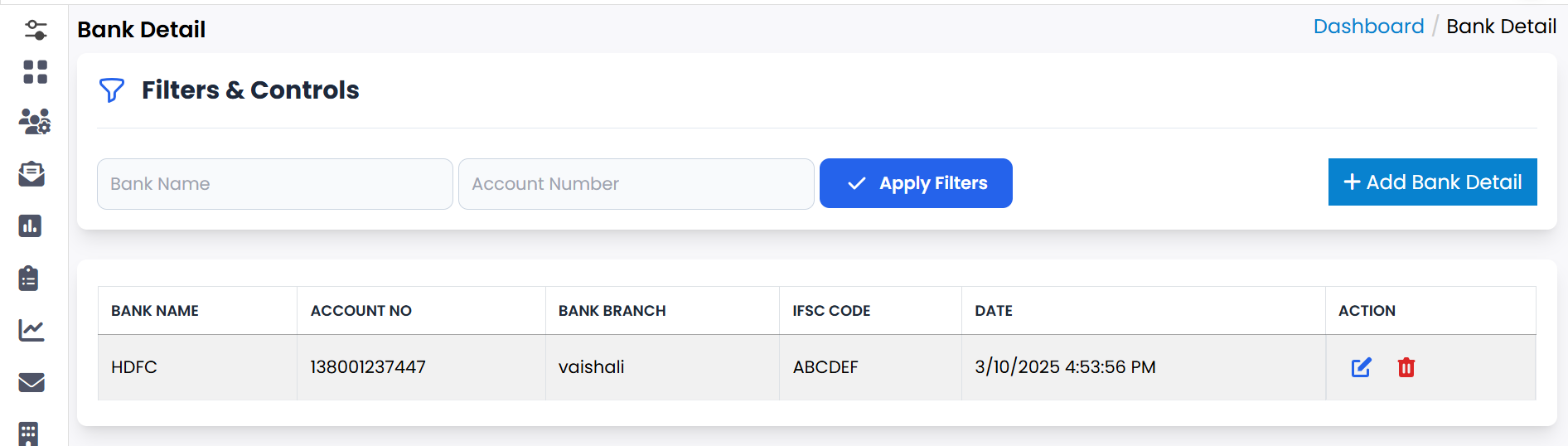
A new page will open showing the Bank Details.
-
Step 3
To add new details, click the Add Bank Detail button.
-
Step 4
Fill in the required fields to easily add bank information.
-
Step 5
You can also Edit or Delete bank details whenever required.
Quick Actions
💡 Pro Tip: Keep Bank Records Accurate
Always double-check bank details before saving or editing to ensure smooth financial operations and avoid errors.