Add Bank Detail
Add Bank Detail Instructions
-
Step 1
Use the Add Bank Detail option to store essential banking information. This helps in keeping your records organized and easily accessible.
-
Step 2
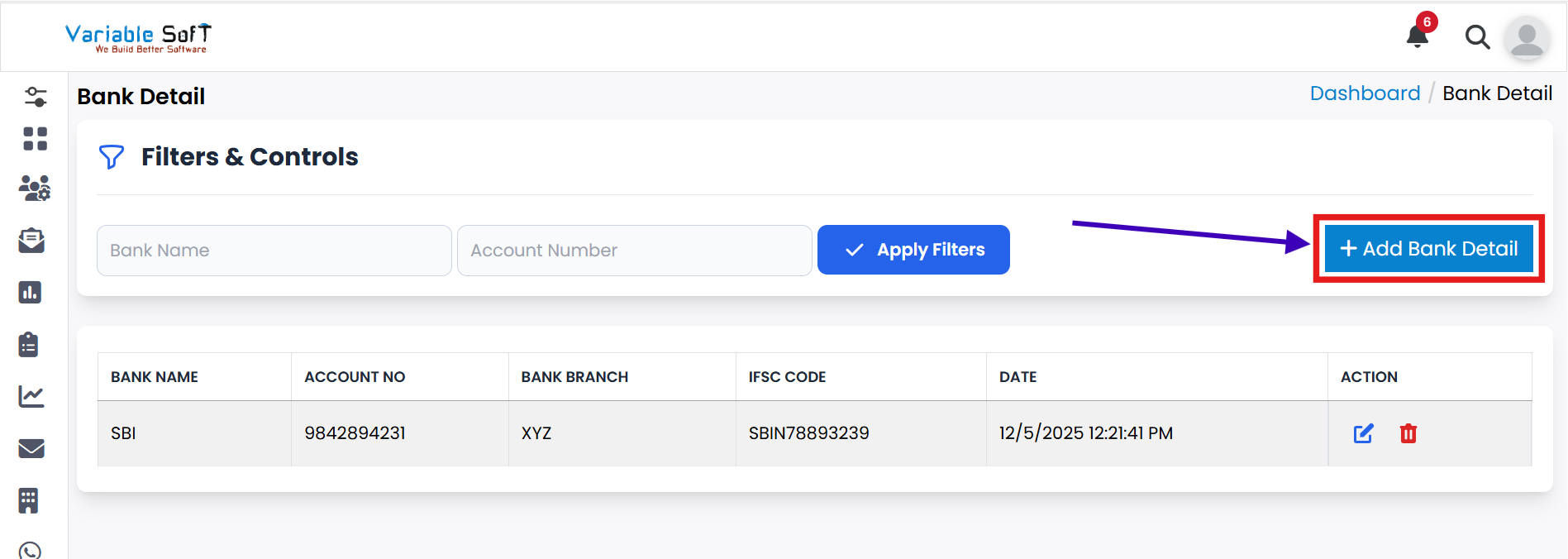
Open the Bank Detail section from the Branch page.
-
Step 3
Click on the Add Bank Detail button.
-
Step 4
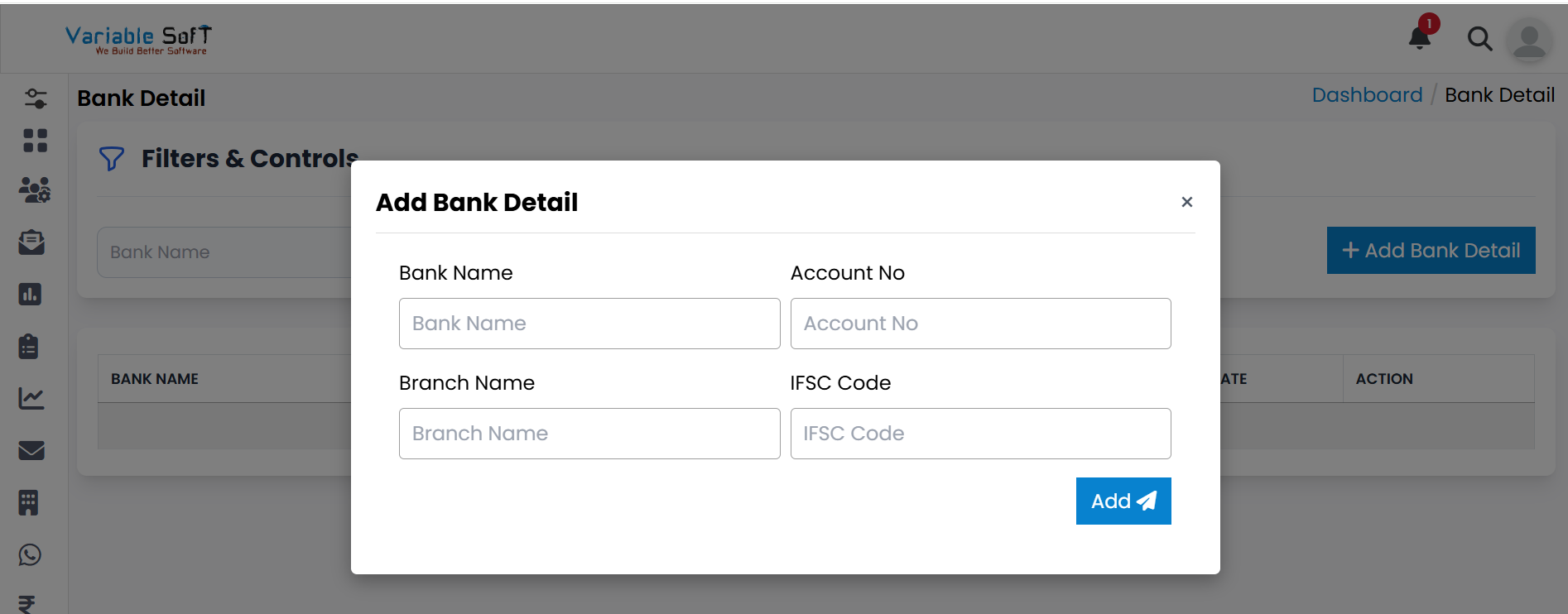
An Add Bank Detail pop-up window will open. Fill in the required fields:
- Bank Name
- Account No
- Branch Name
- IFSC Code
-
Step 5
Finally, click on the Add button.
-
Step 6
Your bank details will be successfully added.
💡 Pro Tip: Enter Details Carefully
Always double-check account numbers and IFSC codes before saving to avoid transaction errors.