Edit Bulk SMS and Email
Edit Bulk SMS and Email Instructions
-
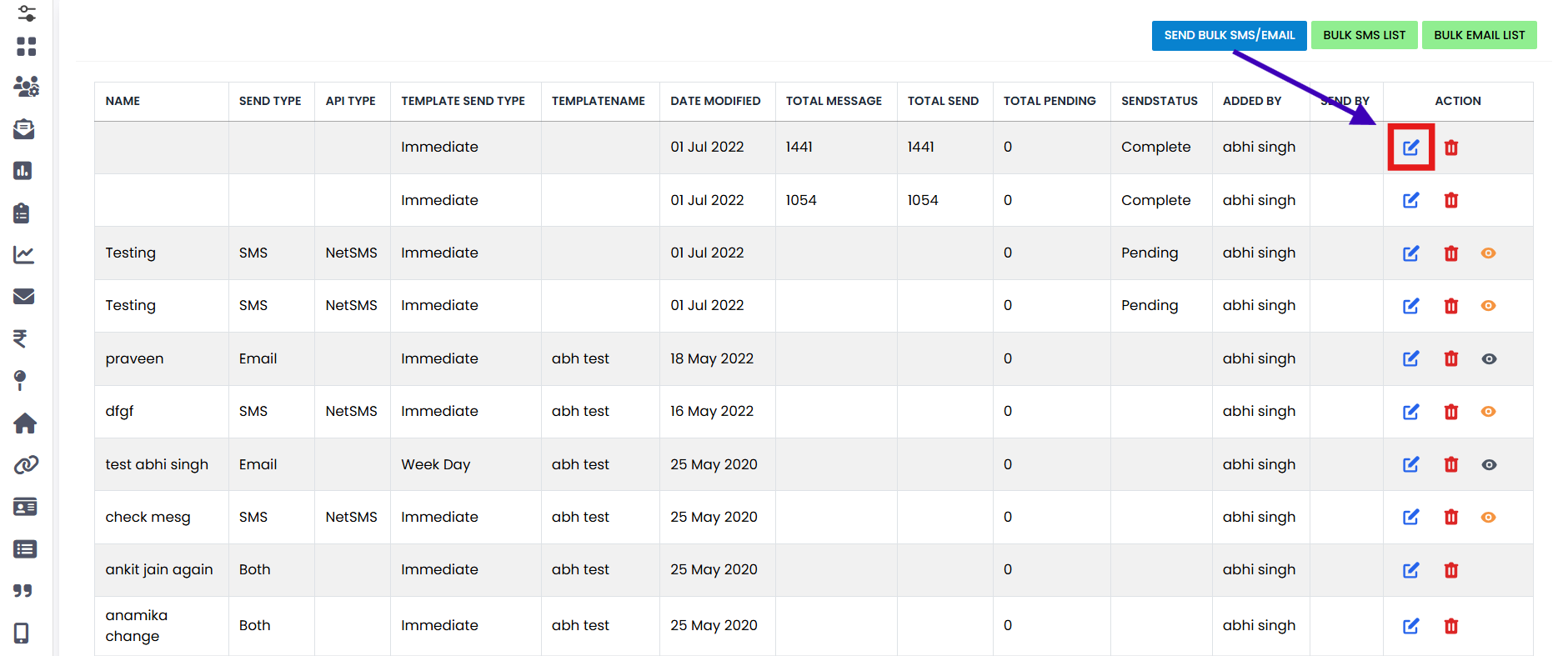
Step 1
Go to the Bulk SMS and Email List section and click on the Edit button.
-
Step 2
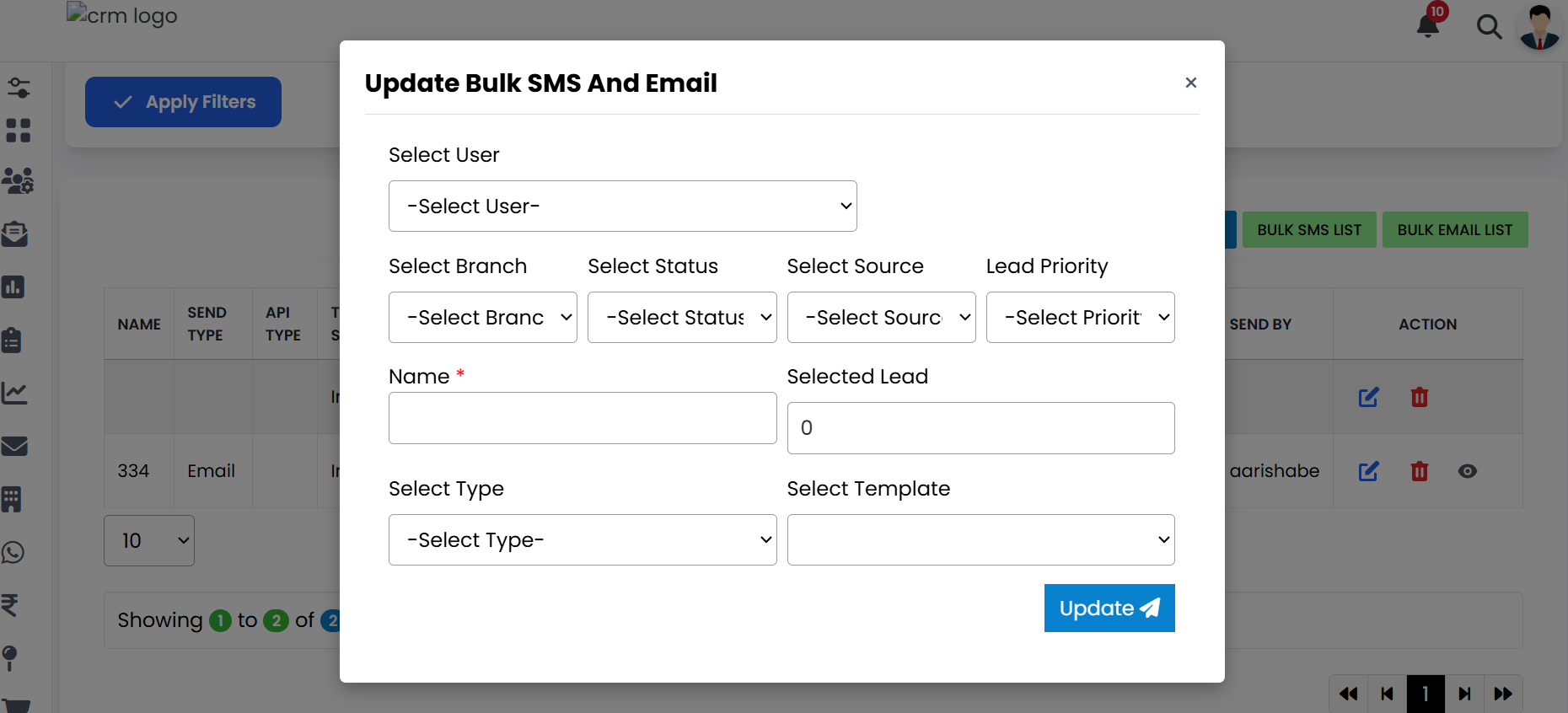
An Update Bulk SMS and Email form will open where you can modify the required details.
-
Step 3
After updating your information, click on the Update button to save the changes successfully.
Pro Tip: Keep Data Accurate
Always double-check the information before saving updates to ensure accuracy and avoid errors in Bulk SMS or Emails.