Add Target Goal
Add Target Goal Instructions
-
Step 1
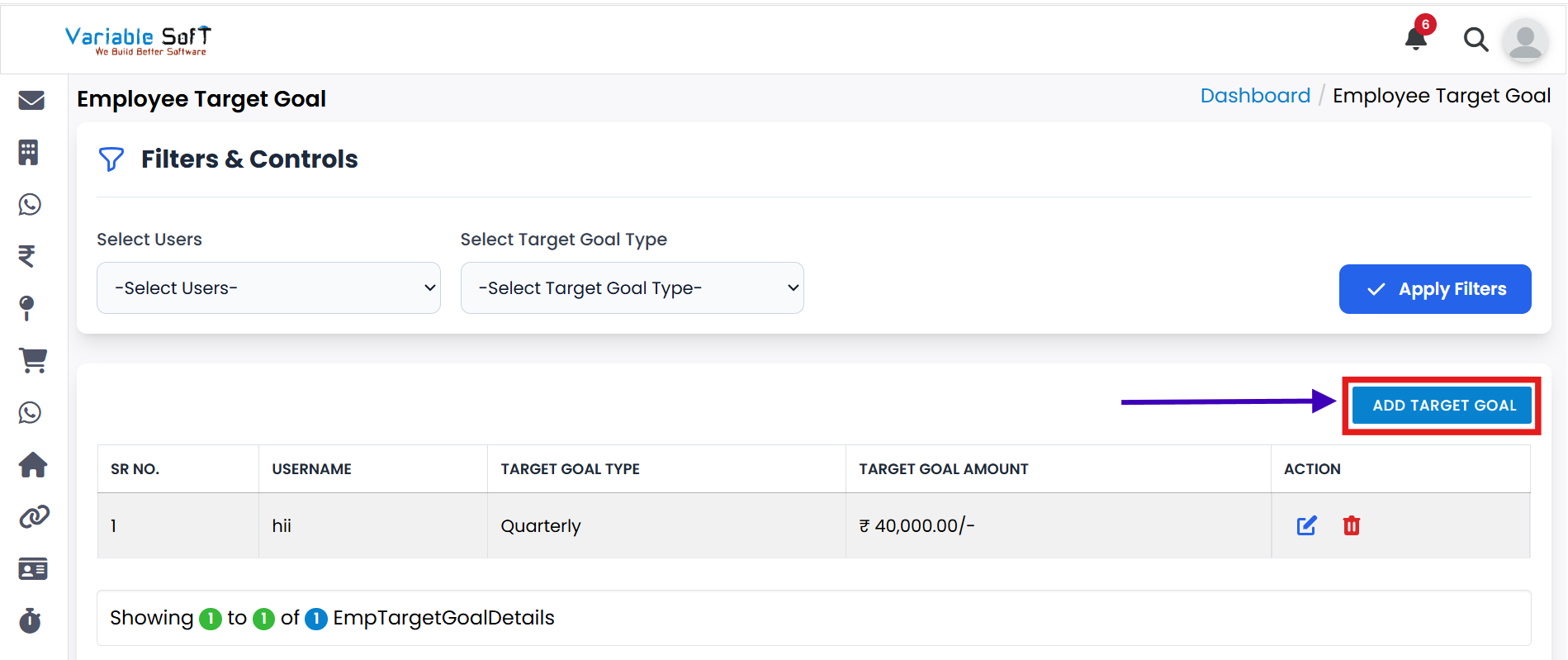
Click on the Add Target Goal button.
-
Step 2
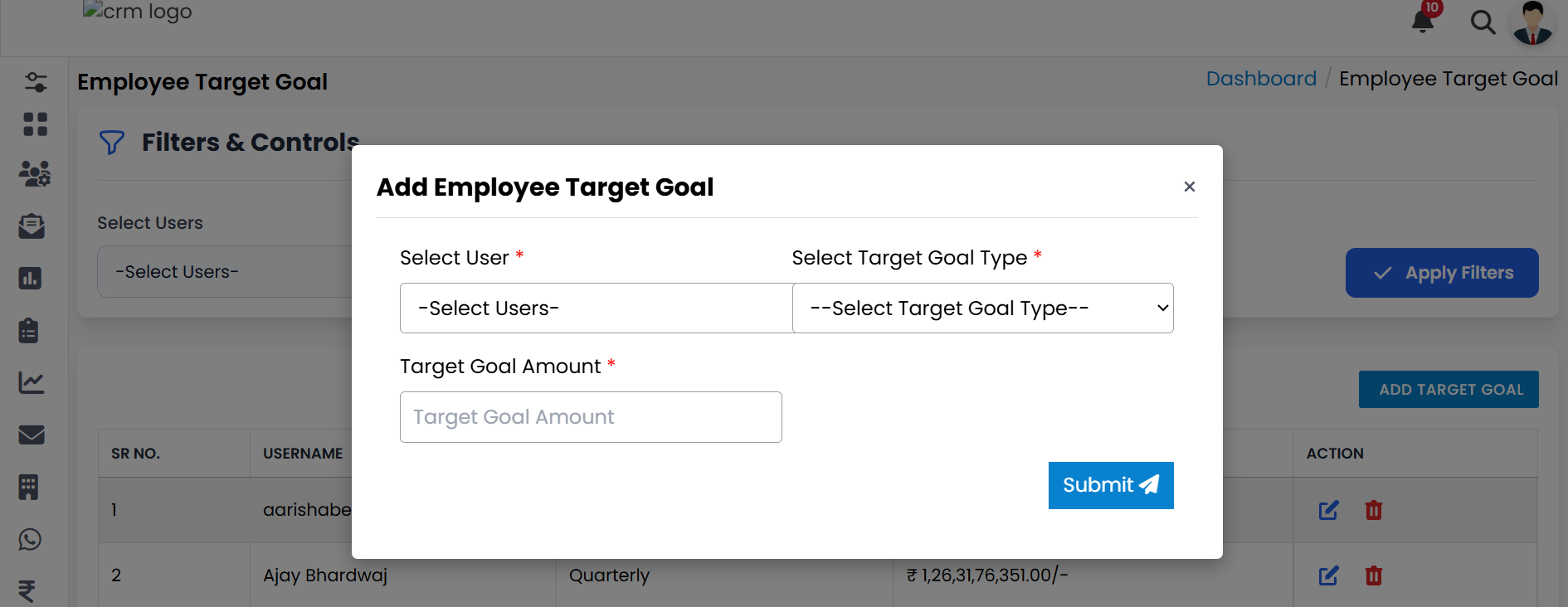
An Add Employee Target Goal pop-up form will appear on your screen.
-
Step 3
Fill in all the required information carefully, such as employee details and target specifics.
-
Step 4
After entering the details, click on the Submit button.
-
Step 5
Your new target goal will be successfully added to the system.
💡 Pro Tip: Provide Clear Goals
Always set realistic and well-defined goals to help employees stay focused and achieve better results.