Add Contact
Add Contact Instructions
-
Step 1
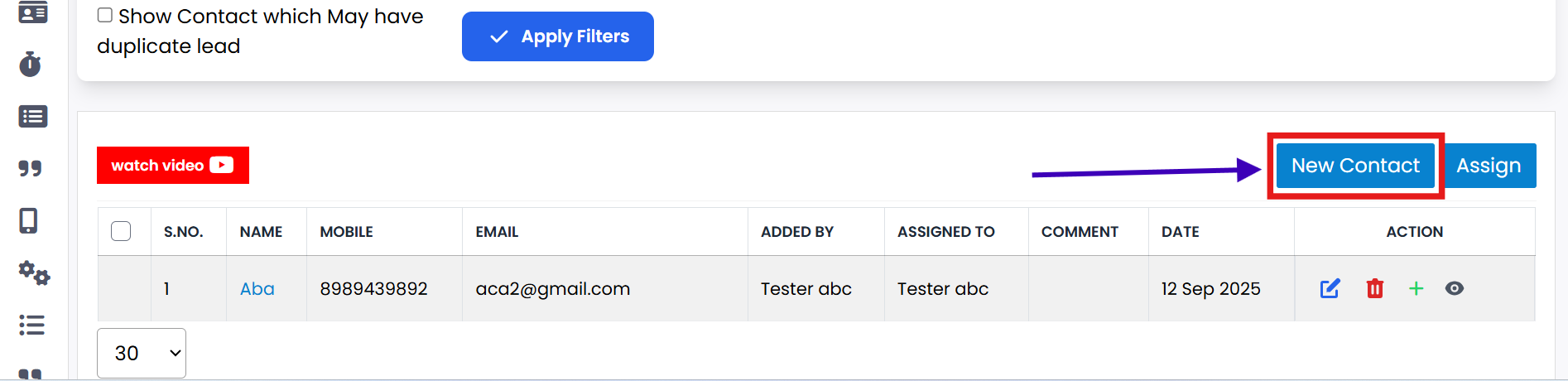
Click on the New Contact button to open the Add Contact page.
-
Step 2
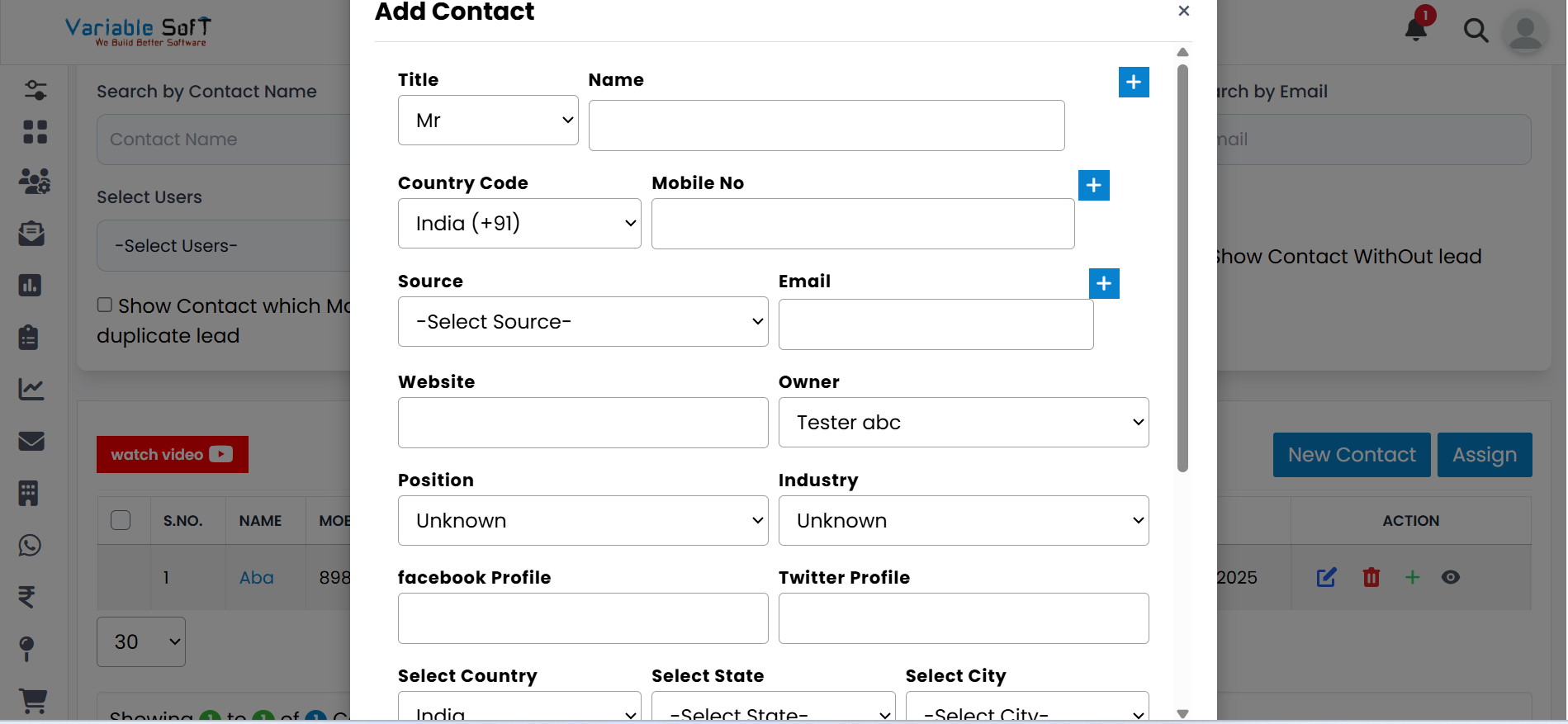
Fill in all required information: Name, Mobile No., and Email.
-
Step 3
If needed, add additional Name, Mobile No., and Email fields.
-
Step 4
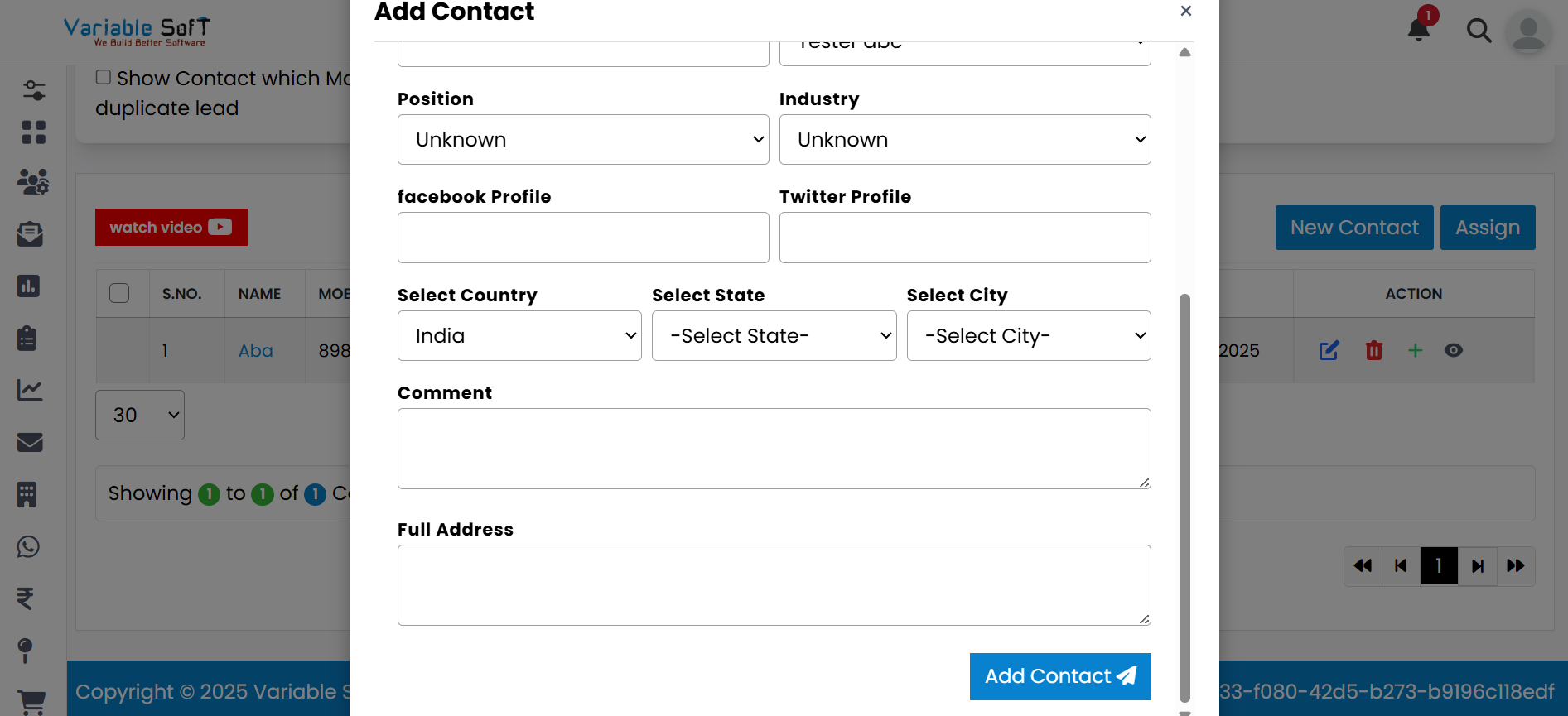
Fill in any remaining optional information as required.
-
Step 5
Once all information is completed, click on the Add Contact button.
-
Step 6
Your contact will now be successfully added to the system.
💡 Pro Tip: Double-Check Required Fields
Before submitting, ensure all required fields (Name, Mobile No., Email) are correctly filled to avoid errors.
Watch Video