Add Revenue
Add Revenue Instructions
-
Step 1
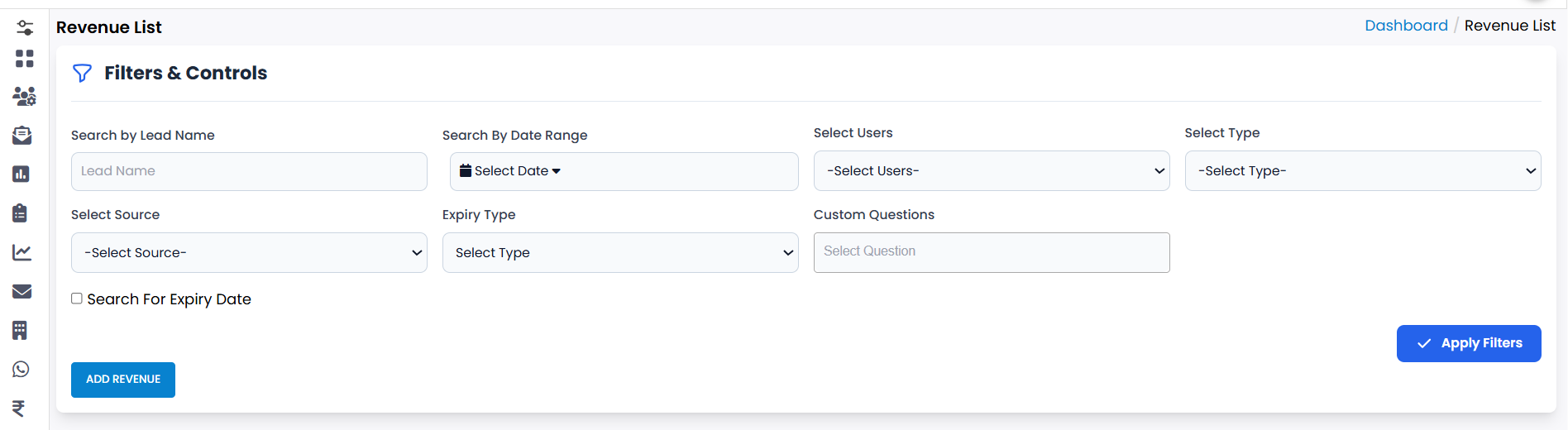
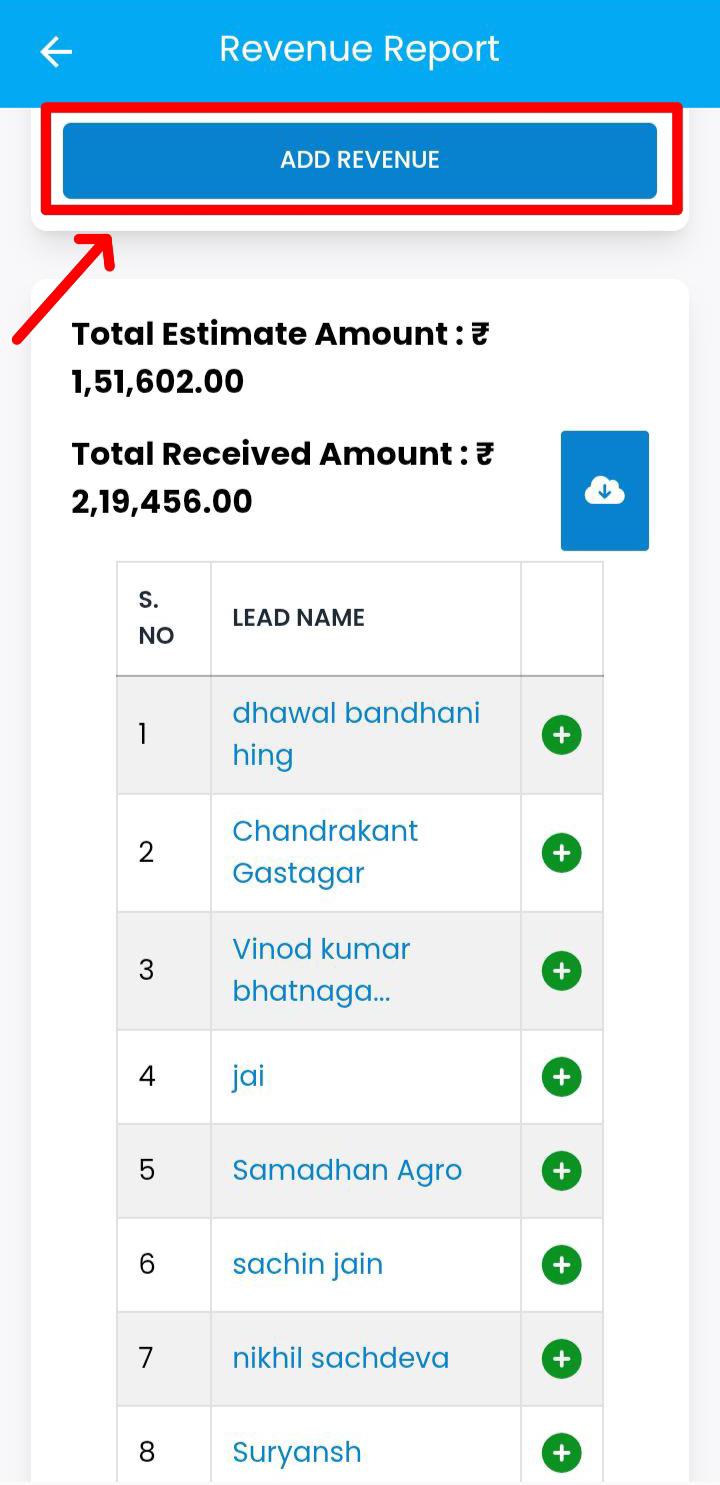
To add revenue, click on the Add Revenue button.
-
Step 2
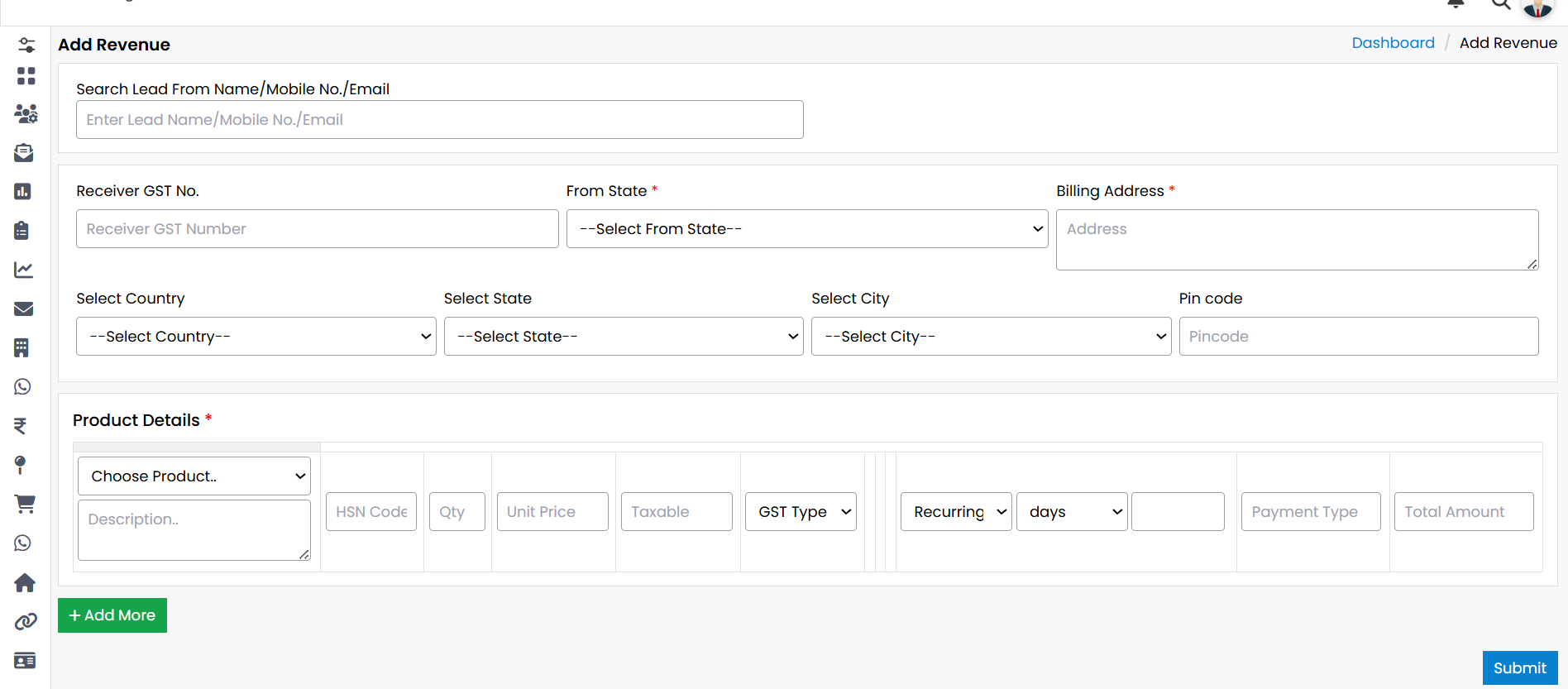
An Add Revenue Form will appear on your screen.
-
Step 3
Fill in all the required information carefully to ensure accurate records.
-
Step 4
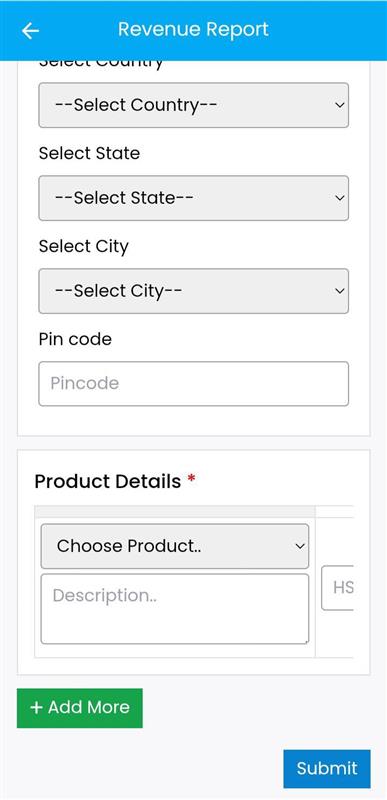
At the end of the form, you will find the Product Details section.
-
Step 5
Select the appropriate Product Name from the list provided.
-
Step 6
If you want to add more than one product, click on the Add More option and continue adding as needed.
-
Step 7
After filling in all the required information, click on the Submit button.
-
Step 8
Your revenue will be added successfully.
Explore Our App Interface
A quick glance at how VSCRM looks on your phone.
💡 Pro Tip: Keep Product Details Clear
While adding multiple products, ensure that each product entry is accurate and relevant to avoid confusion in reports.