Assign Contact
Assign Contact Instructions
-
Step 1
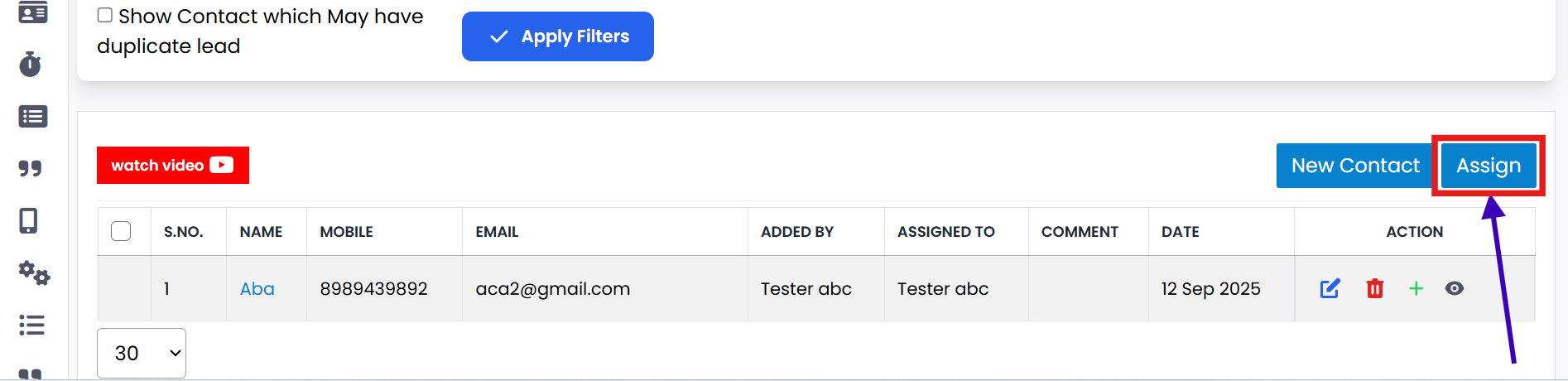
First, select the contact from the list that you want to assign.
-
Step 2
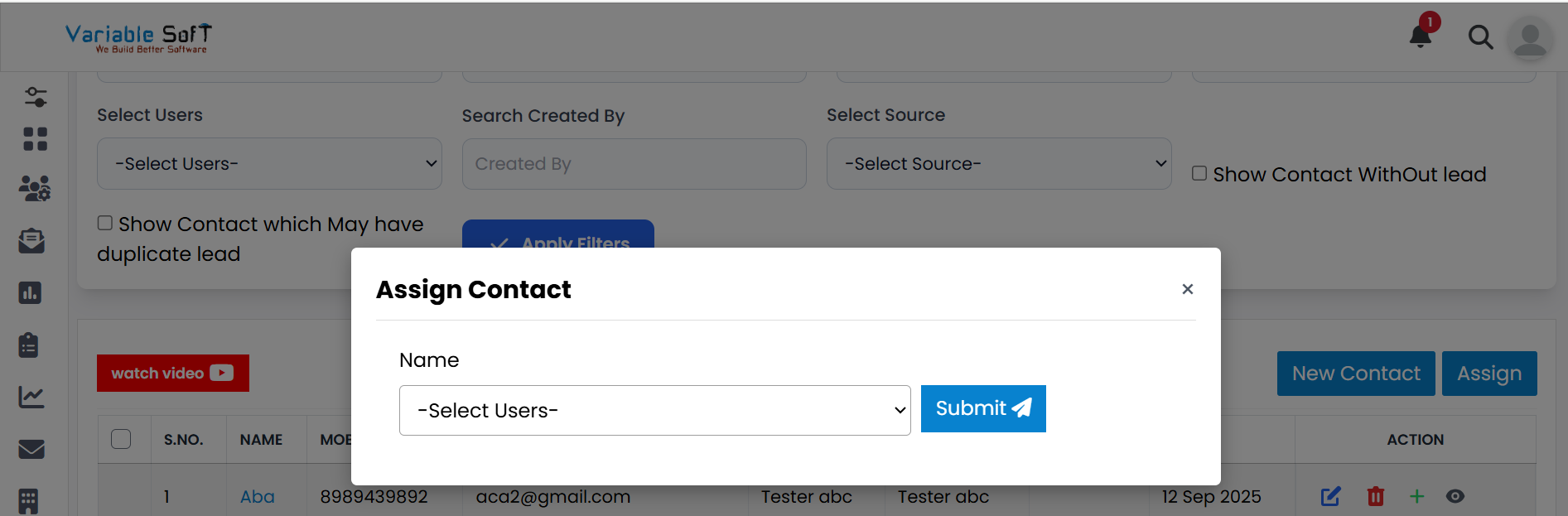
Click on the Assign button to open the Assign Contact pop-up.
-
Step 3
Select the appropriate User from the list according to your requirement.
-
Step 4
Click the Submit button.
-
Step 5
Your contact will now be successfully assigned to the selected user.
💡 Pro Tip: Assign Contacts Wisely
Always select the appropriate user for the contact to ensure smooth follow-up and efficient handling.