Assign To ABM
Setup Instructions
-
Step 1
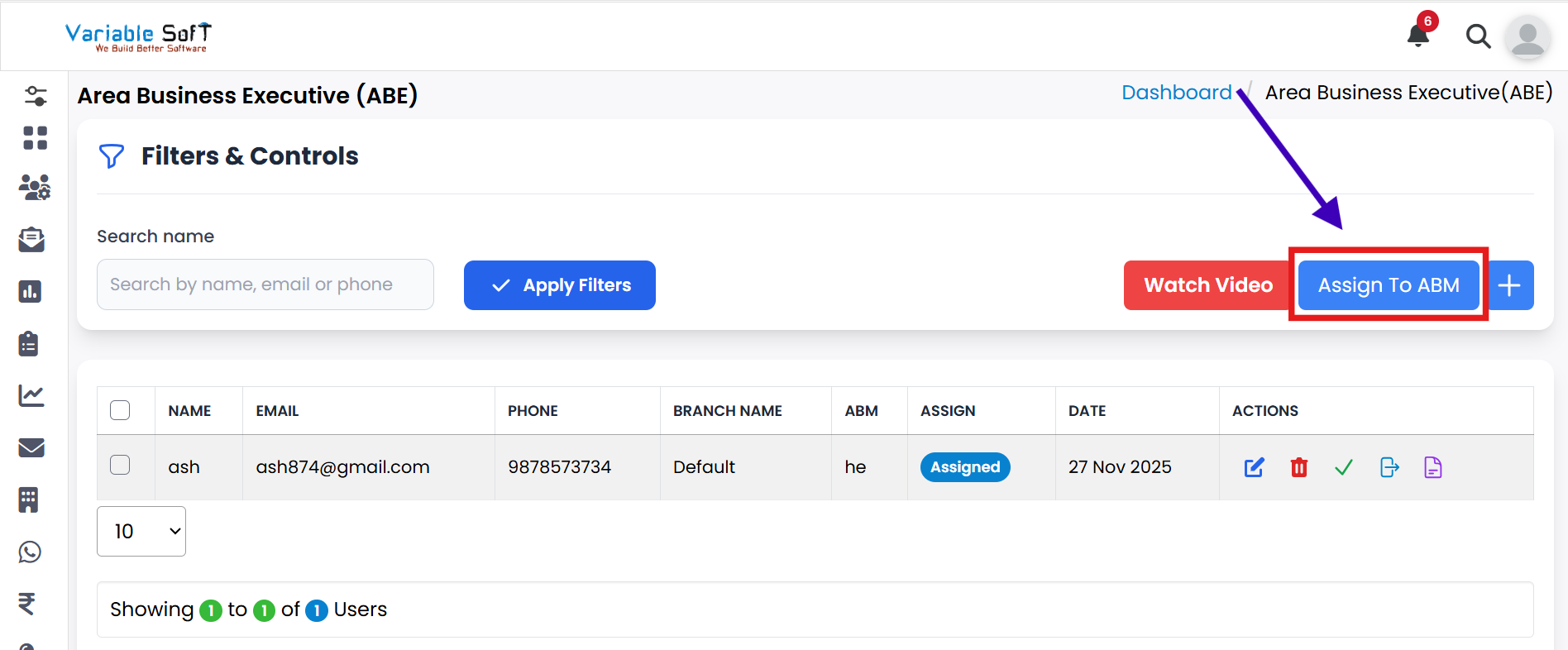
Click on the Assign To ABM button.
-
Step 2
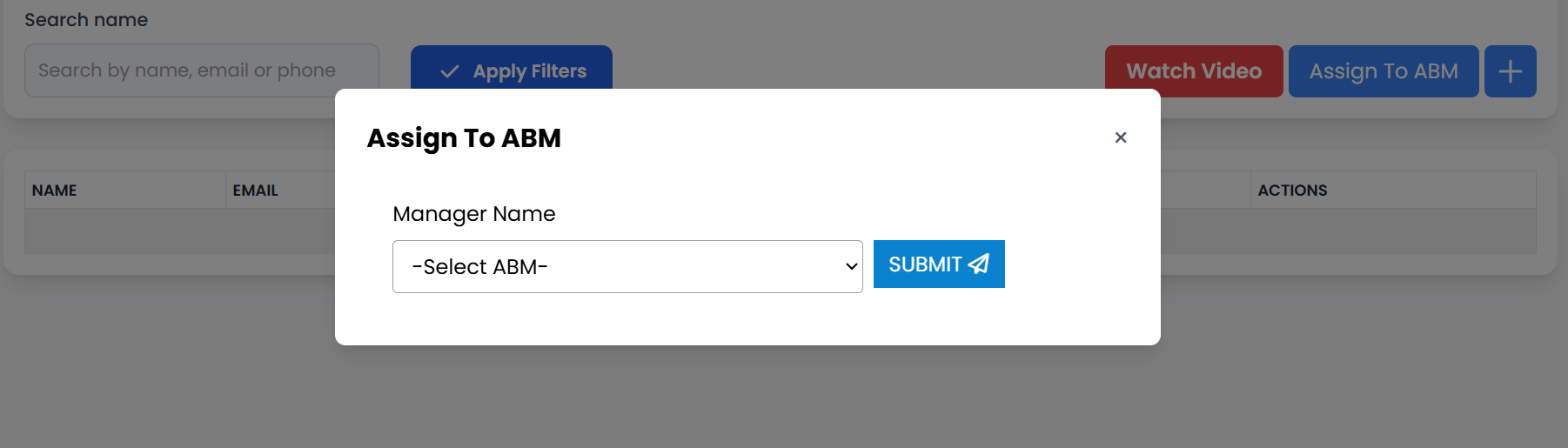
A pop-up window will open.
-
Step 3
Select the Manager Name according to your preference.
-
Step 4
After choosing the manager, click the Submit button.
-
Step 5
The record will be successfully assigned to the selected ABM.
💡 Pro Tip: Choose the Right Manager
Always verify the manager details before assigning to ensure proper responsibility and workflow management.