Change Status
Change Task Status Instructions
-
Step 1
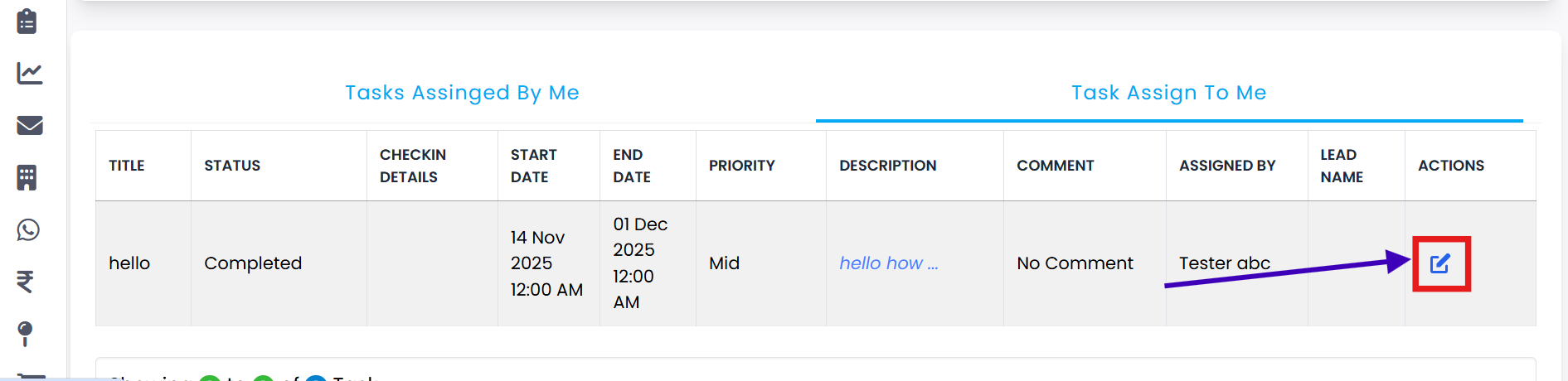
Go to the Task Assign To Me section to view all tasks assigned to you.
-
Step 2
Click on the Change Status button next to the task you want to update.
-
Step 3
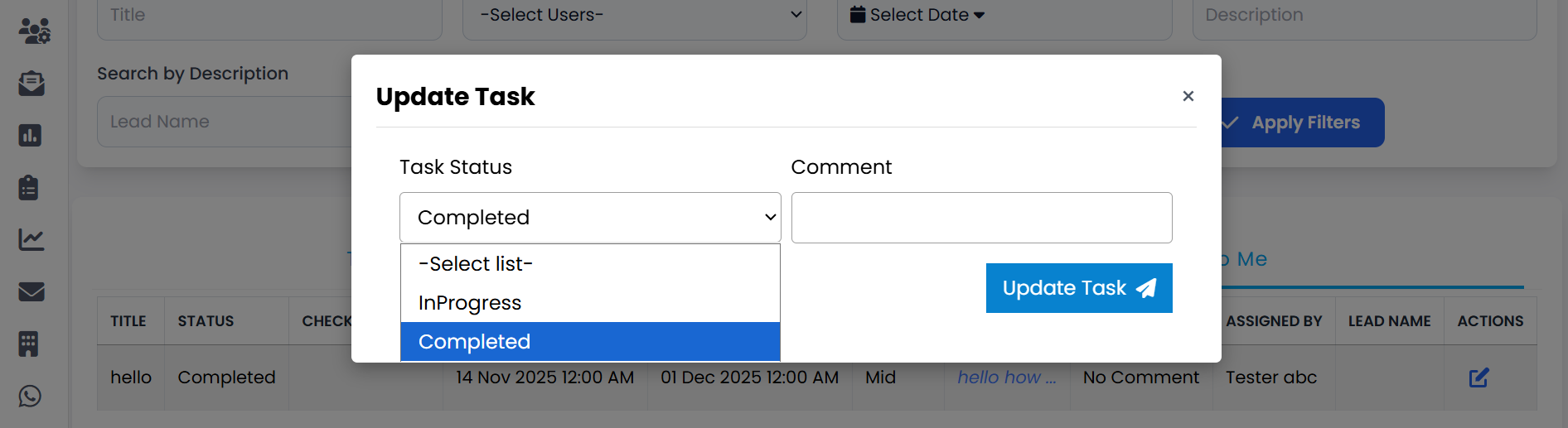
An Update Task popup will appear.
-
Step 4
Select the desired status from the available options.
-
Step 5
If needed, add a comment in the Comment field.
-
Step 6
Click the Update Task button to save your changes.
-
Step 7
Your task status will be successfully updated in the system.
💡 Pro Tip: Keep Task Status Current
Regularly updating your task status ensures transparency and helps your team stay aligned on progress.