Create Invoice No. Code
Create Invoice No. Code Instructions
-
Step 1
The Invoice Number Code is predefined by default in the system.
-
Step 2
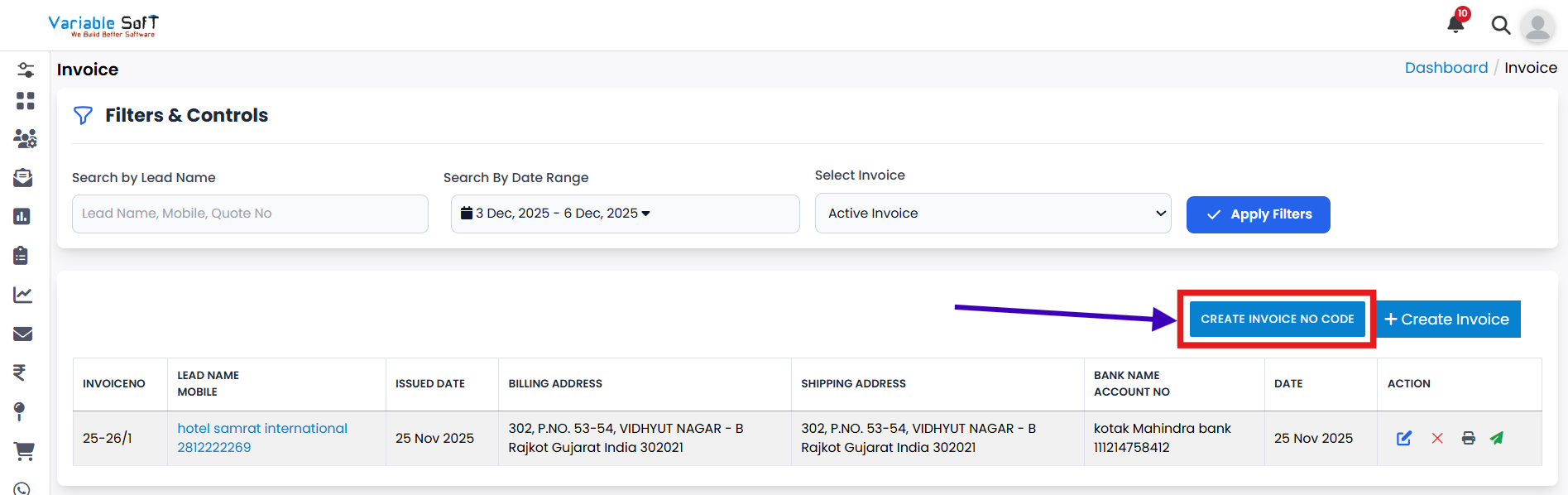
If you want to change the Invoice Number Code, click on the Create Invoice No. Code button.
-
Step 3
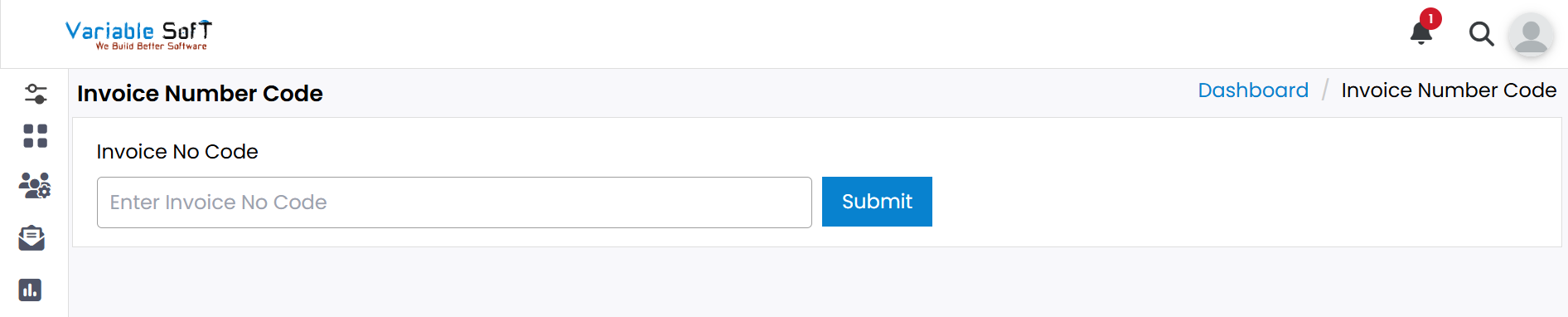
Enter your desired new number in the field provided.
-
Step 4
After updating the number, click on the Submit button.
-
Step 5
Your Invoice Number Code will be updated successfully.
💡 Pro Tip: Keep Invoice Numbering Organized
Always maintain a structured numbering format while creating or updating invoice codes. This ensures clarity, avoids duplicates, and helps with easy tracking of invoices.