Delete Lead
Step-by-step Instructions
-
Step 1
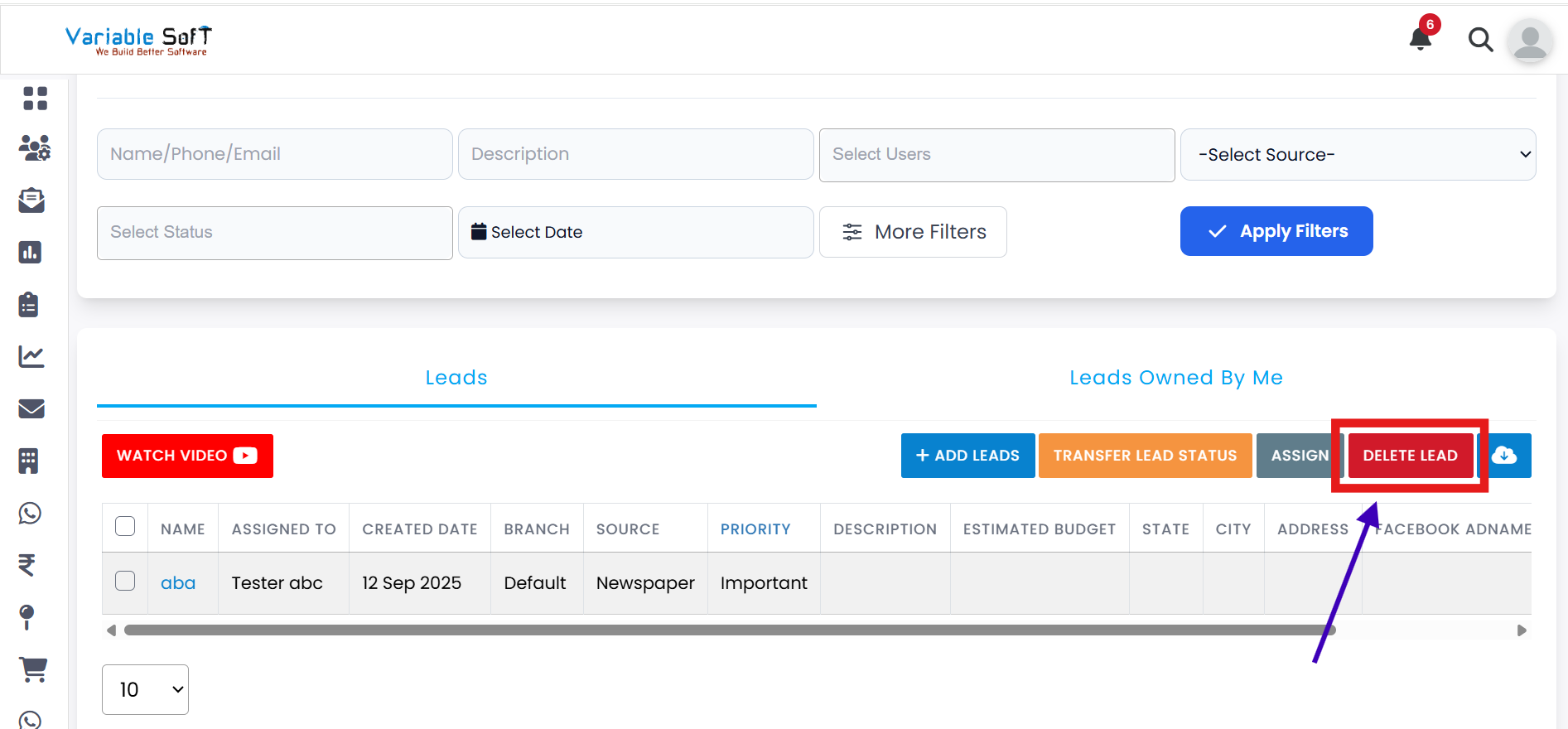
Click on the Delete Lead button from the action bar.
-
Step 2
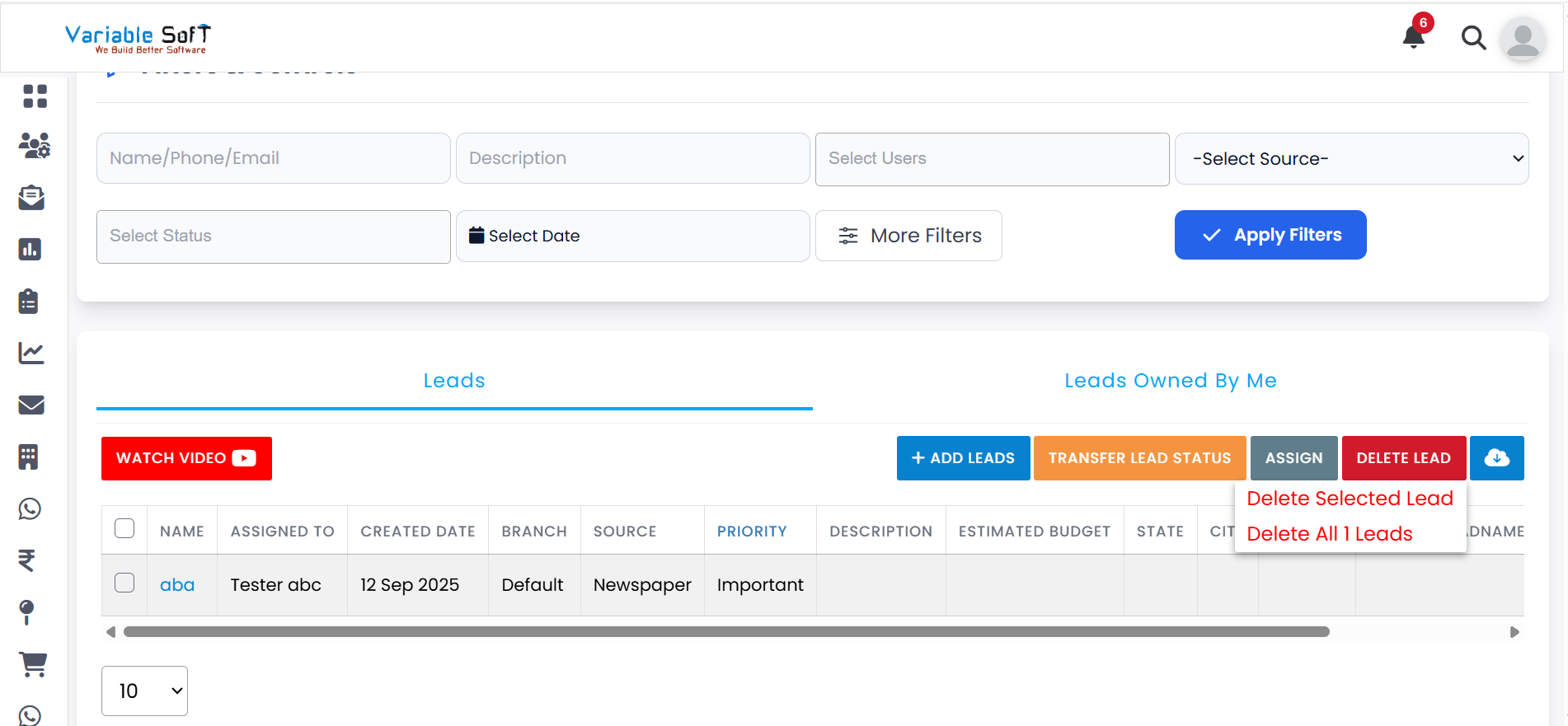
Two options will appear: Delete Selected Lead and Delete All (no.) Leads.
-
Step 3
If you want to delete a particular lead, select it by clicking the checkbox next to the lead.
-
Step 4
Then click on Delete Selected Lead.
-
Step 5
If you want to delete all records, click on Delete All (no.) Leads.
-
Step 6
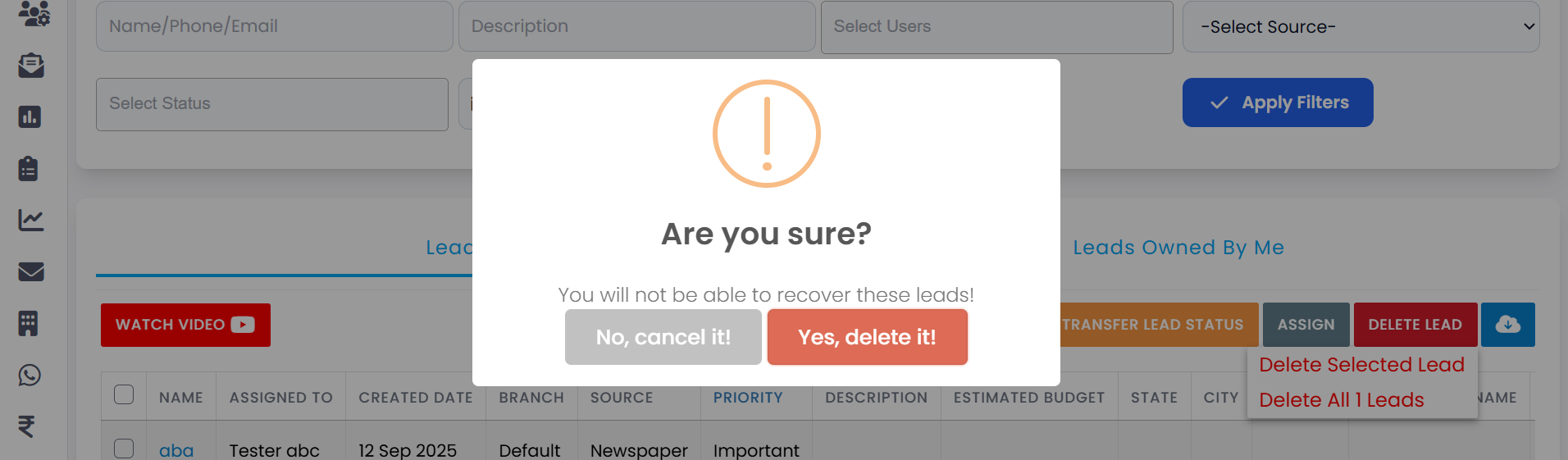
In both cases, a confirmation message will appear: "Are you sure to delete it?"
-
Step 7
If you're not sure, click on No, Cancel It!
-
Step 8
If you're sure, click on Yes, Delete It!
-
Step 9
Your lead(s) will be successfully deleted from the system.
💡 Pro Tip: Delete with caution
Once a lead is deleted, it may not be recoverable. Always double-check the selected leads before confirming deletion, especially when using Delete All.