Delete Rule
Delete Rule Instructions
-
Step 1
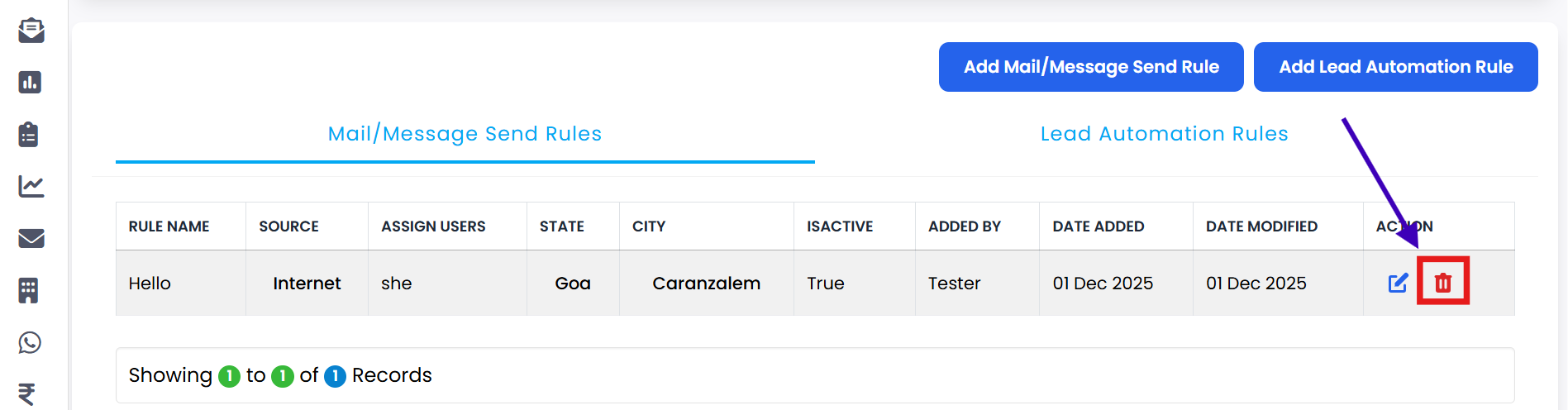
Navigate to the relevant rule section in your CRM (such as Mail/Message Send Rules or Lead Automation Rules).
-
Step 2
Click on the Delete Assignment Rule button for the rule you want to remove.
-
Step 3
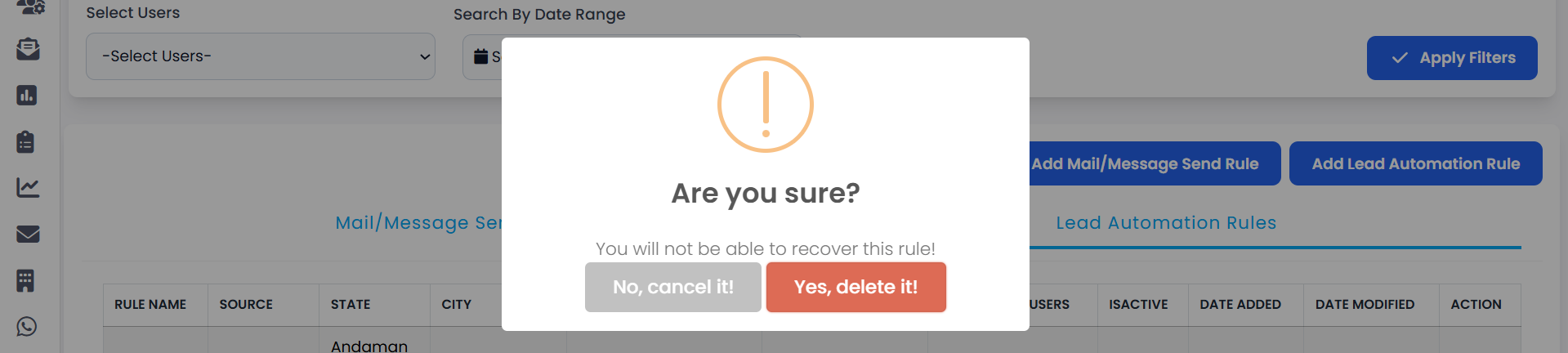
A confirmation message will appear: "Are you sure to delete it?"
-
Step 4
If you are not sure, click No, Cancel It! to stop the action and keep the rule.
-
Step 5
If you are sure, click Yes, Delete It! to confirm the deletion.
-
Step 6
Your rule will be successfully deleted and will no longer be applied in your CRM.
💡 Pro Tip: Double Check Before Deleting
Once a rule is deleted, it cannot be recovered. Review the rule details carefully and make sure you no longer need it before confirming the deletion.