Delete Template
Delete Template Instructions
-
Step 1
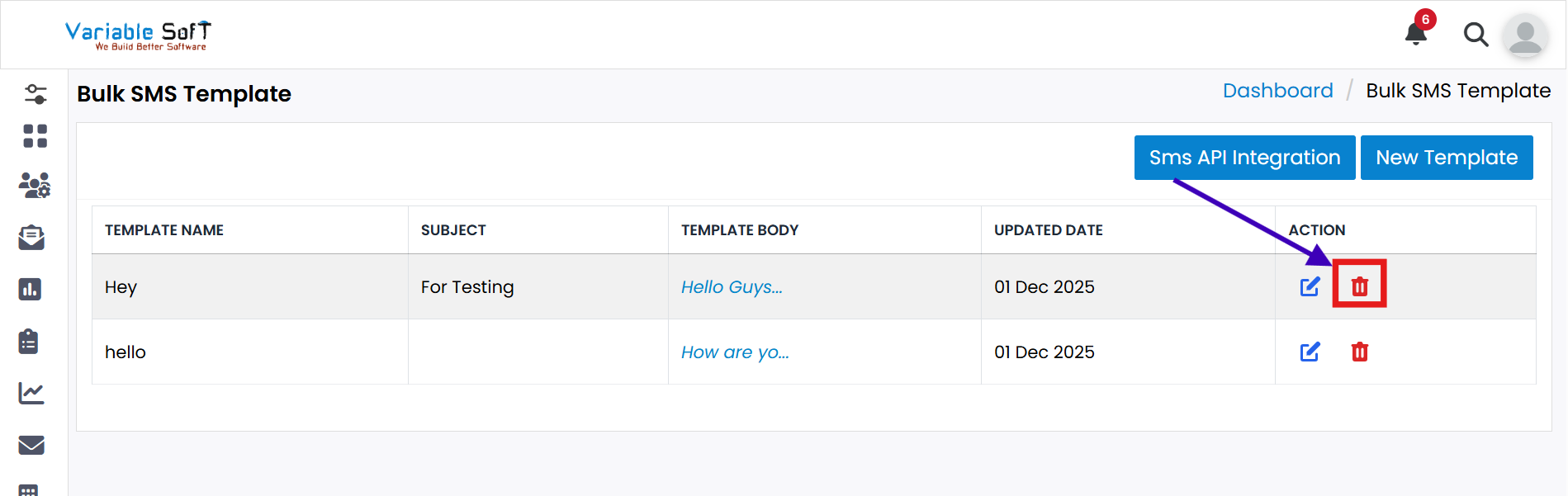
Click on the Delete Template button.
-
Step 2
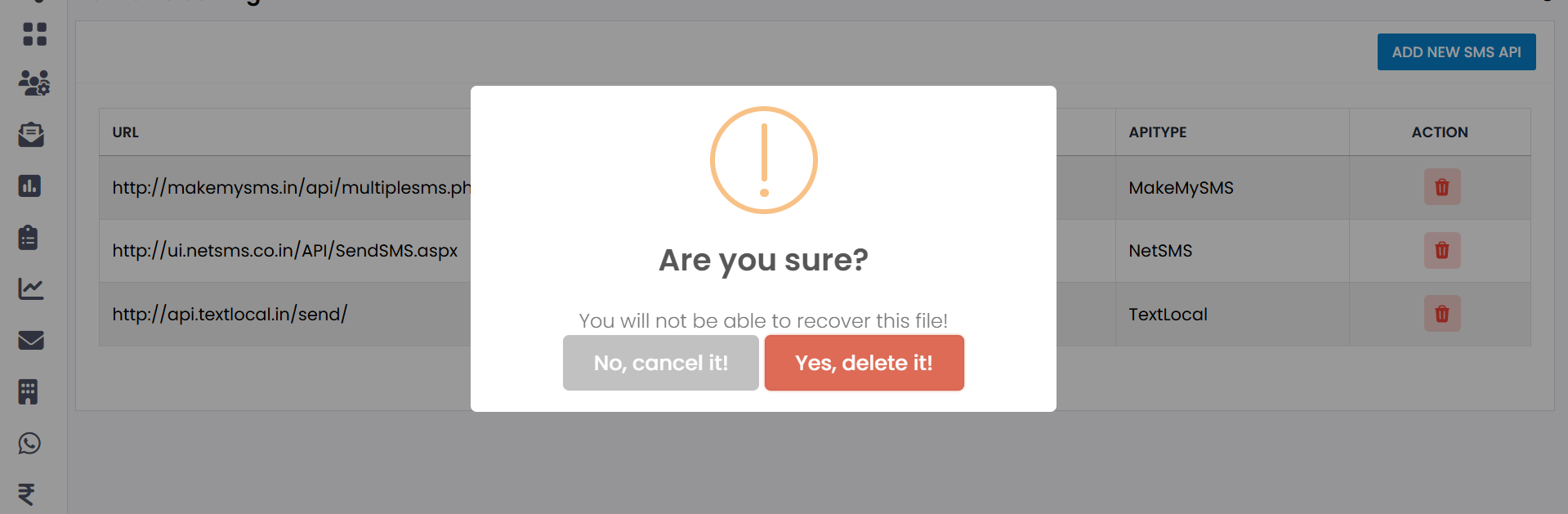
A confirmation message will appear: "Are you sure to delete it?"
-
Step 3
If you are not sure, click No, Cancel It!
-
Step 4
If you are sure, click Yes, Delete It!
-
Step 5
Your template will be successfully deleted.
Important Note
Deleting a template is a permanent action. Please confirm carefully before proceeding to avoid accidental loss of important templates.