Drip Marketing Sequence
Drip Marketing Sequence Instructions
-
Step 1
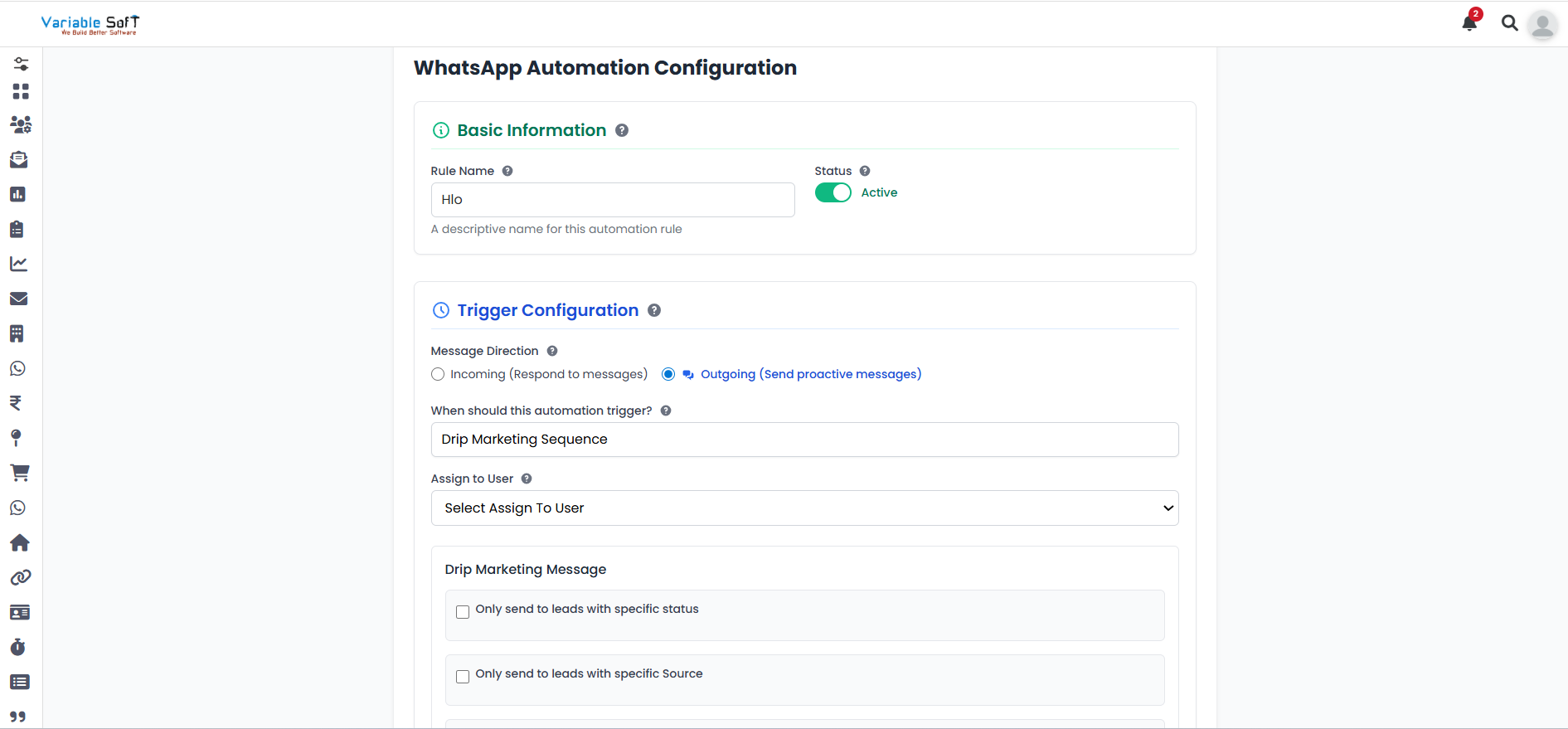
When you click on the Add Sequences button, a WhatsApp Automation Configuration page will open. First, fill in the basic information.
-
Step 2
Next, in the Trigger Configuration section, click on Outgoing (Send proactive messages). You will see the option titled “When should this automation trigger?”. If you choose the Drip Marketing Sequence option, you will need to select a user to assign.
-
Step 3
In the Drip Marketing Message section, choose a specific status to send leads only to them according to your requirement.
-
Step 4
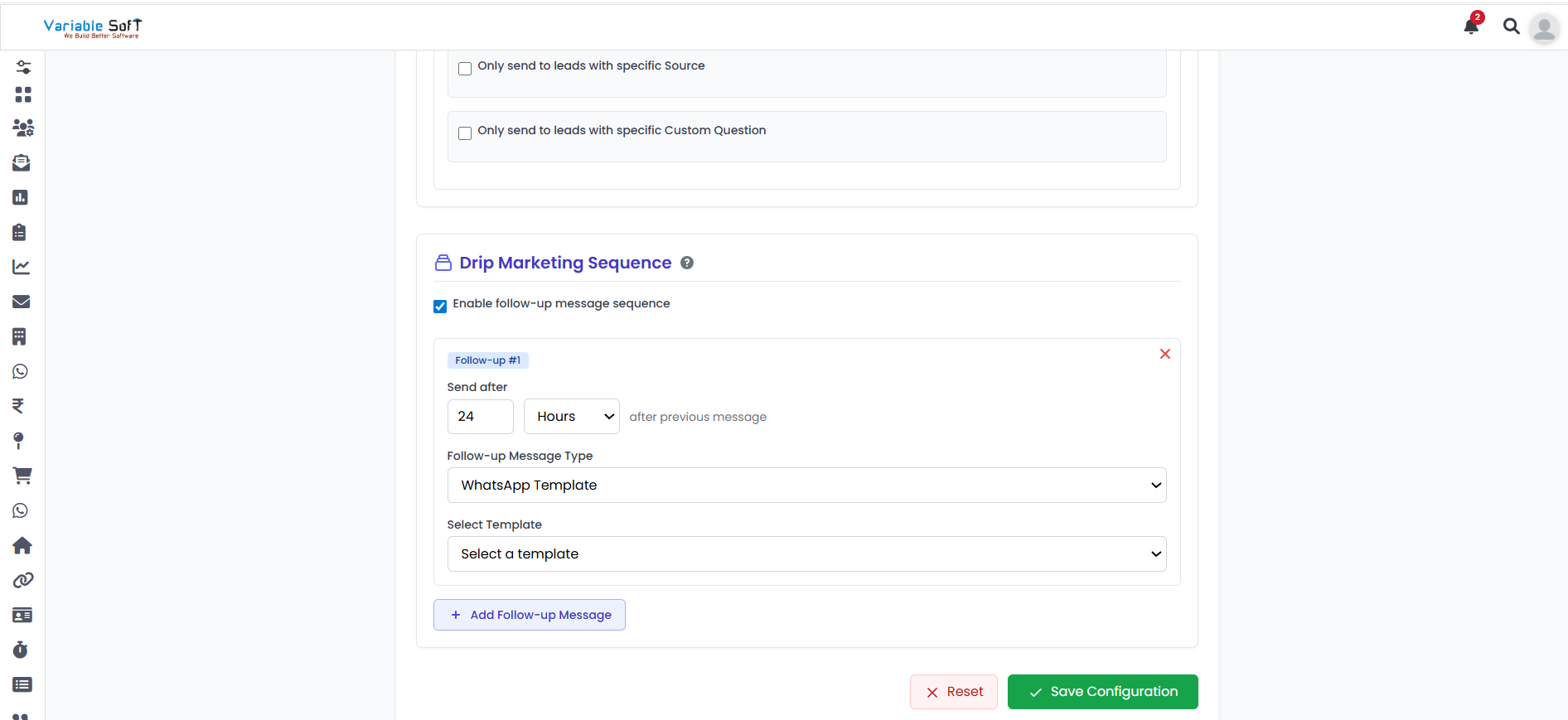
After that, choose a specific source to send leads only to them according to your requirement. You also have an optional setting: Only send to leads with specific Custom Question.
-
Step 5
Then, in the Drip Marketing Sequence section, enable the Follow-up Message Sequence option. You will see an Add Follow-up Message button — click on it to configure follow-ups.
-
Step 6
Inside this section, you can choose the time interval at which you want messages to be sent automatically. Then, select the Message Type according to your requirement. Once you choose a message type, more options will appear — fill in the details accordingly.
-
Step 7
After reviewing all your configurations, click on the Save Configuration button. Your sequence will be successfully added.
⚠️ Important Note
Before saving, make sure all follow-up timings, sources, and message types are configured correctly. Review your setup carefully to ensure your drip campaign runs smoothly and automatically.