Edit Check List
Edit Check List Instructions
-
Step 1
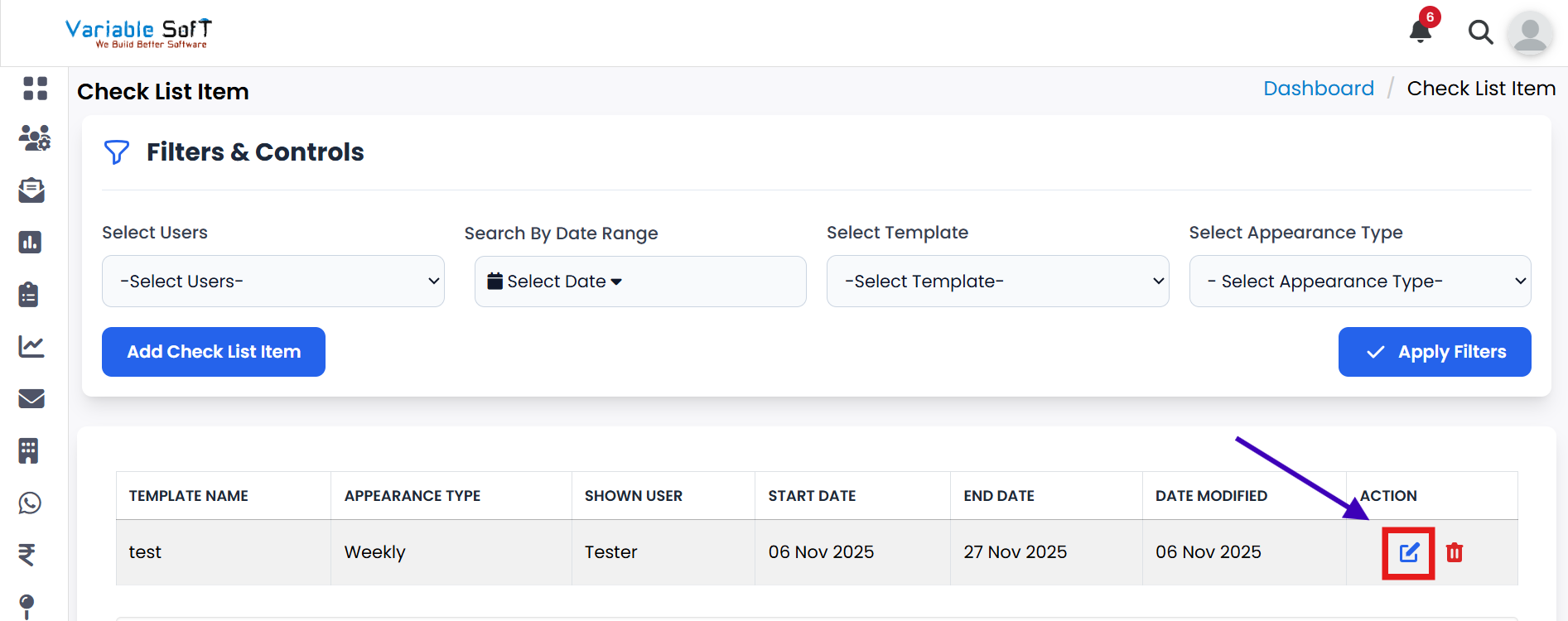
Click on the Edit Check List Item button to edit your checklist.
-
Step 2
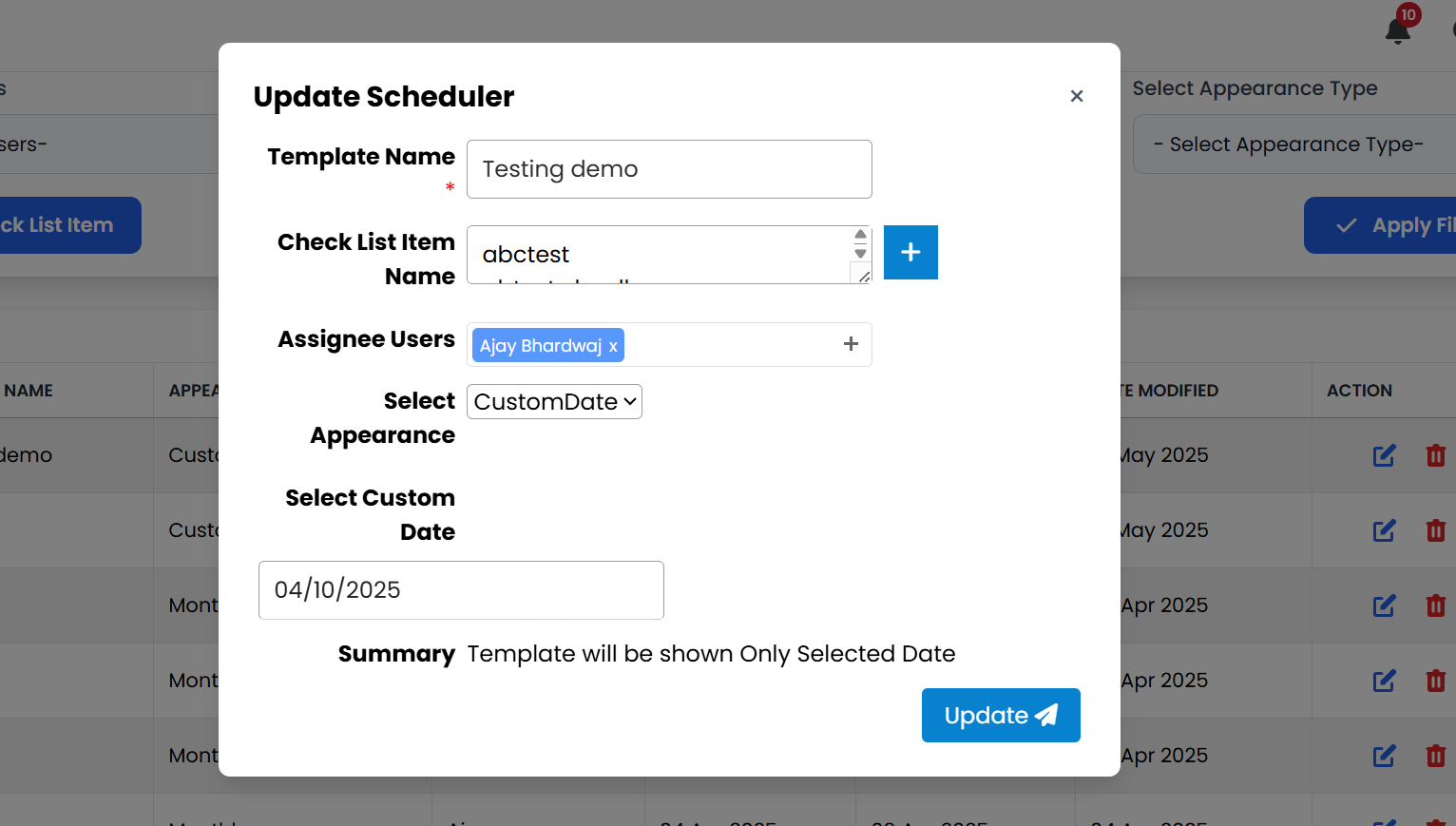
An Update Scheduler pop-up will appear on your screen.
-
Step 3
Update the details you want to modify in your checklist.
-
Step 4
Once changes are complete, click on the Update button.
-
Step 5
Your checklist will be updated successfully.
Pro Tip: Update Carefully
Always review your changes before saving to ensure accuracy and avoid missing important details.