Edit Invoice
Edit Invoice Instructions
-
Step 1
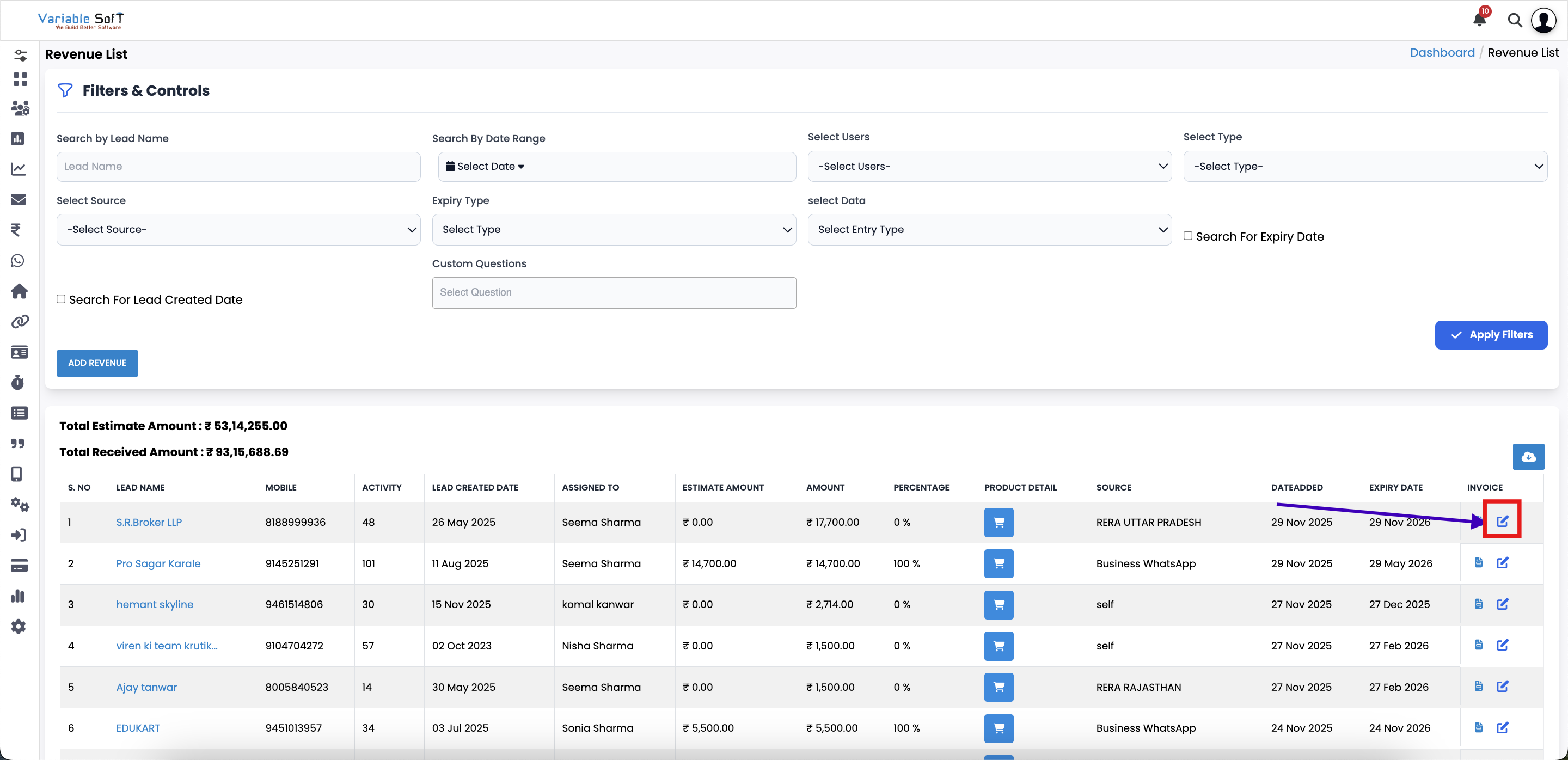
To edit an invoice, click on the Edit Invoice button.
-
Step 2
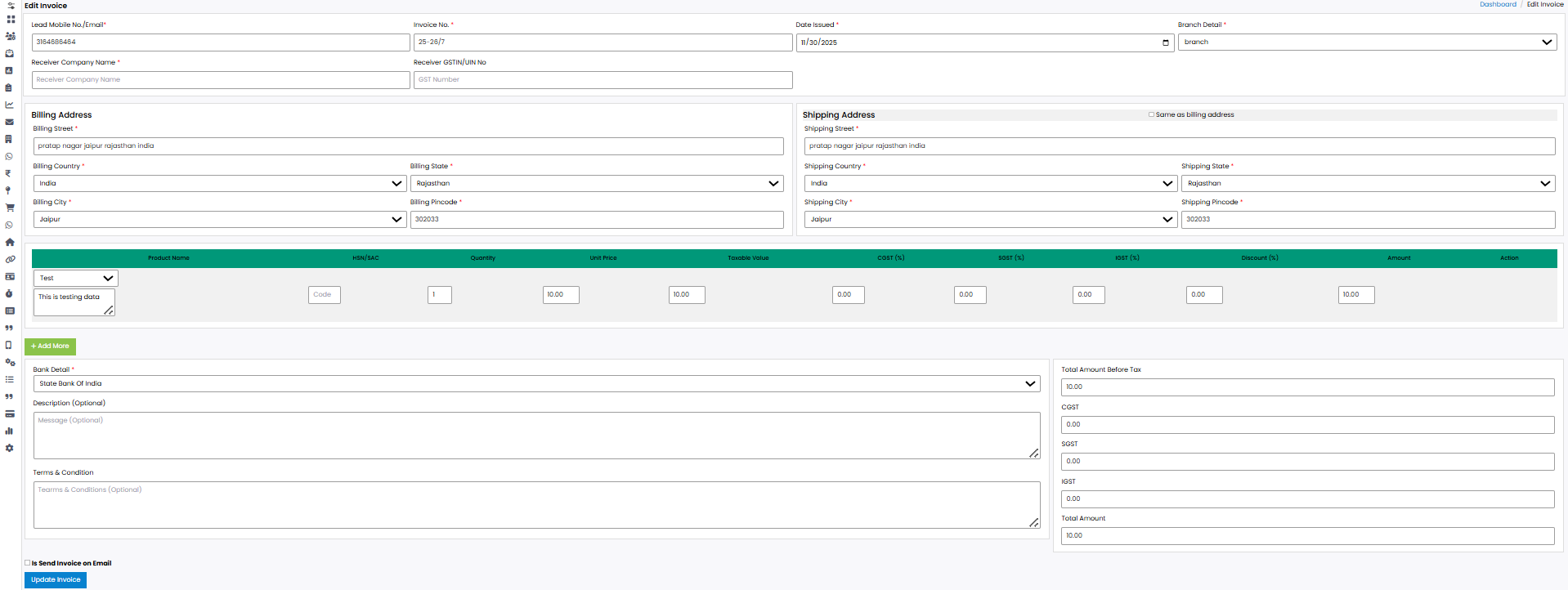
The invoice form will open with the existing details pre-filled.
-
Step 3
Update the fields where changes are required.
-
Step 4
Once all updates are made, click on the Submit button.
-
Step 5
Your invoice will be successfully updated with the new details.
💡 Pro Tip: Review Before Saving
Always double-check the updated details before submitting to ensure accuracy and avoid future corrections.