Edit Rule
Edit Rule Instructions
-
Step 1
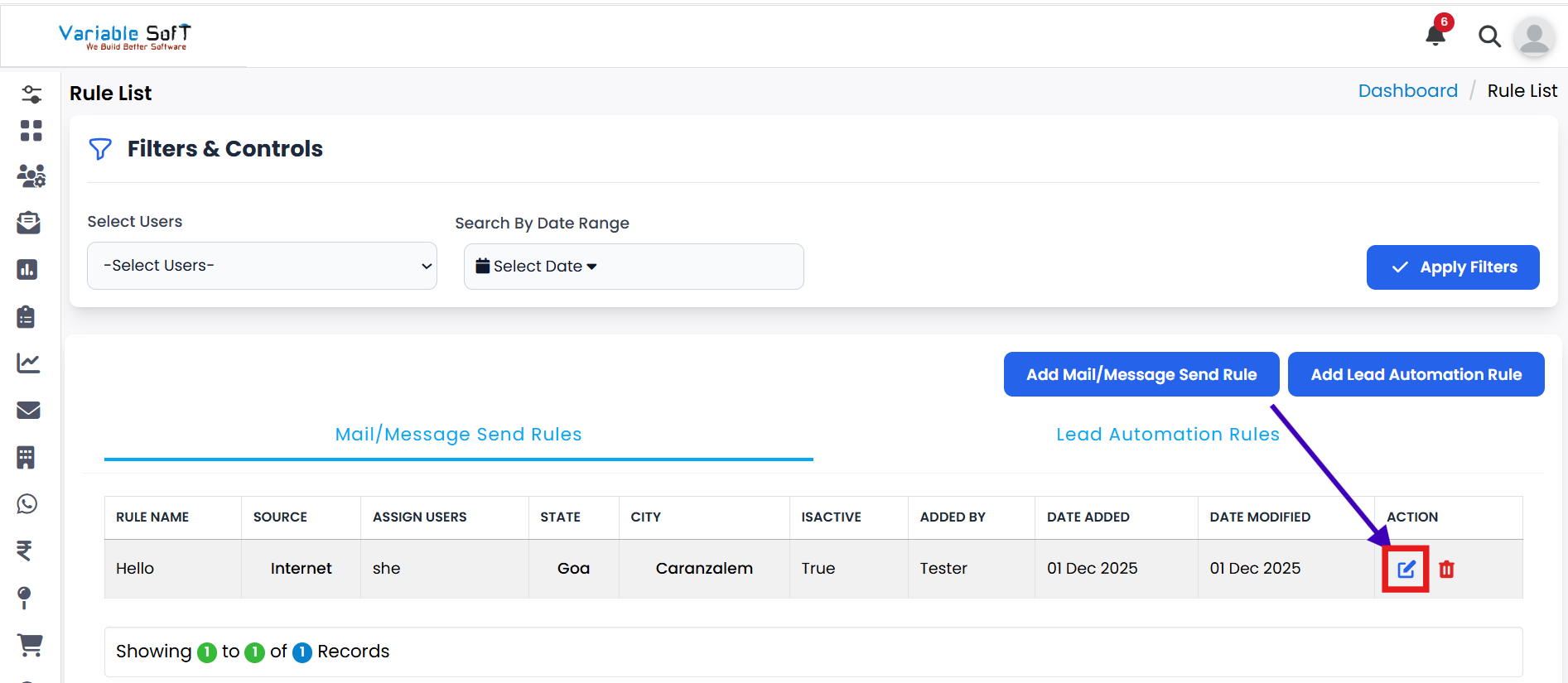
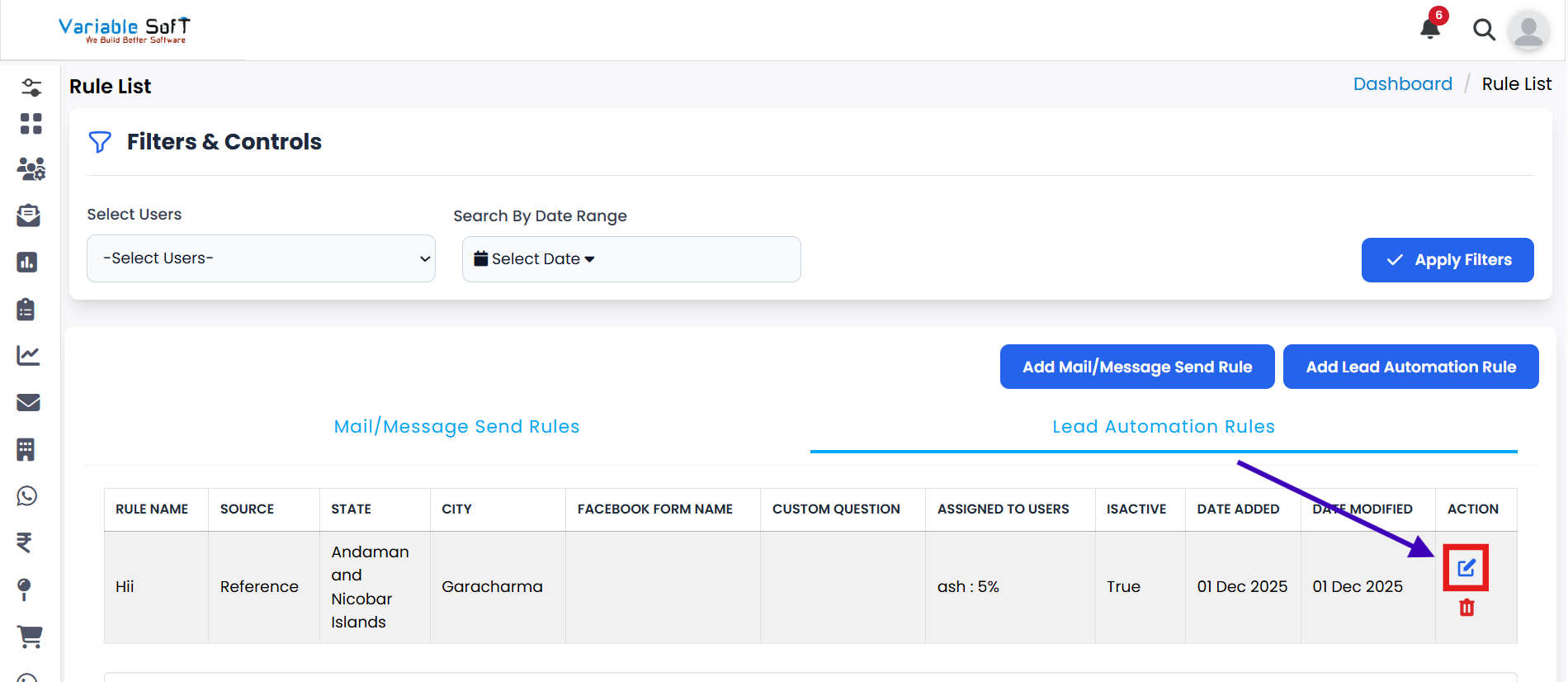
Navigate to the relevant rule section in your CRM (such as Mail/Message Send Rules or Lead Automation Rules).
-
Step 2
Click on the Edit Assignment Rule button for the rule you want to modify.
-
Step 3
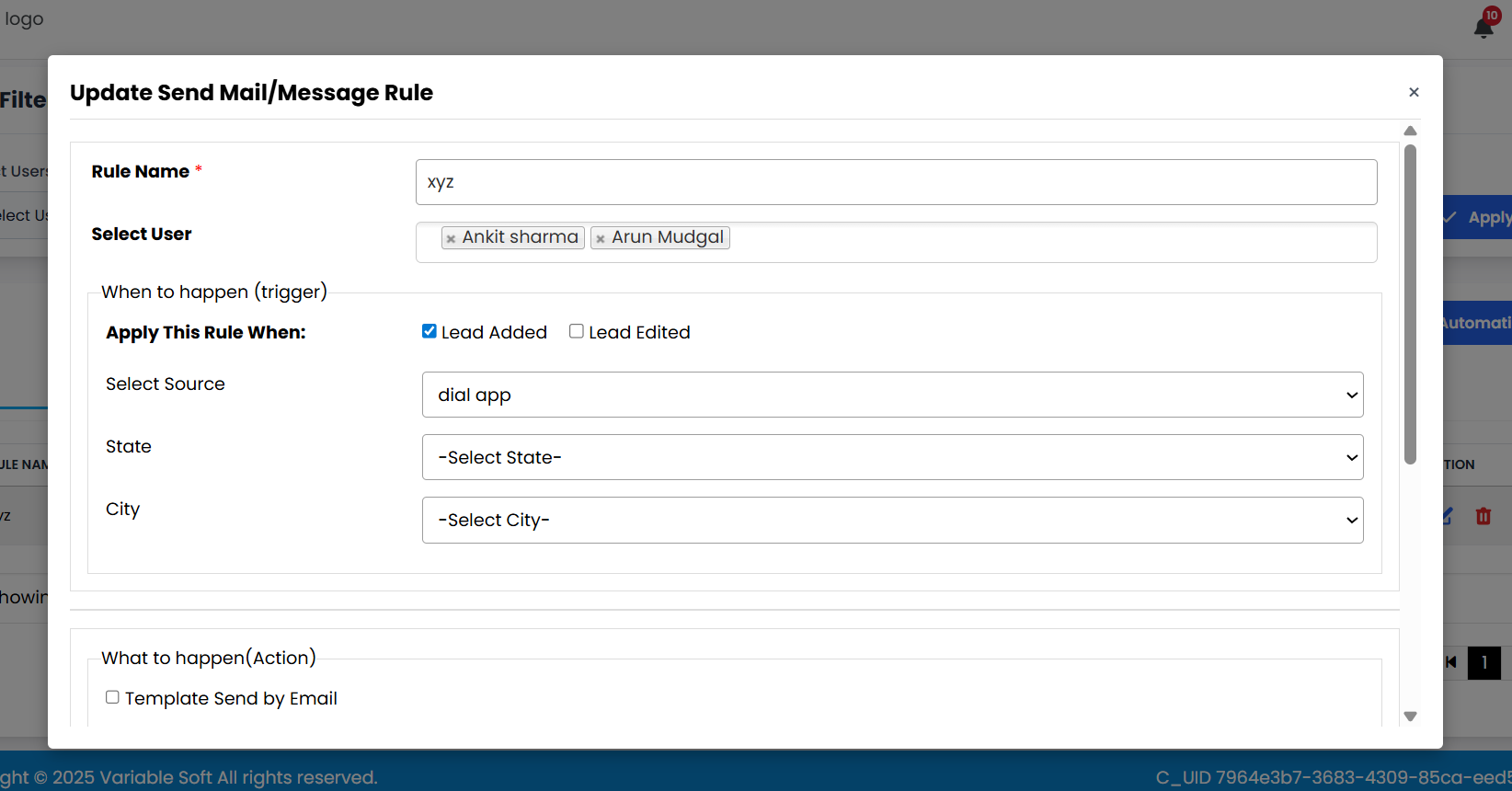
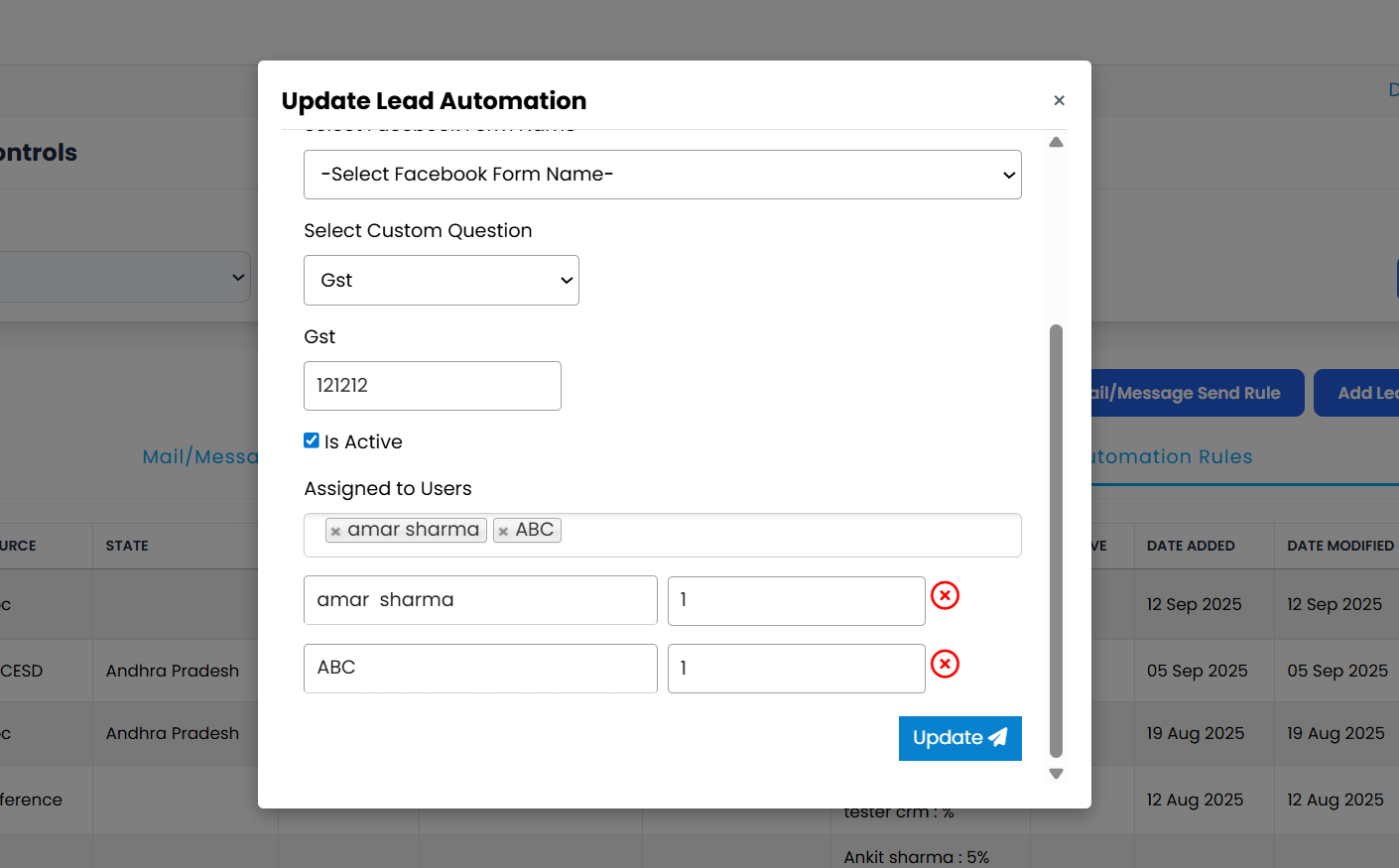
A form will open on your screen showing the current rule details.
-
Step 4
Update the fields according to your requirements for what you want to edit (such as source, assignment, percentages, or conditions).
-
Step 5
Once all updates are complete, click on the Update button to save your changes.
-
Step 6
Your rule will be edited successfully and the new settings will apply to future leads.
💡 Pro Tip: Be Careful When Editing
Double-check all changes before submitting to ensure that the rule performs as expected after the update. If needed, test the rule with a few leads before using it in live workflows.