Edit
Edit Instructions
-
Step 1
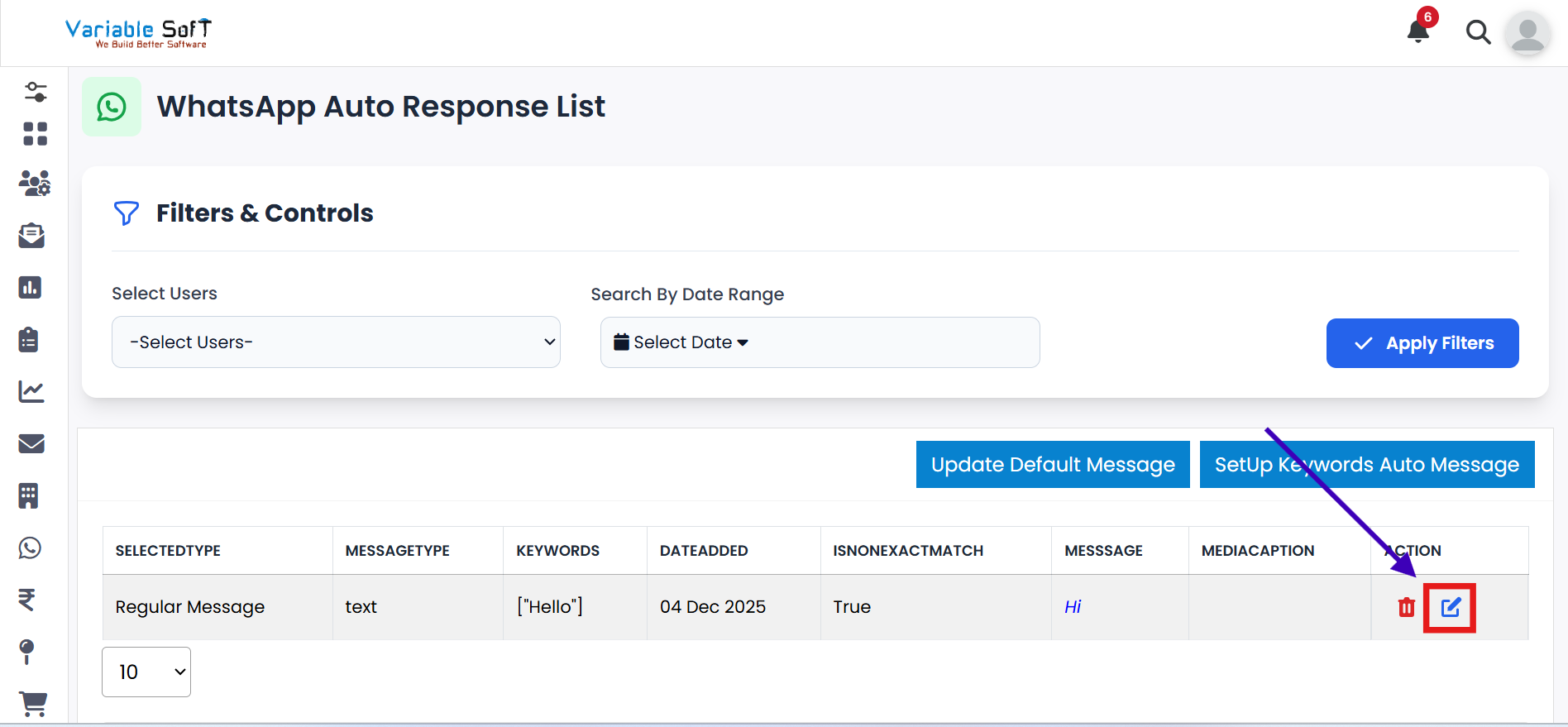
If you want to edit any Keyword, click on the Edit button.
-
Step 2
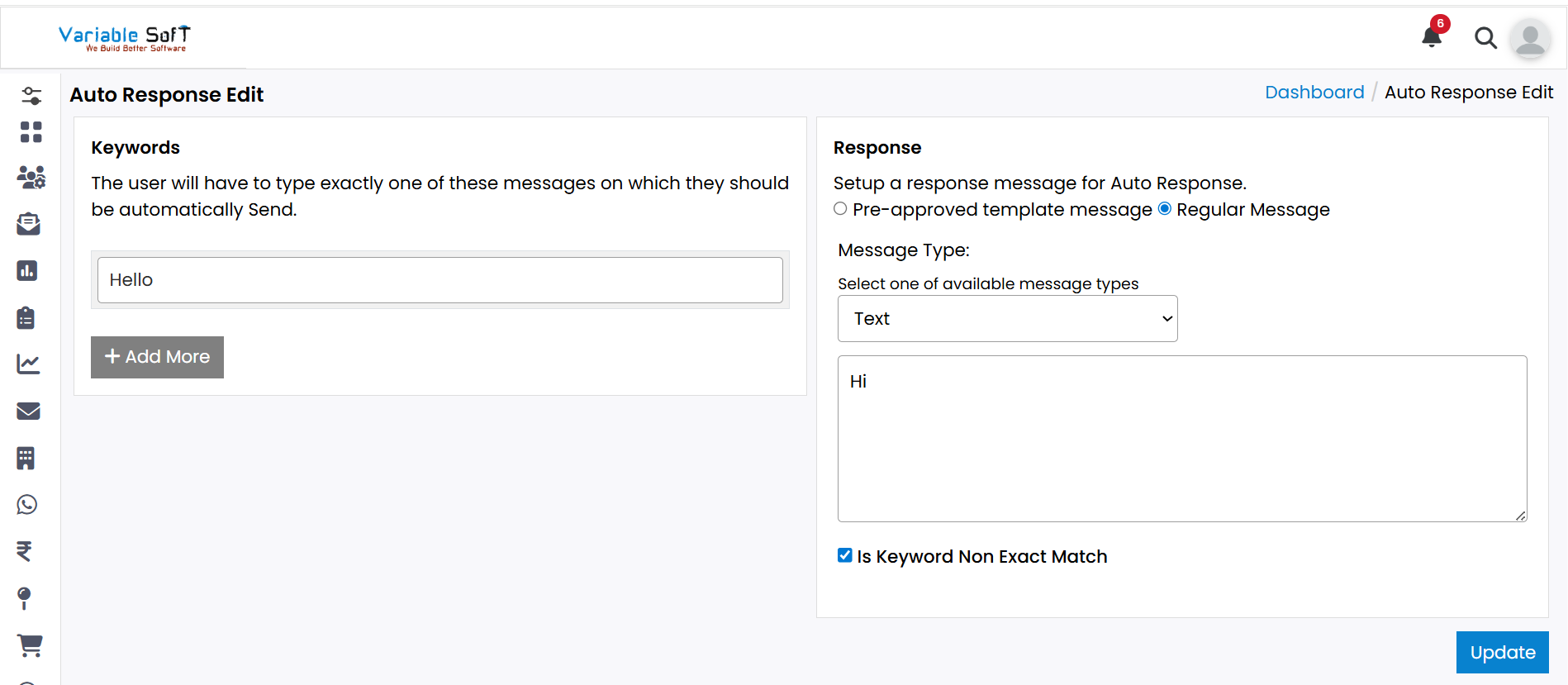
The Auto Response Edit page will open.
-
Step 3
Here, you can easily edit any information you want to update.
-
Step 4
After making the required changes, click on the Update button. Your information will be successfully updated.
⚠️ Important Note
After editing, make sure to double-check all your changes and click on Save Configuration to apply the updates.