Edit Template
Edit Template Instructions
-
Step 1
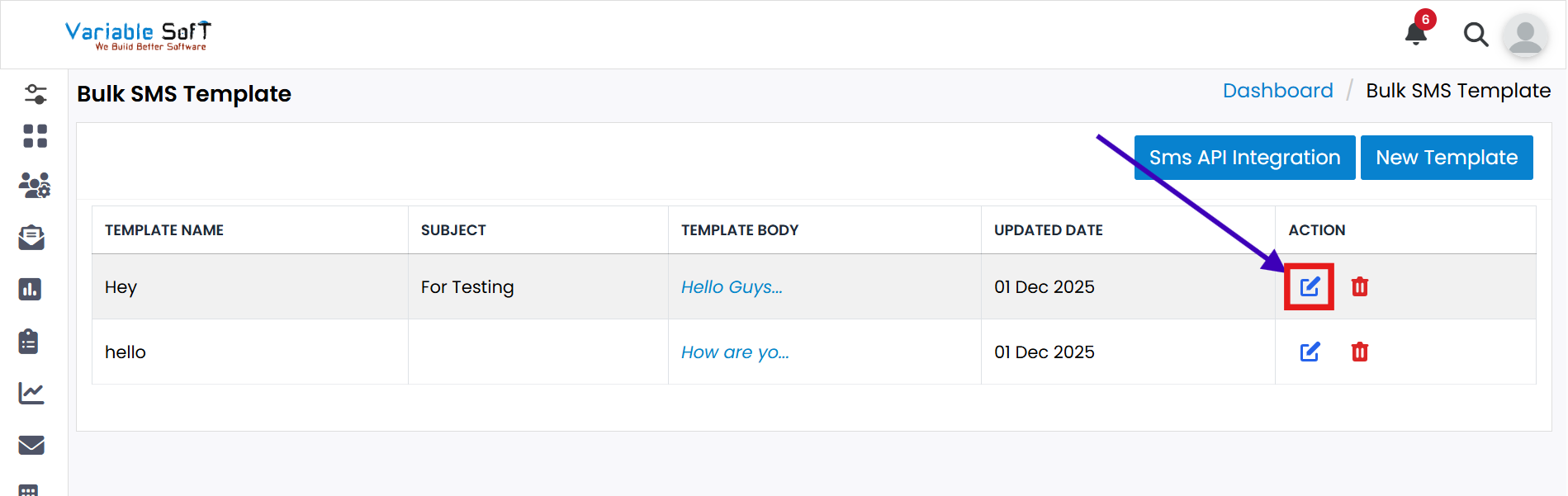
Click on the Edit Template button.
-
Step 2
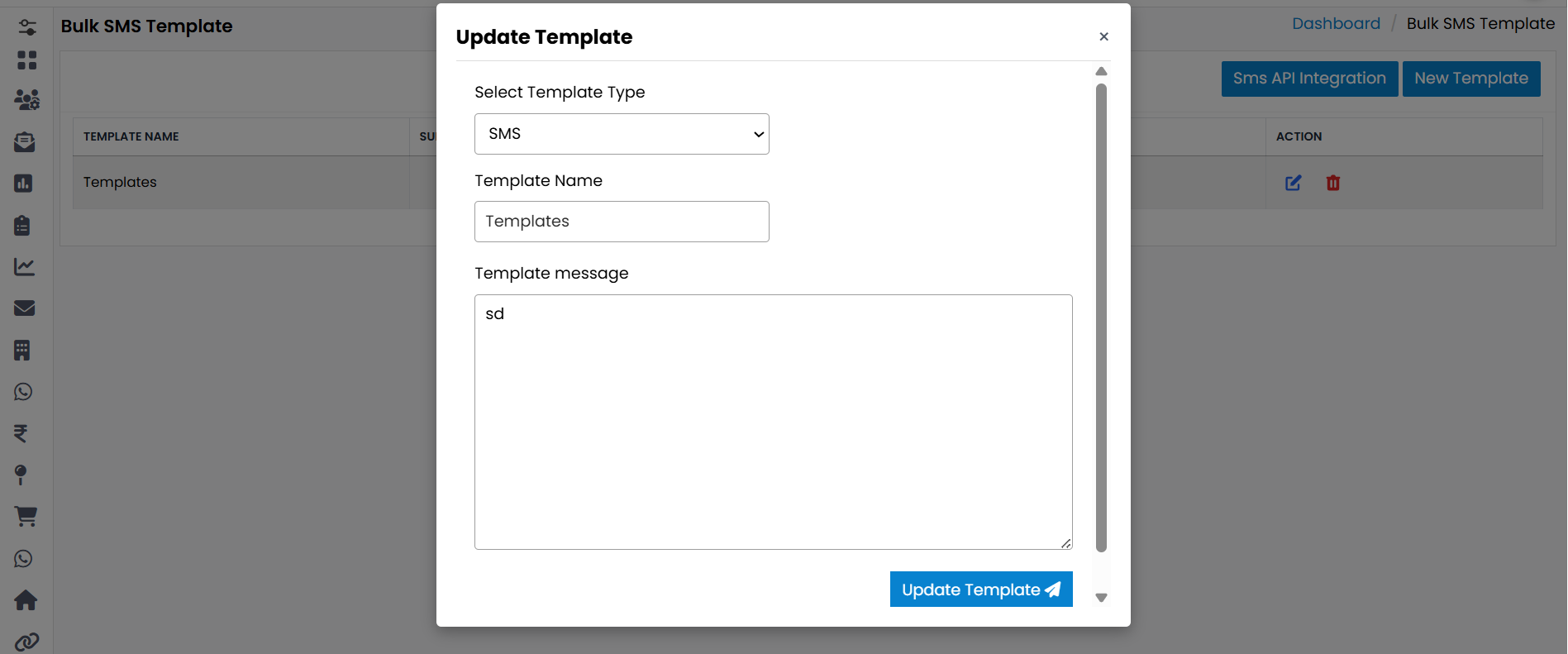
Your Update Template form will open.
-
Step 3
Edit the information you want to update.
-
Step 4
Click on the Update Template button.
-
Step 5
Your template will be successfully edited.
Important Note
Always double-check your changes before updating a template to ensure accuracy and avoid unnecessary edits later.