Google Ads Integration
This section comes under Pull APIs and is used when you want to integrate your leads through Google Ads. Follow the steps below to connect your Google Ads account and start receiving leads directly into the CRM.
Setup Instructions
-
Step 1
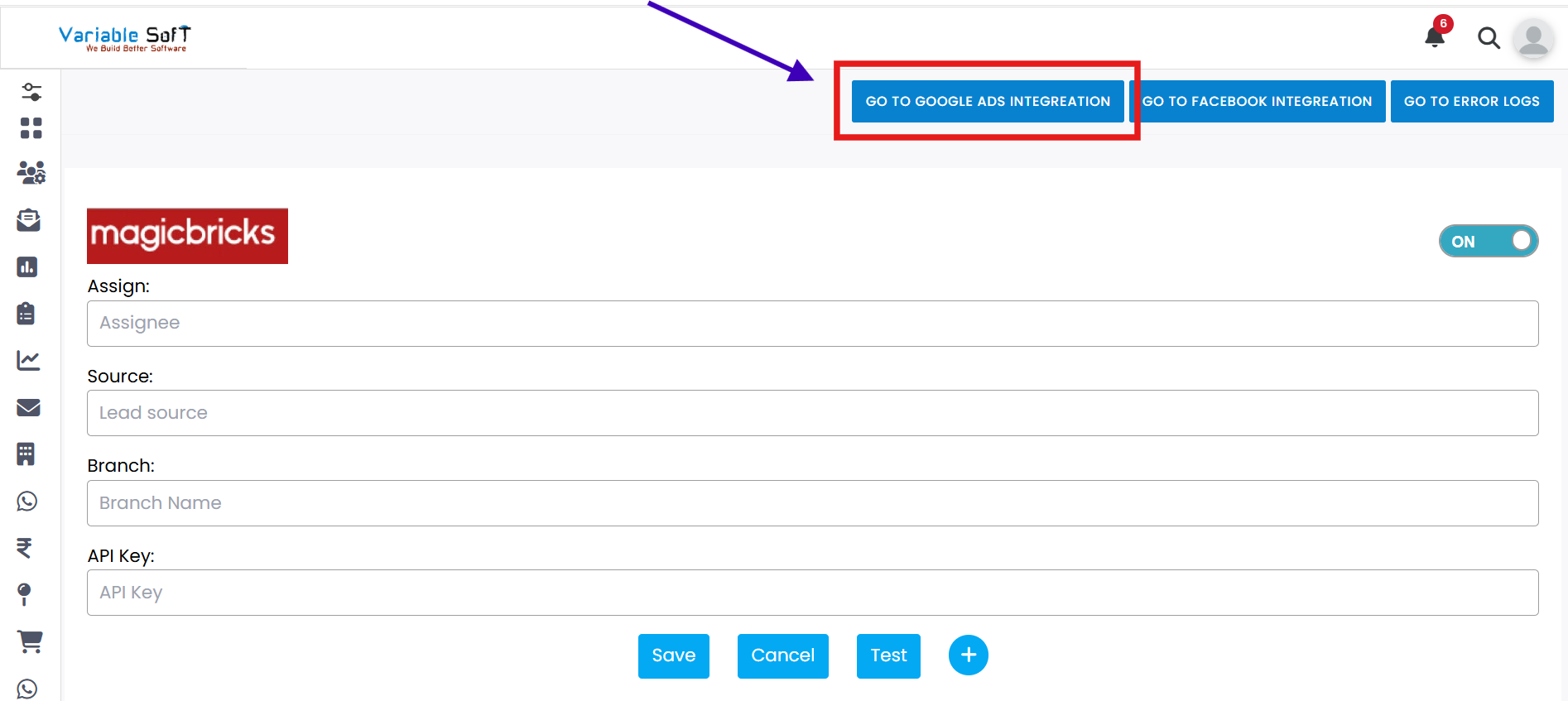
This section comes under Pull APIs. It is specifically used when you want to integrate your leads through Google Ads.
-
Step 2
To proceed, click on the Go To Google Ads Integration button.
-
Step 3
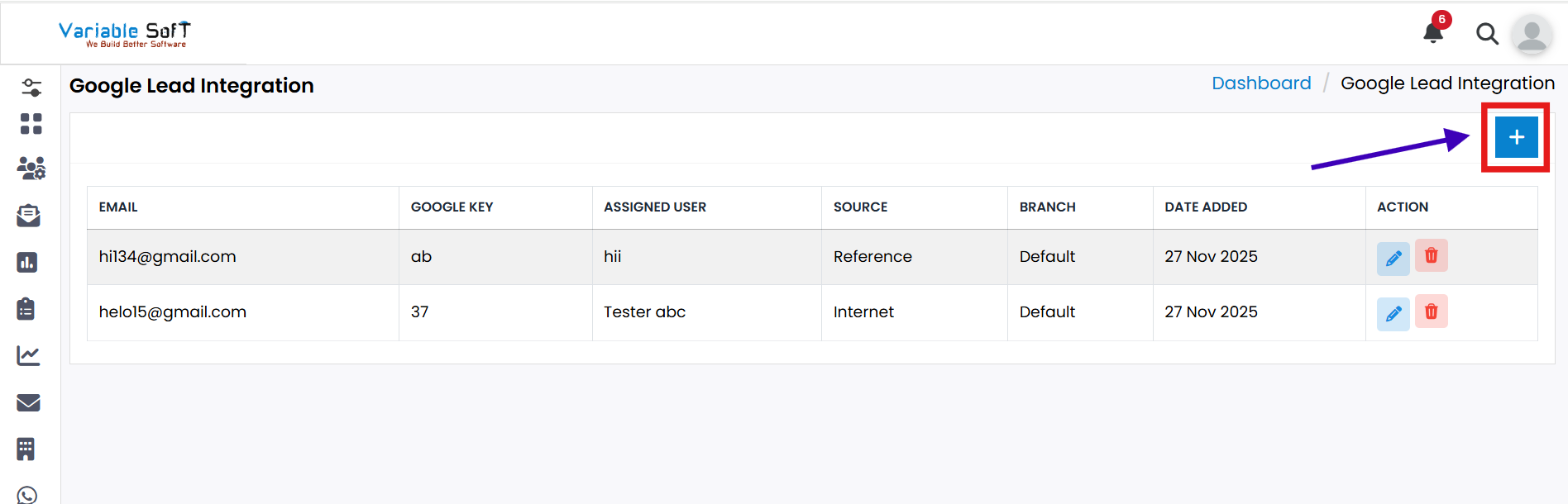
The Google Lead Integration page will open. Here, click on the Add Google Ads Info button.
-
Step 4
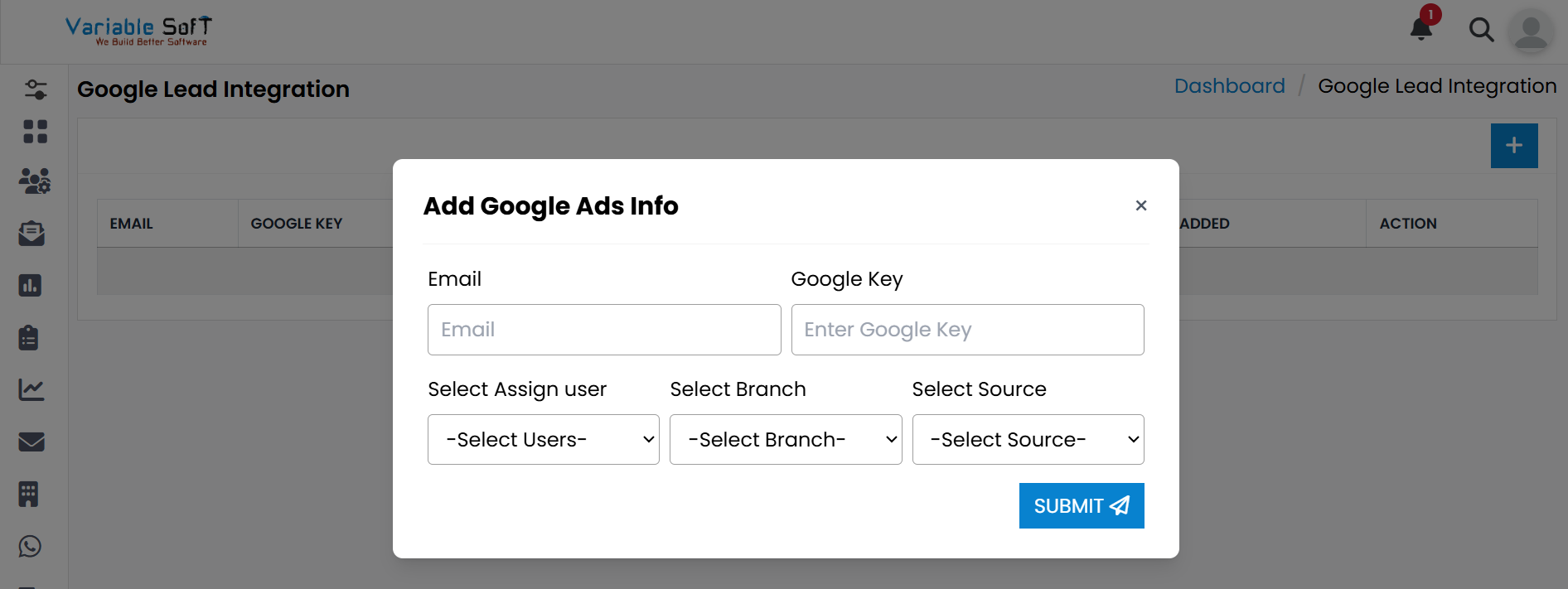
An Add Google Ads Info popup will appear where you need to fill in the required information as per your details.
-
Step 5
After filling in the information, click on the Submit button.
-
Step 6
Your Google Ads Integration will be successfully added.
Pro Tip: Enter Accurate Details
Ensure that all required information is entered correctly before submitting. Incorrect details may lead to failed integrations or missing leads.