Add Lead
Add Lead Instructions
-
Step 1
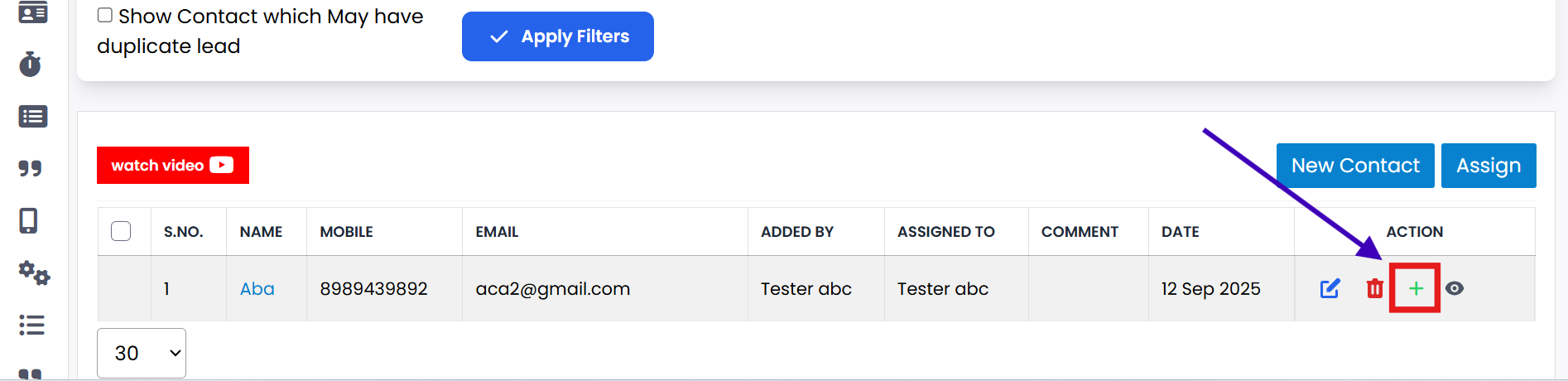
If you want to add a lead with contact, click on the Add Lead button.
-
Step 2
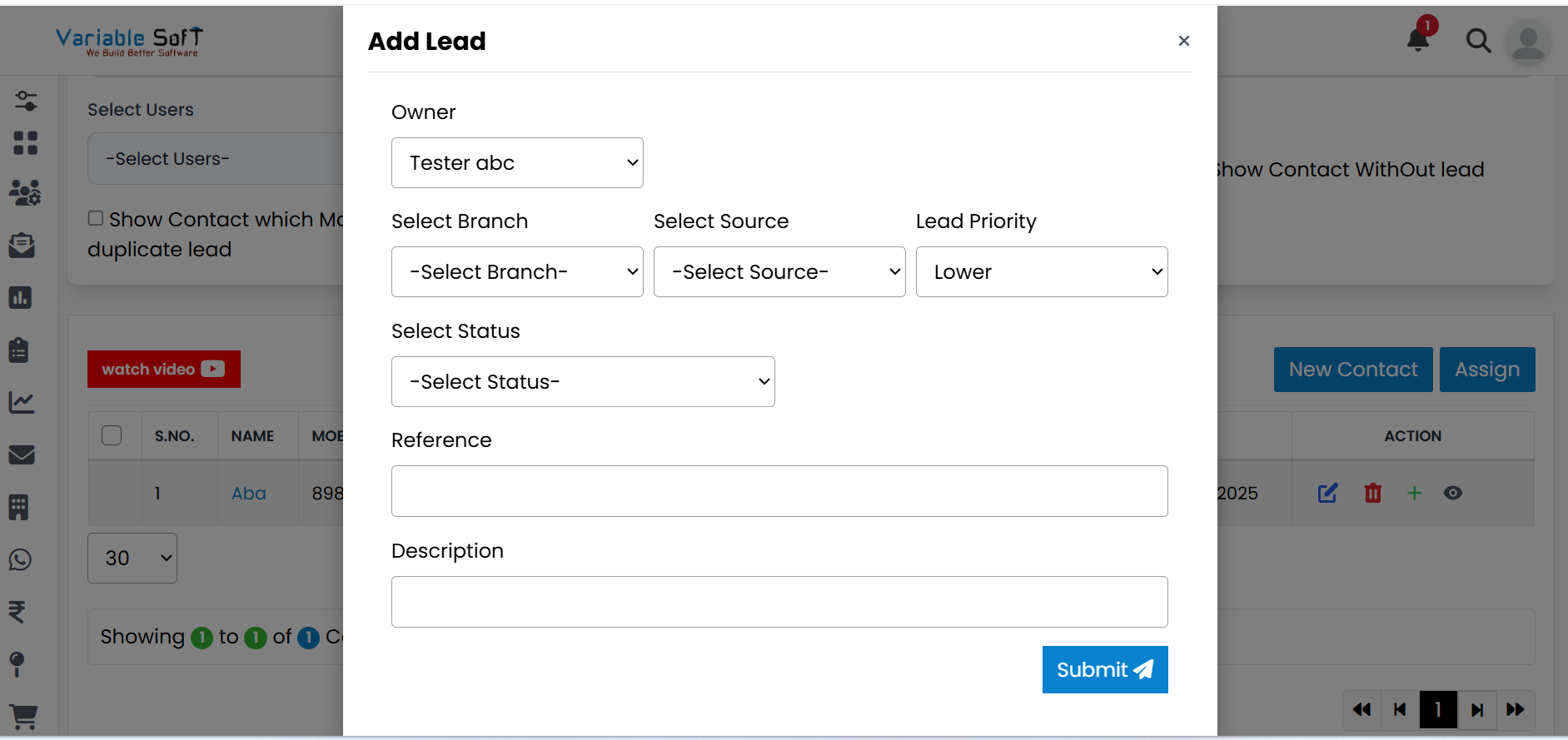
The Add Lead form will open; fill in all required information.
-
Step 3
Review the details to ensure they are correct.
-
Step 4
Click the Submit button to save the lead.
-
Step 5
The lead will be added successfully and appear in your CRM system.
💡 Pro Tip: Provide Accurate Details
Correct information ensures your leads are properly tracked and followed up efficiently.