New Task
New Task Instructions
-
Step 1
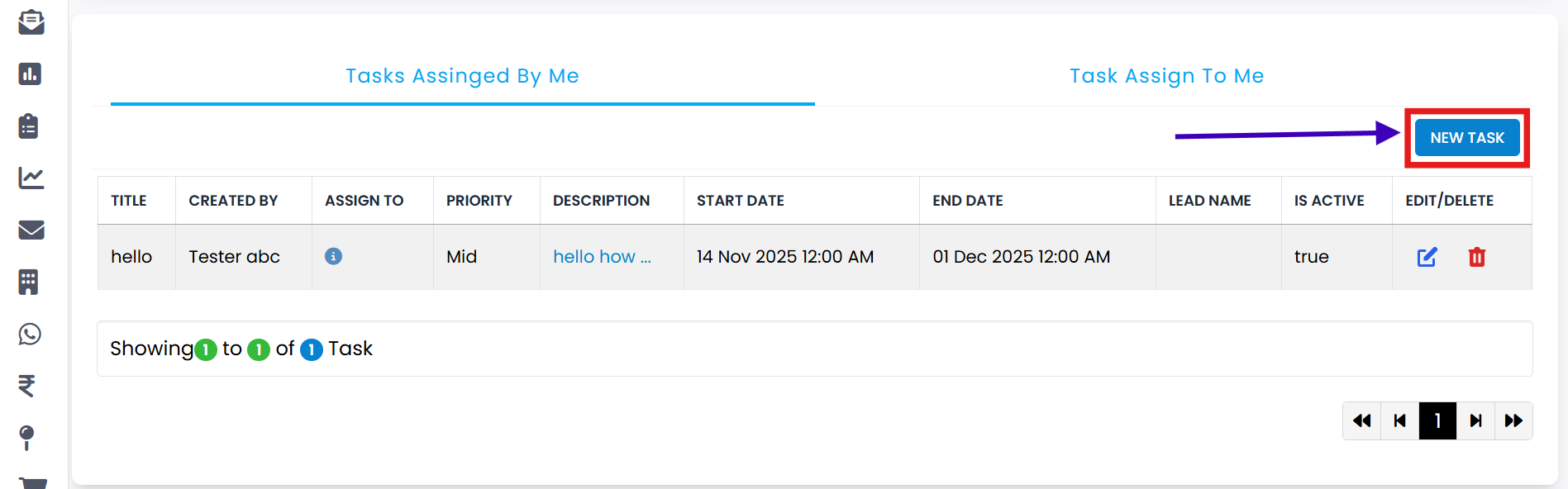
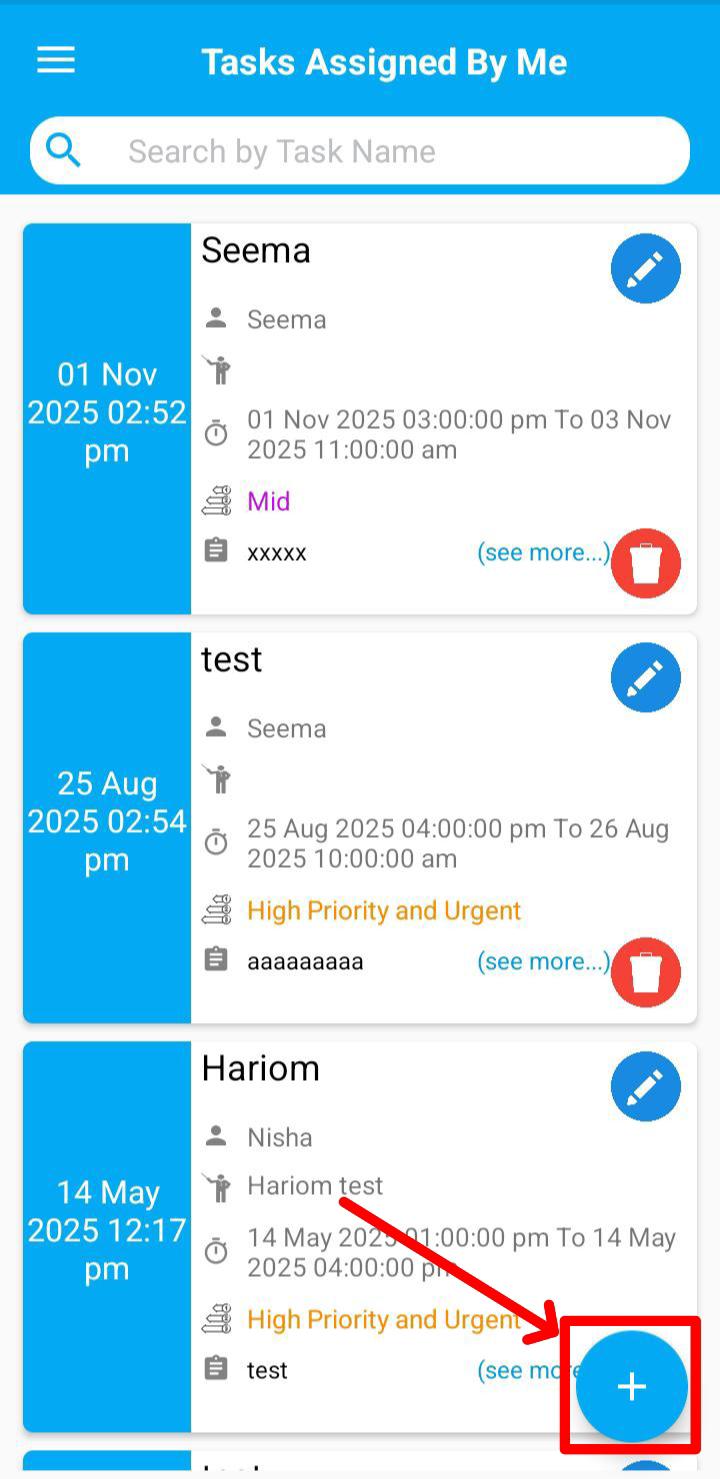
Navigate to the Task Assigned By Me section in your CRM.
-
Step 2
Click on the New Task button to open the Add Task form.
-
Step 3
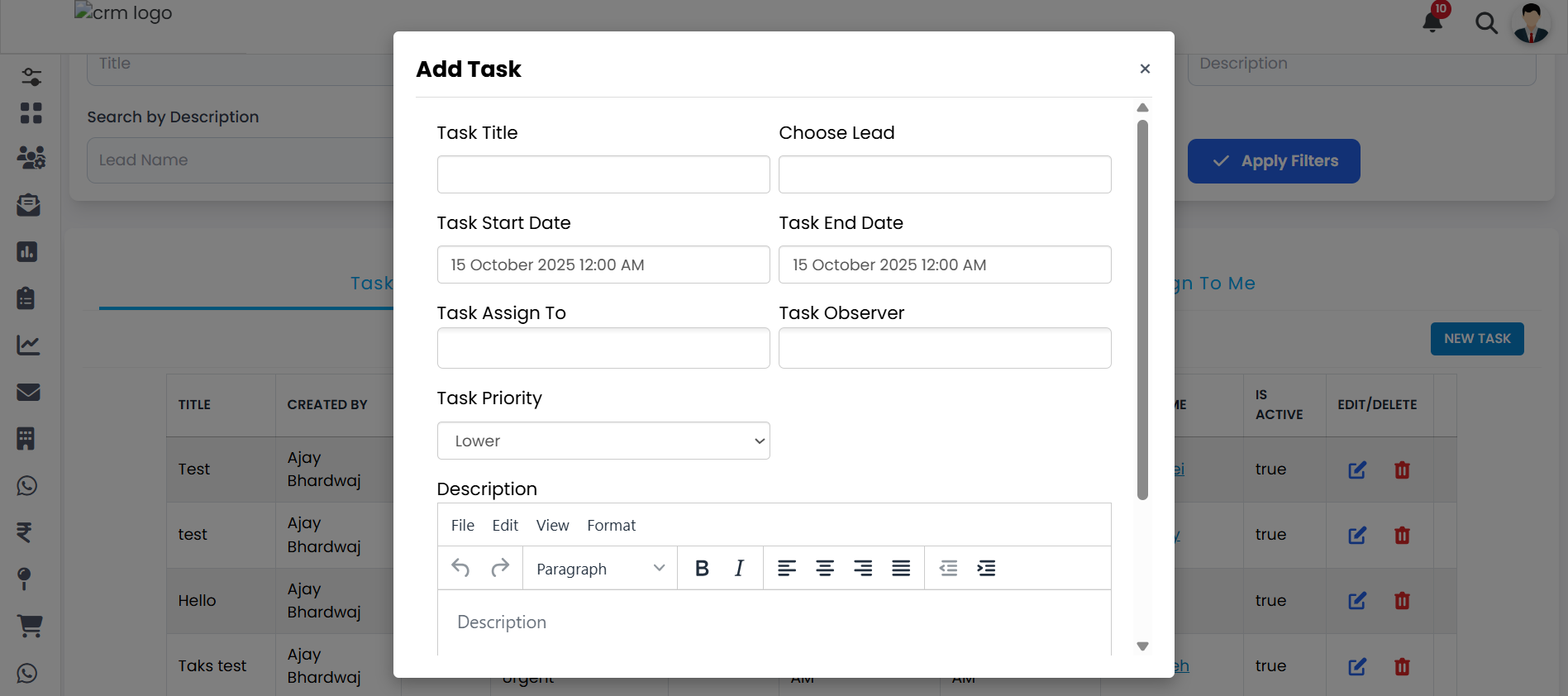
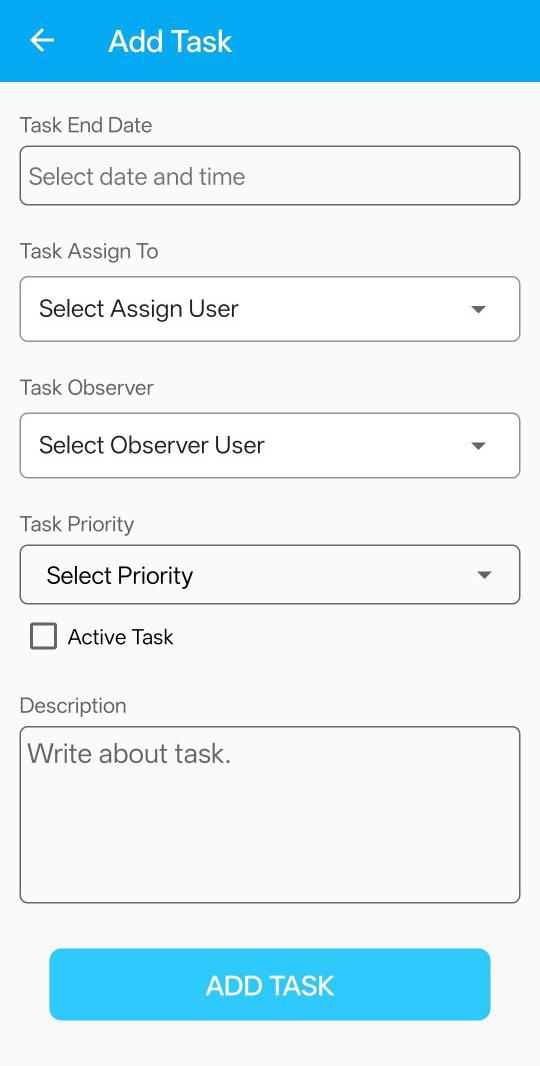
Fill in all the required details accurately in the form.
-
Step 4
Tick the IsActive checkbox to make the task active.
-
Step 5
Click the Add Task button to successfully create the task.
Explore Our App Interface
A quick glance at how VSCRM looks on your phone.
💡 Pro Tip: Efficient Task Creation
Ensure all mandatory fields are completed before submission. Verify the task details and activate it only when ready to assign.