Print Invoice
Print Invoice Instructions
-
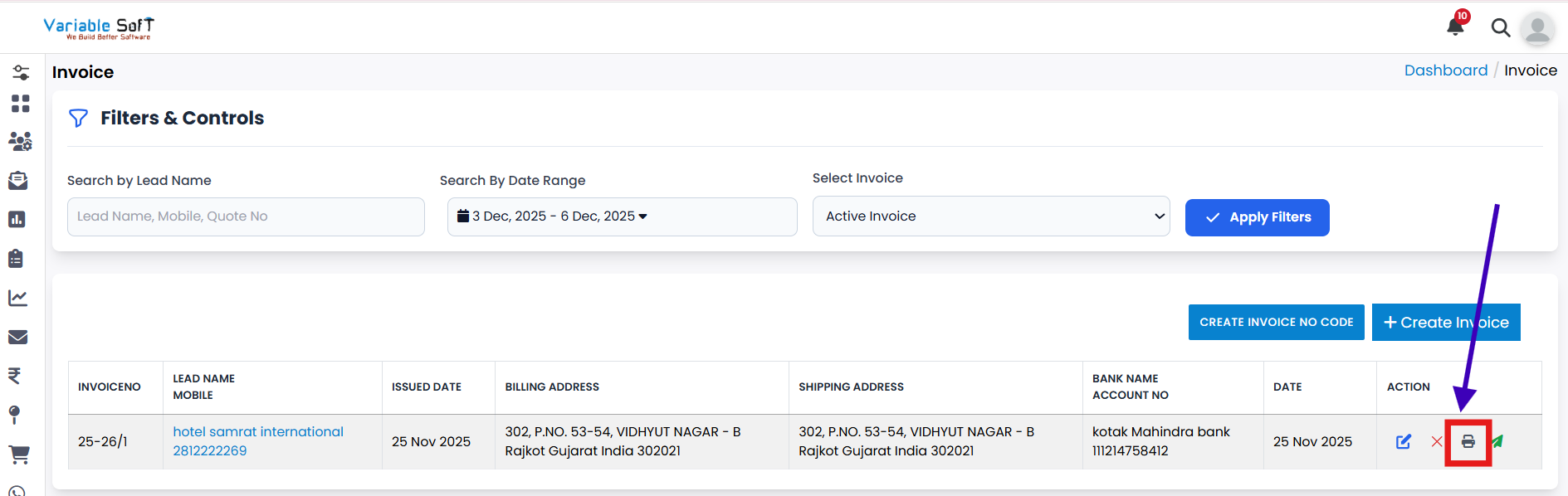
Step 1
To generate a copy of your invoice, simply click on the Print button.
-
Step 2
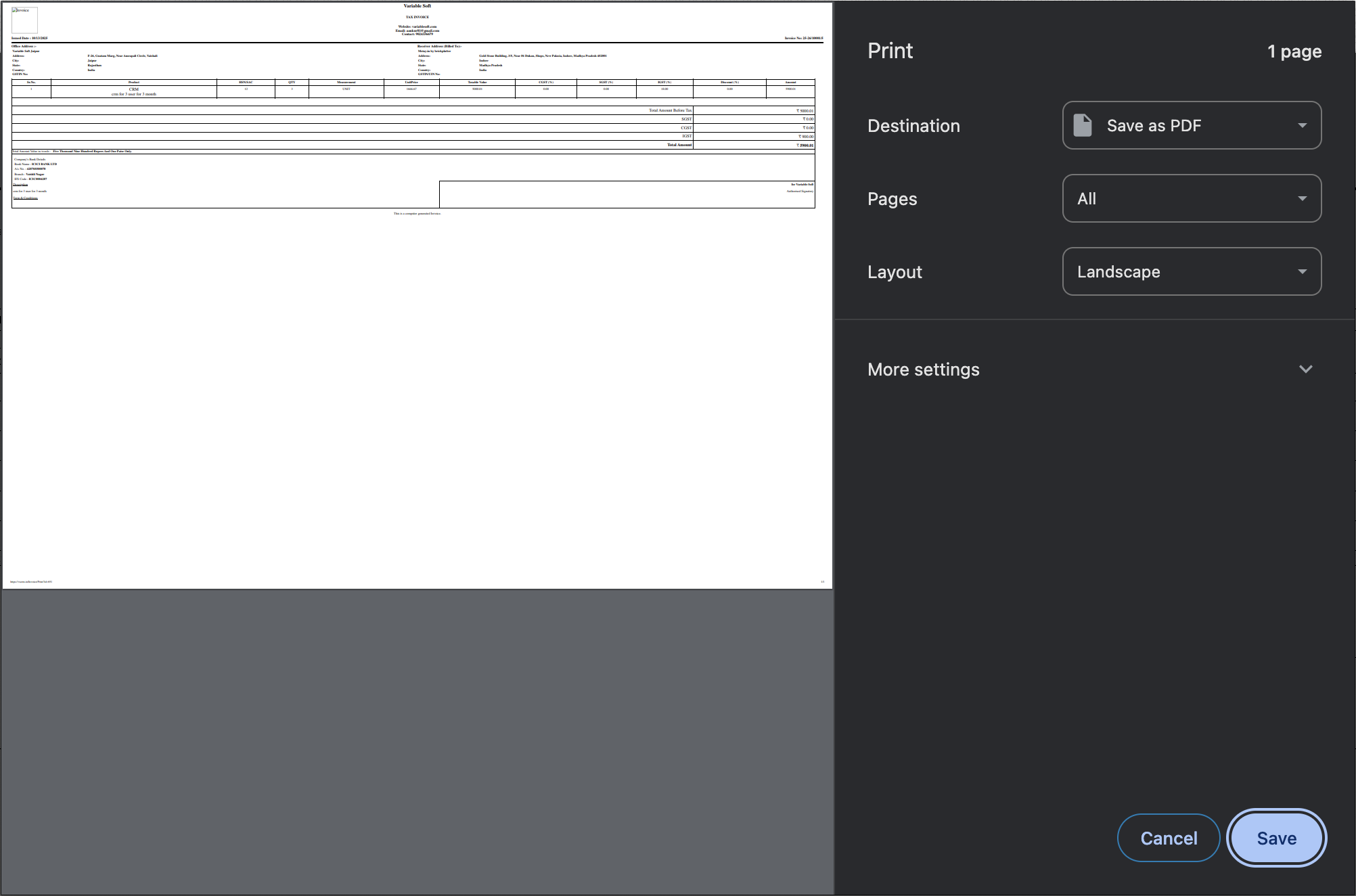
A print preview window will appear on your screen, allowing you to review the invoice before printing.
-
Step 3
Finally, click on the Print button to proceed.
-
Step 4
Your invoice will be printed successfully.
💡 Pro Tip: Keep a Digital Copy
Before printing, it’s a smart practice to save your invoice as a PDF. This ensures you always have a secure digital version for records, audits, or quick sharing.