Restore Checked Leads
Restore Checked Leads Instructions
-
Step 1
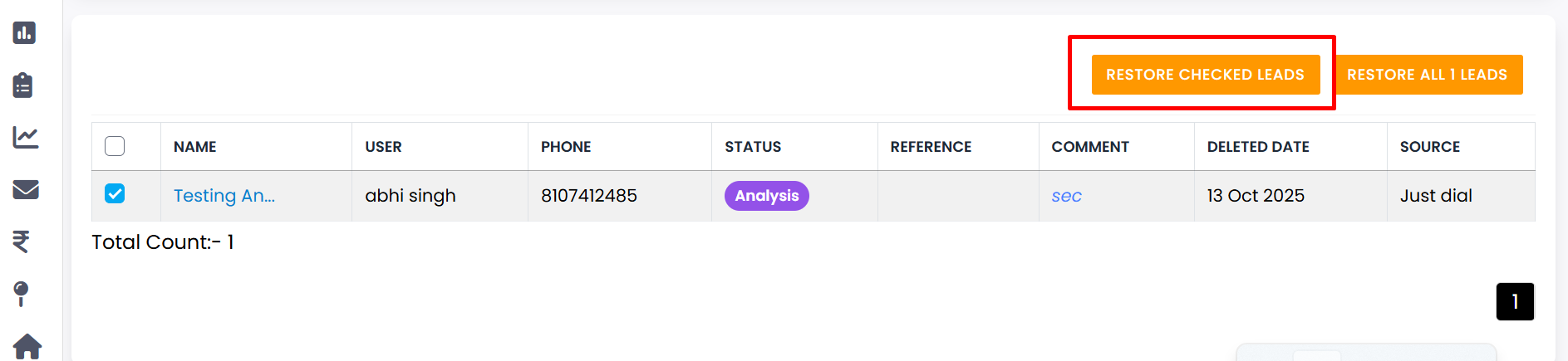
First, select the leads you want to restore from the Lead RecycleBin list.
-
Step 2
Click on the Restore Checked Leads button.
-
Step 3
If you do not select any leads, a message will appear: "Please Select at least One Lead".
-
Step 4
After selecting the leads, click the Restore Checked Leads button again to proceed.
-
Step 5
A confirmation message will appear: "Are you sure you want to Restore selected lead?"
-
Step 6
If you are not sure, click No, Cancel It! to stop the restore action.
-
Step 7
If you are sure, click Yes, Restore It! to confirm restoring the selected leads.
-
Step 8
Your selected leads will be successfully restored from the RecycleBin and will appear again in the lead list.
💡 Pro Tip: Be Sure Before Restoring
Restored leads will come back into your active lead list. Make sure you only restore the leads that you actually want to work on again.