Business WhatsApp Template
Step-by-step Instructions
-
Step 1
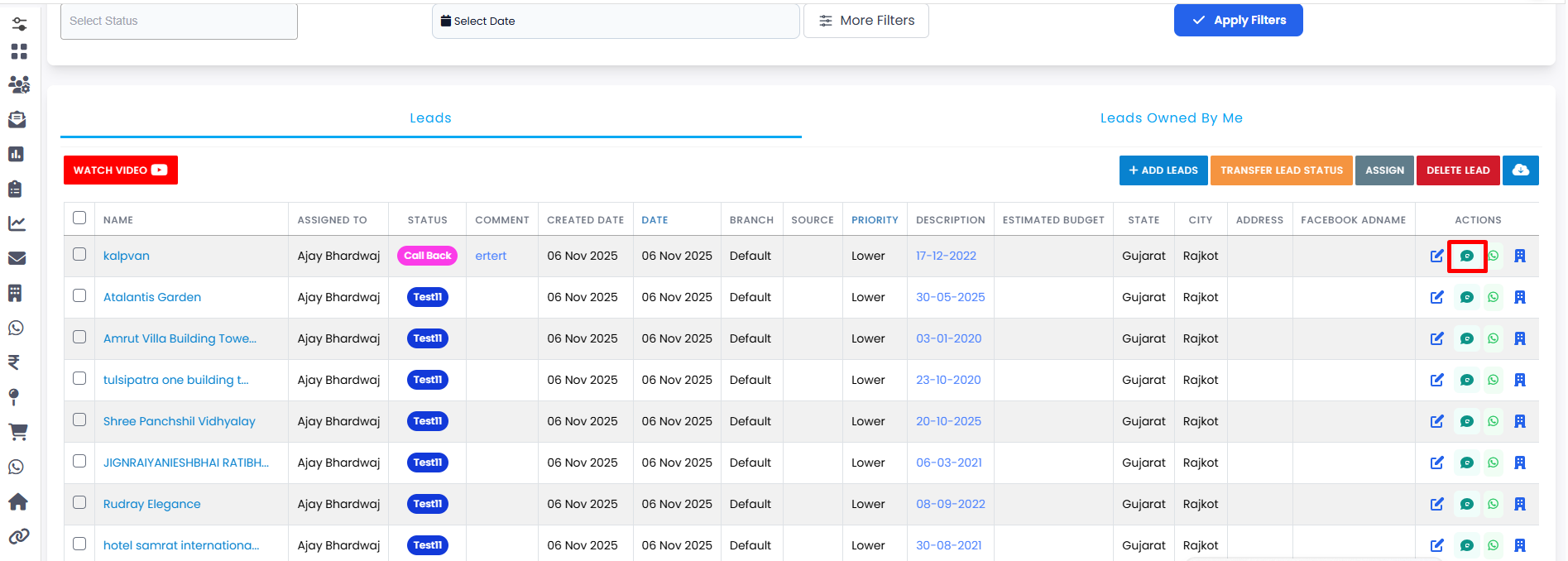
Click on the Send Business WhatsApp Template button.
-
Step 2
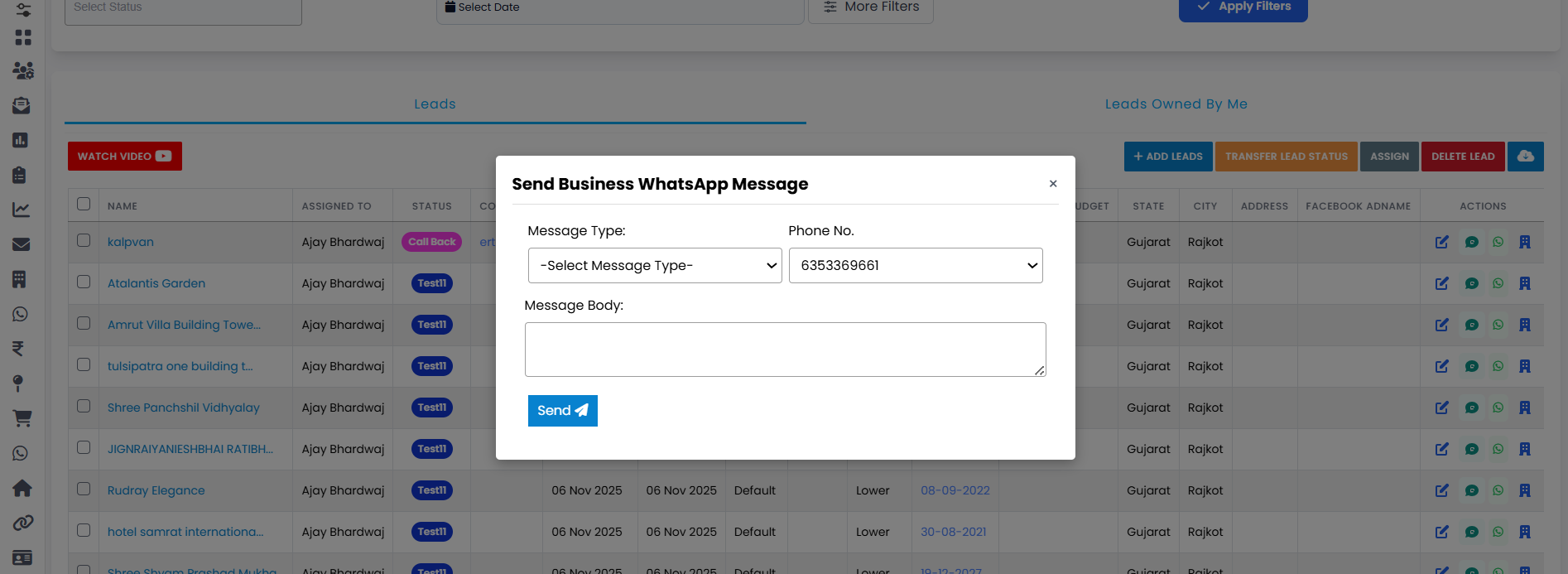
A pop-up will open where you can select the Message Type according to your need.
-
Step 3
Based on the selected message type, a form will open.
-
Step 4
Fill in all the required information in the form.
-
Step 5
Select the Phone No. where you want to send the message.
-
Step 6
Click on the Send button.
-
Step 7
Your message will be sent successfully.
💡 Pro Tip: Use approved templates wisely
Hamesha correct template category choose karein (utility, marketing, authentication) aur content ko short & clear rakhein — iss se approval rate aur deliverability dono improve hote hain.