Send Mail
Send Mail Instructions
-
Step 1
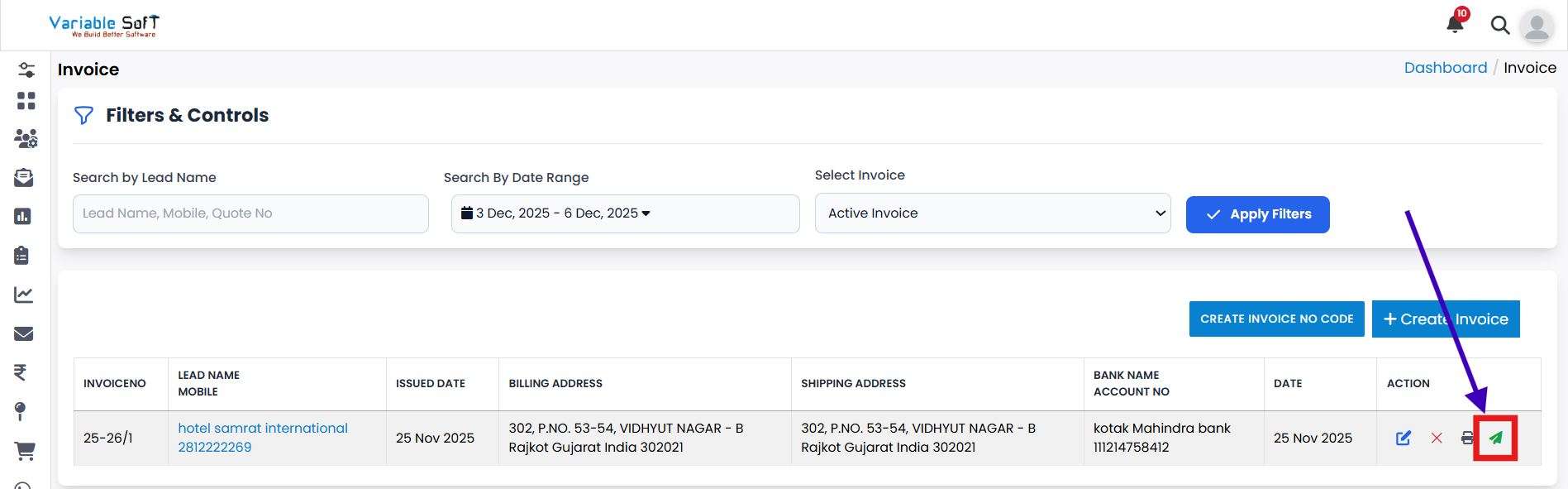
To send your invoice via email, click on the Send Mail button.
-
Step 2
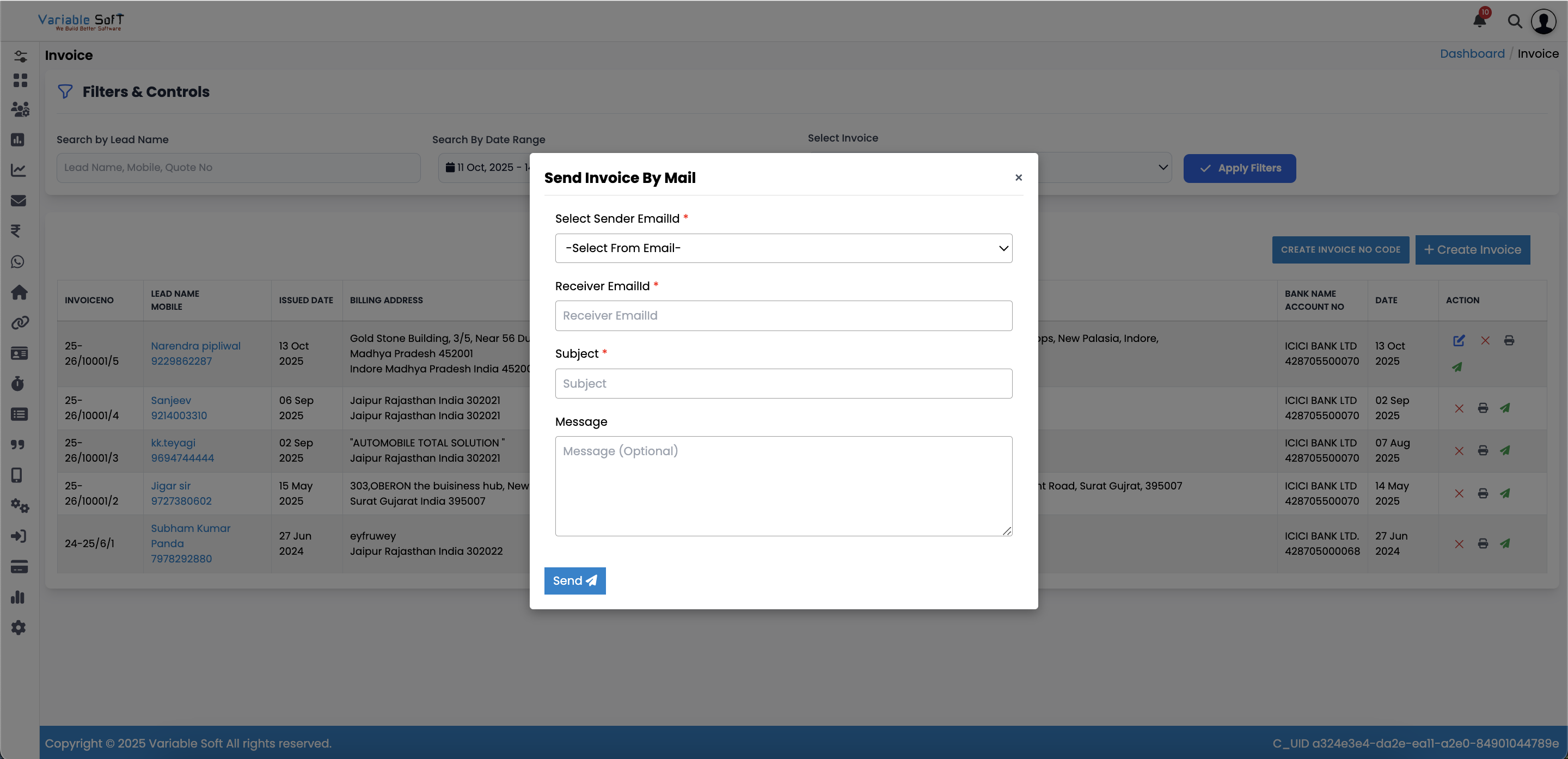
A Send Invoice By Mail form will appear on your screen.
-
Step 3
Select your Sender's Mail ID from the available options.
-
Step 4
Enter the Receiver's Mail ID carefully to ensure correct delivery.
-
Step 5
Fill in the Subject field with a clear and relevant title.
-
Step 6
Finally, click on the Send button to successfully mail your invoice.
💡 Pro Tip: Ensure Professional Communication
Before sending, double-check the receiver’s email ID and review your subject line. A clear subject helps your client quickly identify the invoice, reducing chances of it being overlooked.