WhatsApp Web Template
Step-by-step Instructions
-
Step 1
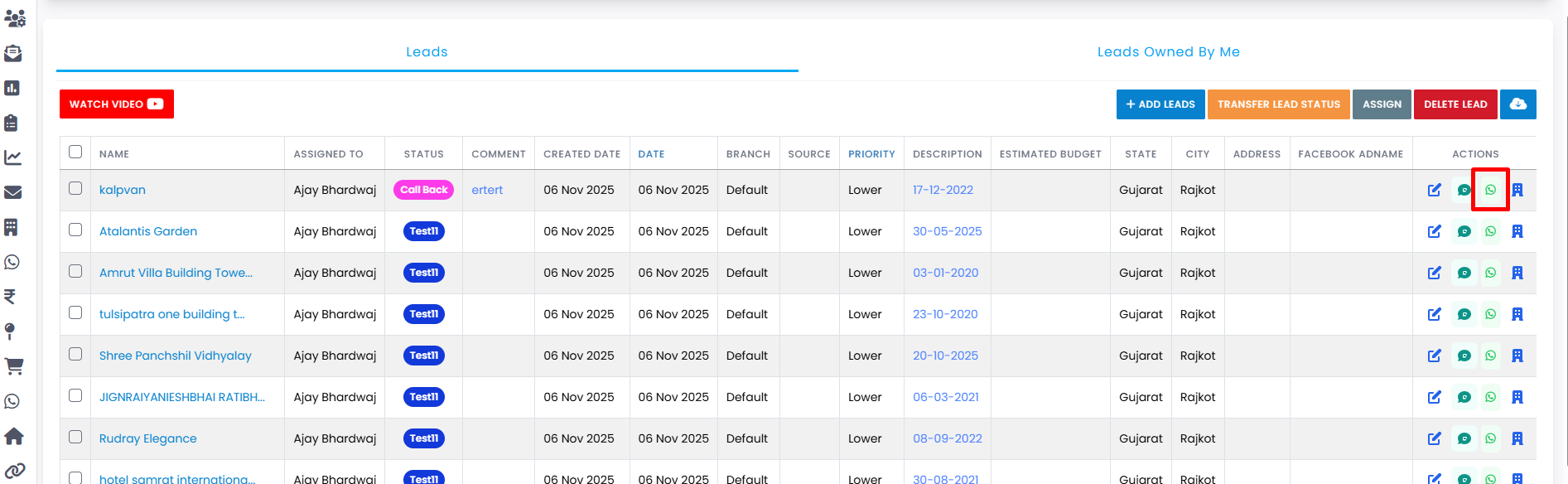
Click on the Send WhatsApp Web Template button.
-
Step 2
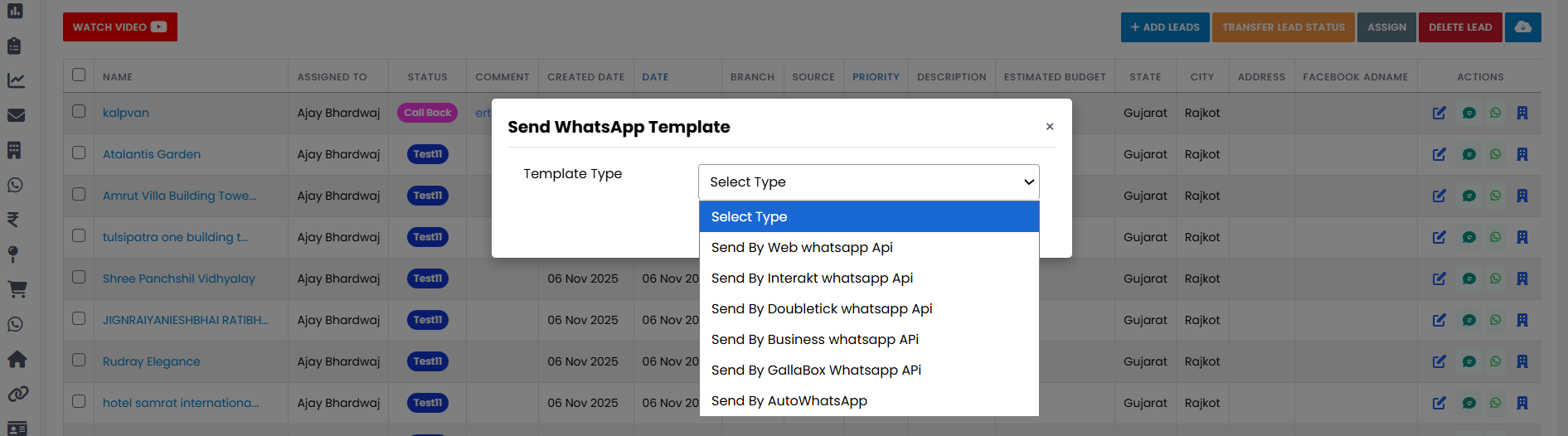
A pop-up will open titled Send WhatsApp Template.
-
Step 3
Choose the Template Type according to your requirement.
-
Step 4
Select the Template you want to send.
-
Step 5
Choose the Phone Number to which you want to send the message.
-
Step 6
Click on the Send button.
-
Step 7
Your message will be sent successfully.
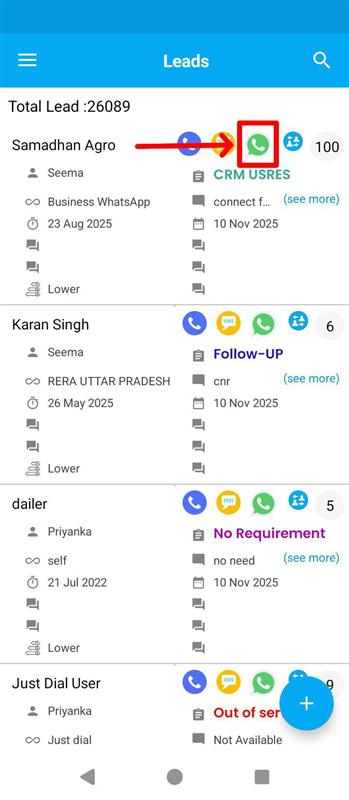
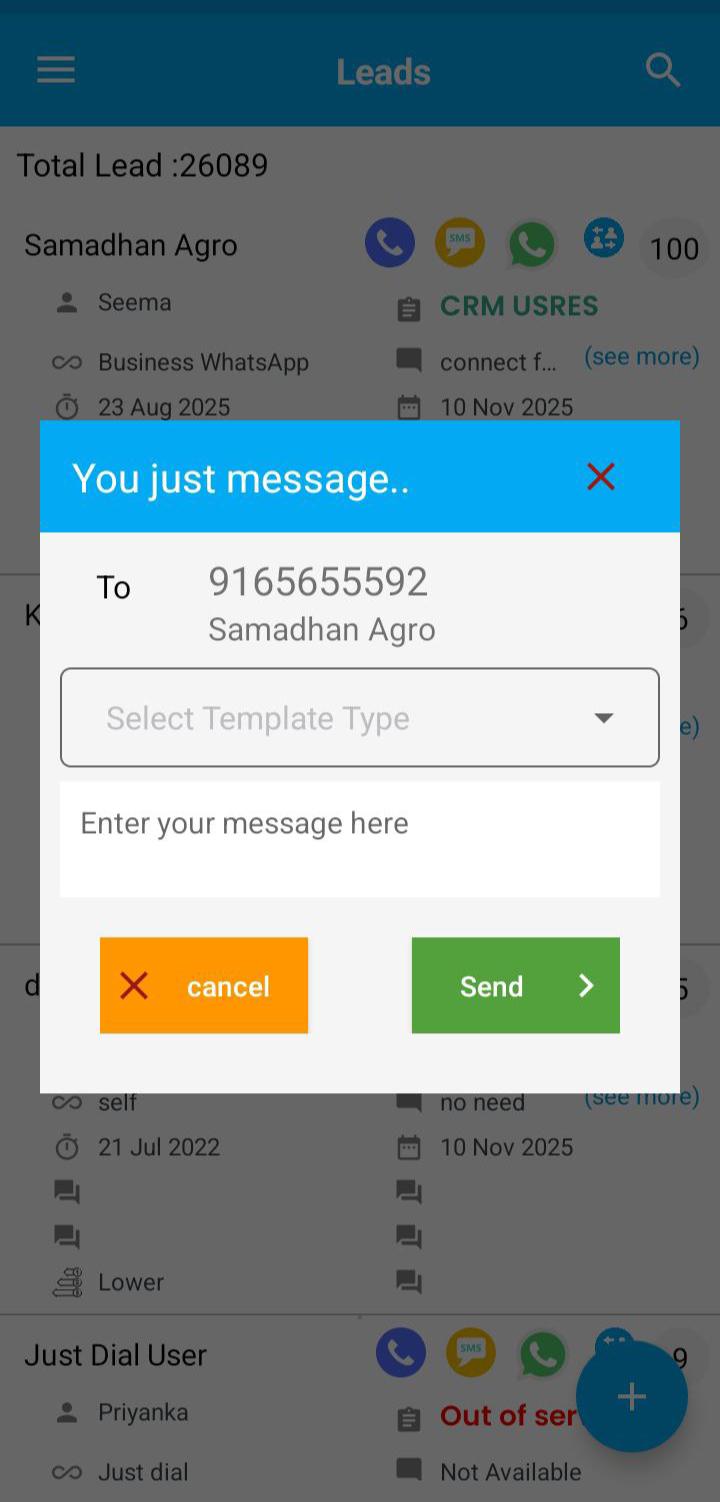
Explore Our App Interface
A quick glance at how VSCRM looks on your phone.
Pro Tip: Personalize WhatsApp Web messages
Template use karte waqt variables (name, city, product) ka sahi istemaal karein. Thoda personalization WhatsApp Web se bheje gaye har template ko zyada human aur high-converting bana deta hai.